Last Updated on March 28, 2026 by Craig Allen Keefner
Kiosk Design – Mounting A Kiosk Printer
August 2020 — Effective kiosk design comes over years of experience and here is a short video on one of the more common designs: integrating a common desktop POS printer like the Epson T88 into a kiosk. Providing the design tip is Frank Olea, CEO of Olea Kiosks, Inc. one of the largest, if not largest privately owned American kiosk companies.
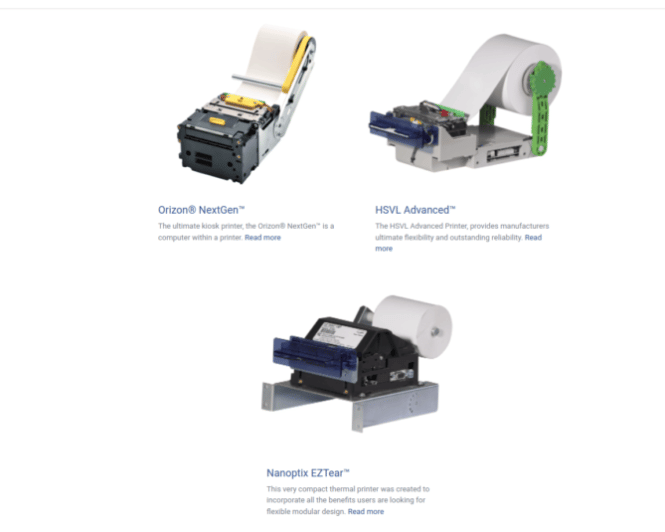
The Epson is an extremely popular printer for Point-Of-Sale as it is very reliable, small and fits easily on a desktop. Normally in a kiosk a printer designed for kiosks is used typically known as an open-frame.
Here the equation is reversed.
Designing a POS printer into a kiosk can be tricky. They weren’t designed to be stuffed into a box. A little extra effort has to be made to make paper changes easy and for the paper to actually come out of the kiosk. If you must use a desktop product make sure you do it right.
Olea Printer from Kiosk Manufacturer Association on Vimeo.
The discussion and video with comments is available on LinkedIn
More Olea Kiosk Information
https://kioskindustry.org/temperature-check-kiosks-available/
Here are some of the strongest and most relevant “kiosk design” articles on KioskIndustry.org — covering physical design, UX/UI, case studies, and strategic design thinking:
📌 Top Kiosk Design Articles
- Kiosk Enclosure Design – Doing It Right for Success & Brand
A detailed look at why thoughtful physical kiosk design matters — from usability and accessibility to durability and brand-building. Topics include enclosure design principles, UX/UI pointers, real-world pitfalls, and practical co-design details often missed by deployers. (Self Service Kiosk Machine) - Outdoor Kiosk Design 2025 – Best Practices, Specs & Examples
A comprehensive guide to designing kiosks for outdoor environments in 2025. Covers weatherproofing, ADA compliance, rugged enclosures, sunlight-readable displays, thermal management, and use-case examples like EV charging and city information kiosks. (Self Service Kiosk Machine) - Best Kiosk Design Characteristics – Best of 2024 Self-Service Awards
Highlights what constitutes excellent kiosk design through award-winning examples. Focuses on user experience, POS integration, customization, and real deployments that exemplify outstanding design in the self-service space. (Self Service Kiosk Machine) - Is a Custom Kiosk Design Right for You? (Dec 2025)
A strategic article on when and why to choose custom kiosk design over off-the-shelf models. Covers brand identity, differentiation, usability, and performance benefits of purpose-built kiosk design. (Self Service Kiosk Machine) - Kiosk Design – Modular Kiosk Rapid Prototype
Explores modular and rapid prototyping approaches in kiosk design. Features insights on flexible, configurable platforms like Olea’s HYPERMODULAR™ kiosk and how rapid prototyping fosters innovation and reduces development risk. (Self Service Kiosk Machine)
🧠 Additional Useful Design Resources
- Kiosk Design 101 – How to Mount Epson Desktop Printer in a Kiosk — A niche but practical hardware design tip. (Self Service Kiosk Machine)
- Kiosk UX/UI – Design Checklist (Category of UX/UI-focused design advice) — While not a standalone KioskIndustry.org article itself, this section indexes best practices and UX design resources. (Self Service Kiosk Machine)
- Category: kiosk-design tag — A tag archive listing assorted kiosk design posts and examples over time. (Self Service Kiosk Machine)
📌 Tips for Finding More on KioskIndustry.org
If you want to explore further within the kiosk design category or filter by design sub-topics like accessibility, UX/UI, or hardware engineering, you can browse the site’s Kiosk Design topic/tag pages which aggregates relevant posts over time. (Self Service Kiosk Machine)
Kiosk Design Checklist (Actionable)
1) Purpose & Context (Start Here)
-
☐ Clear primary task (order, pay, check-in, dispense, wayfinding)
-
☐ Known environment: indoor / outdoor / semi-outdoor
-
☐ User profile defined (first-time vs repeat, time-pressed, accessibility needs)
-
☐ Expected session length < 60 seconds for core flow
2) Physical & Enclosure Design
-
☐ Stable footprint (no wobble, tip-resistant, anchored if needed)
-
☐ Reach zones comply with ADA height & depth
-
☐ Rounded edges; no pinch points or sharp corners
-
☐ Ventilation supports continuous operation
-
☐ Easy access panels for service (no full teardown)
-
☐ Materials chosen for location (retail abuse, UV, moisture, cleaning agents)
3) Display, Touch & Visibility
-
☐ Screen readable in actual lighting (sunlight-readable if needed)
-
☐ Touch targets ≥ 9–10 mm (larger for seniors / public spaces)
-
☐ No glare at average viewing angles
-
☐ Alternative input supported (physical button, keypad, voice, mobile)
-
☐ Screen angle optimized for standing AND wheelchair users
4) UX / UI Flow
-
☐ First screen explains what this kiosk does in < 3 seconds
-
☐ One primary action per screen (avoid clutter)
-
☐ Back, cancel, and help always visible
-
☐ Error messages are human-readable and corrective
-
☐ Idle attract screen is informative, not noisy
-
☐ Timeout behavior tested (clear reset, privacy preserved)
5) Accessibility (Not Optional)
-
☐ Screen reader / audio guidance available
-
☐ Headphone jack or private audio option
-
☐ High-contrast mode supported
-
☐ Touch + non-touch path exists (mobile, keypad, voice)
-
☐ Accessible path to all core functions (not just info)
6) Payments & Security
-
☐ Card reader reachable and visible
-
☐ Privacy shield / spacing considered
-
☐ PCI-compliant components
-
☐ PIN entry shielded
-
☐ Camera placement avoids shoulder-surfing
-
☐ Clear user trust cues (“Secure Payment”, branding)
7) Serviceability & Operations
-
☐ Replaceable components in minutes, not hours
-
☐ Cable strain relief and labeled wiring
-
☐ Remote monitoring enabled (uptime, errors, consumables)
-
☐ Consumables easy to reload (paper, cards, tickets)
-
☐ Field tech can service without screen removal
8) Branding & Experience
-
☐ Brand visible from 10–20 feet
-
☐ Consistent brand language with app / web
-
☐ Lighting enhances, doesn’t distract
-
☐ Physical design reinforces brand promise (premium vs utilitarian)
9) Compliance & Risk
-
☐ ADA reviewed with physical + software teams together
-
☐ Local codes checked (fire, electrical, mounting)
-
☐ Clear privacy notice displayed
-
☐ Emergency stop / fail-safe behavior defined
10) Pilot & Validation
-
☐ Tested with real users (not just internal teams)
-
☐ Observe confusion points and hesitations
-
☐ Measure task completion time
-
☐ Capture abandonment reasons
-
☐ Revise before scaling
🧠 Pro Tip (from repeated field failures)
If a kiosk looks great but needs explanation, the design is not finished.