

Last Updated on August 6, 2026 by Craig Allen Keefner
Touchless touchscreens enable users to interact with kiosks and displays without physical contact, employing technologies such as hover tap, gestures, infrared, voice, or AI. This innovation significantly enhances hygiene and usability, a need that was accelerated by the COVID-19 pandemic. For instance, solutions like Olea Kiosks' touchless systems can detect user interaction from 0.5 to 1 inch away from the glass surface, providing visual and audio feedback. Companies like Nztech.Ca also offer HoverTap™ Universal, allowing gesture-based navigation for existing screens.
What are the different touchless technologies for kiosks, including Hover Tap, Gesture, IR, Voice, AI, Foot, and Mobile?
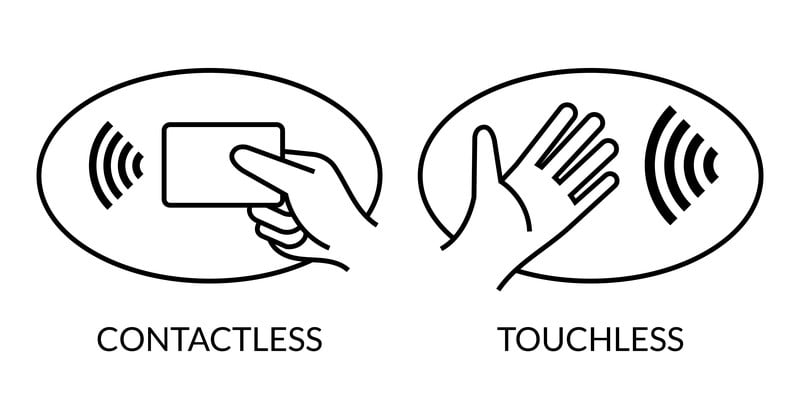
Touchless Touch screen Kiosk
New hover tap technology from Nztech provides complete screen control with touching. Easy to upgrade exisitng screens — Editor Update August 2025
From Nztech.Ca —
What is HoverTap™ Universal and how does it revolutionize touchless interaction for kiosks?
HoverTap video — https://youtu.be/W0DVSJu77ok
Editor Update November 2021 – Be sure and review the latest contactless touch “touchless touch” kiosks which are being featured at NRF 2022 by kiosk manufacturers,.
Having touchscreens or customer input stations that utilize no-touch touchscreen technology or “touchless touch” accelerated with the advent of COVID-19 pandemic. How clean are the touchscreens is the usual question and what is involved in cleaning and maintaining touchscreen.
The added cost of a touch layer is a factor as well. Roughly a 22″ inch screen requires $220 in touch technology in order to make it a touchscreen.
Some of the options have been to reduce the area needed for touch control emulating a remote control onscreen for your screen. In large format displays this can save money.
Contactless Touch Screen Kiosk Solutions – Companies
Olea Touchless Touch Touchscreen Interaction
Here is an example of touchless touchscreen circa 2020 and Olea Kiosks.
From Frank Olea off LinkedIn — CONTACTLESS Touchscreen! We got them! I was super excited when we got these in our lab a few weeks ago. The system is very intuitive and does not require drivers. It’s plug and play in Windows and Android. The lighting turns on when your finger breaks the beams surface to give you an indication that the touch is active. There’s also an audio tone when you “press” a button. It works anywhere from .5” – 1” away from the glass surface. We have various sizes and can do portrait or landscape and add other features like privacy filter. Private message me or ask your Olea rep about it.
olea-contactless_progressive_video from Craig Keefner on Vimeo.
22MILES NO-TOUCH TOUCHSCREEN CONTROL…. Voice Activated Touch
Create a fully interactive touch-free user experience through 22MILES’ Voice Activation/Recognition & Control. A component of the Digital Signage Solution Publisher Pro.AIoT, no matter the kiosk, location, or signage application, COVID-Proof the experience for users with a technology that is becoming the new standard.
- Users Experience FASTER more EFFICIENT Interactions and Transactions
- Find, filter and discover information, navigation, & more through voice
- Eliminate the tedious tasks of searching through pages and pages of items & information…. JUST SPEAK AND GO
- More information
KioWare Mobile NoTouch Touchscreen Controller
This is a software feature solution offered by KioWare. Windows or Android. KioWare also offers Maintenance Notification for Users so they can see “Last Cleaned” cycle.
KioWare innovations for clean touchscreens and the User Monitored Maintenance Cycle
Ed Note: Using the kiosk as the “fulcrum” or proxy is not a new idea but it is coming of age with the current situation. These new functions allow users to use their mobile phones as the proxy touchscreen. Statistically their mobile phone is a hotbed for bacteria but this method isolates users from contaminating the usually very clean touchscreen. People without mobile phones have cleaner fingers. Kind of an odd situation of juxtaposable factors.
Kiosk Innovations Camera and Gesture
Just released by Kiosk Innovations: Gesture-Nav is an easy to use sensor based hand gesture navigation tool. It reliably senses 5 dierent directional gestures including Up, Down, Right, Left, and Enter
The Intel RealSense Camera and several software solutions around this exist. Typically requires or uses RealSense.
Kiosk Innovations – Foot Controlled Navigation
Just released by Kiosk Innovations: Foot-Nav is an easy to use, easy to understand, and very reliable navigation tool. Foot-Nav allows users to use foot controls rather than touch to navigate through a user interface using the same controls as Gesture-Nav.
KIOSK Information Systems AI or Artificial Intelligence
Meanwhile KIOSK (KIS) has teamed up Valyant on conversational AI
Conversational AI Kiosk – Valyant AI & KIOSK Information Systems Enable Contactless Conversational AI
Pyramid Labs – Touchless Demo
Chief Executive Officer at Pyramid Computer GmbH
What can you play with on a Monday morning in Pyramid Computer GmbH´s lab? Contactless interaction with Ultraleap for sure is fun. Will the world ever see it in massive kiosk rollout? Who knows, but we would be ready.
BTW great to be back in the lab. I missed playing on these gadgets a lot in the home office.
Pyramid Touchless Demo from Kiosk Manufacturer Association on Vimeo.
Touchless Solutions – Technologies
Configuring IR from Zytronic
Our pcap controllers/sensors can be set up by any user, with sufficiently high levels of sensitivity that they will detect the approach of a finger a few mm from the surface of the glass.
The issue that all non-touch touchscreens are likely to face is the susceptibility to ‘false touches’ as unless the user’s finger is pretty perpendicular to the screen, there is a risk that a knuckle/palm may activate other areas of the touchscreen (or in the case of an IR/optical touchscreen, also inanimate objects such as a shirt sleeve). The palm rejection algorithms within our controllers’ firmware will help, but I suspect that by cranking up the touch sensitivity to such levels they’d be fighting a losing battle.
The software content/GUI will also need to be carefully designed, with larger than normal keys and wide ‘guard bands’ around the keys, again, to minimise accidentally activating surrounding keys.
NFC Touchscreens
NFC means near field communications and is a short range form of wireless technology that lets you exchange data with other NFC enabled devices. This typically involves an NFC chip and card. NFC works within a radius of 10 centimetres making it an ideal method for sending data securely.
An example of use could be a teacher using an NFC card to login to a touchscreen with an NFC reader which would then automatically log them in to their own files and folders on the local network.
Another example is a customer using an NFC enabled mobile phone, tapping an NFC reader on a touchscreen kiosk to checkout and pay for their order.
In both examples, NFC is a great way to provide speed and convenience in busy environments and negating the need to input sensitive data on-screen. Example Link
Optical Sensor Touchless
SANTA CLARA, California, June 26, 2019 /PRNewswire/ — Neonode Inc., (NASDAQ: NEON), the optical sensing technology company, today announced that its zForce® Touch Solutions are now optimized for reducing pathogen transmission in hospitals and other public spaces, by enabling contact-free interaction with graphical user interface (GUIs).
Transmission of health care-associated pathogens that have been shed onto touchscreens and button panels such as elevator buttons, vending machines, information boards, and electronic menus in fast food restaurants create well-documented public health risks. Evidence supporting these risks is provided by the NIH [1]. Neonode zForce Touch Solutions enable contactless interaction with touchscreens and button panels to mitigate these risks.
A zForce Touch sensor mounted along one edge of a display provides an interaction area positioned a desired distance above the display surface as illustrated in Figure 1, below. By making the interaction area hover above the display surface, users experience touch interaction without actually coming in contact with the display, reducing the risks of shedding and receiving health care-associated pathogens through contact with the display.
A zForce Touch sensor can also be mounted beneath a panel of buttons, such as an elevator panel, to enable riders to select their floor without touching the buttons.
“The risk of contamination in hospitals and public areas is of paramount concern to facilities, customers and designers of displays and other interactive devices. Providing a safety-conscious solution without compromising performance and the user experience is the driving force behind Contactless Touch, and we believe our customers will be as excited as we are about this innovative application,” states Carl Bergendal, Executive VP Sales and Engineering at Neonode.
For more information please see “Contactless Touch- a safer method of interaction” [2] at neonode.com.
Nice demo video of Touchless
How is touchless technology being applied in hospitality, specifically for elevators?
In hospitality, touchless technology is being applied to elevators, allowing them to operate without physical contact. This enhances hygiene and user experience in public spaces. This section provides examples of how elevators are transitioning to touchless interaction.
Voice Control
Controlling an interface via Voice is getting better. Multiple software companies provide this now. Noisy places can require more expensive noise cancellation array microphones
This is a software feature solution offered by KioWare. Windows or Android. KioWare also offers Maintenance Notification for Users so they can see “Last Cleaned” cycle.
Camera and Gesture
Gesture-Nav
Just released by Kiosk Innovations: Gesture-Nav is an easy to use sensor based hand gesture navigation tool. It reliably senses 5 dierent directional gestures including Up, Down, Right, Left, and Enter
The Intel RealSense Camera and several software solutions around this exist. Typically requires or uses RealSense. More information
Pyramid Labs – Touchless Gesture Demo
Chief Executive Officer at Pyramid Computer GmbH
What can you play with on a Monday morning in Pyramid Computer GmbH´s lab? Contactless interaction with Ultraleap for sure is fun. Will the world ever see it in massive kiosk rollout? Who knows, but we would be ready.
BTW great to be back in the lab. I missed playing on these gadgets a lot in the home office.
Pyramid Touchless Demo from Kiosk Manufacturer Association on Vimeo.
Foot Controlled Navigation
Just released by Kiosk Innovations: Foot-Nav is an easy to use, easy to understand, and very reliable navigation tool. Foot-Nav allows users to use foot controls rather than touch to navigate through a user interface using the same controls as Gesture-Nav.
AI or Artificial Intelligence
Meanwhile KIOSK (KIS) has teamed up Valyant on conversational AI
Conversational AI Kiosk – Valyant AI & KIOSK Information Systems Enable Contactless Conversational AI
Camera Intel RealSense
The Intel RealSense camera is getting many more integrations and include Gesture and Facial Recognition.
There are three different versions of the camera all tailored to specific situations:
- Coded Light for depth and objects [SR300]
- Stereo used for facial recognition primarily [400 family]
- Lidar version [515]
The F400 and D400 are most commonly used in the public space. Some interesting examples are:
- Teleidoscope Skeletal tracking
- Gestoos gesture
- Eyeware
All of these and more are listed on Intel RealSense website
There are more videos of RealSense and Skeletal Tracking on YouTube
Background on Contactless
Article by Richard Berglind, Sr. with Neonode
Smartphones and other portable products have made touch the human machine interface (HMI) of choice for many other products. Touch sensing is easy to implement, easy to use, reliable and cost-effective. However, there are many applications and situations where physically touching a device is not desired and, in fact, in some cases must be avoided. Before discussing a solution to these more restrictive applications, a little touch sensing background is in order.
A touchy topic
According to a recent market report, there is a growing need for touch sensing [1]. The report projects the global touch sensors market will reach approximately USD 8.4 billion by 2023, growing at 12.8% compound annual growth rate (CAGR) over the forecast period 2018–2023. Typical touch sensing technologies include: resistive, capacitive, surface acoustic wave (SAW), infrared (IR), optical imaging and more recently acoustic pulse recognition (APR). In their most common implementation, these approaches all require actual contact with the surface. However, applications exist that do not want or must avoid physical contact and necessitate a more sophisticated sensing approach.
One possibility would be using a time-of-flight technology to identify mid-air interactions above a touchscreen [2]. Time-of-flight is a ranging technique that resolves the distance between the sensor and an object by measuring the time it takes for light to travel to an object and back to the sensor. The accuracy is on the order of 1 cm, which makes it unsuitable for touch interaction purposes. Improving the accuracy would generally mean a slower frame rate. Furthermore, this kind of sensor requires calibration and is sensitive to changes in temperature.
The challenges in touch sensing technologies for contactless interaction include the need for sophisticated sensing approaches beyond traditional contact-based methods like resistive, capacitive, SAW, IR, optical imaging, and APR. While the global touch sensors market is growing, many applications require avoiding physical contact. Alternatives like time-of-flight technology, which identifies mid-air interactions, face accuracy and calibration issues. Traditional infrared technology, while an option, can create aesthetic and cleaning difficulties due to the required frame. These issues necessitate careful design and advanced solutions for effective contactless interaction. (Read full Article by Richard Berglind, Sr. with Neonode)
Read full Article by Richard Berglind, Sr. with Neonode
Where can I find more information on touchscreen guidance and touch alternatives for interactive kiosks?
From Intuiface: “Touchscreen Guidance in a (Post) Confinement World”, located here: https://www.intuiface.com/blog/touchscreen-guidance-for-a-post-confinement-world
Includes a reference to the how-to guide about an Intuiface-based experience illustrating how to incorporate touch alternatives in an interactive kiosk.
What are the contactless and holographic solutions for elevators and kiosks?
Switching to Holographic and Other Contactless Touch
Solutions for Safer, Germ-free Interaction
We encourage you and your customers to join us Wednesday, June 24 at 0900 PST or this ground-breaking webinar on designing and manufacturing safe, interactive displays, presented by Neonode, the industry leader in Optical Reflective Technology.
You can find more information on touchscreen guidance and touch alternatives for interactive kiosks from Intuiface, specifically in their article 'Touchscreen Guidance in a (Post) Confinement World,' available at https://www.intuiface.com/blog/touchscreen-guidance-for-a-post-confinement-world. This resource includes a how-to guide illustrating how to incorporate touch alternatives in an Intuiface-based interactive kiosk experience.


