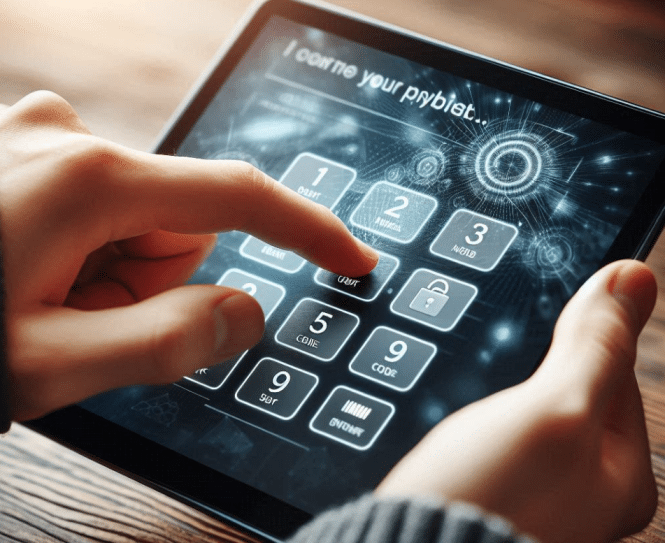
Touchscreen Payment and “PIN On Glass” POG — Touchy Subject…

pin on glass touchscreen

Touchscreen Payment Via Pin On Glass (POG) via Android

We were asked about using Pin on Glass.  Would be nice to get rid of numeric keypad.

Comment from Datacap: Yes, PIN on Glass is supported in the US. It’s generally supported via purpose-built PCI PTS devices that have certified PoG with EMVCo and/or on COTS (consumer off-the-shelf) devices via a SoftPOS (contactless payments only) implementation. That being said, PIN on SoftPOS is still pretty rare in the US. Expect to see it more over the next year or two as SoftPOS adoption gains momentum.

For a payment kiosk in the U.S., PIN-on-Glass (PoG) technology is generally acceptable, provided it meets specific security standards and certifications.

From TPGi — This feedback is based on input from David Swallow, David Sloan, and Mitchell Evan at TPGi.

  • General Accessibility Considerations  — PIN on Glass presents similar accessibility challenges as other touchscreen interfaces. While it can be designed to meet accessibility requirements, there are still significant concerns:
  • Tactile Discernibility: Existing standards emphasize that controls should be tactilely discernible (perceivable by touch). Approaches to improve tactile discernibility on touchscreens include tactile edge markings or overlays. Some solutions fill the entire screen with a keypad and provide speech guidance instead. However, RNIB guidance suggests that even well-designed touchscreens remain challenging, and alternative input methods should be available.
  • Interaction Models: Touch inputs should not activate on contact. This means the device must support a transition from single-tap interaction for sighted users to multi-tap interaction when a screen reader is enabled. Additionally, key repeat delay mechanisms should be implemented to accommodate users with limited dexterity or tremors.
  • United States Requirements  — ADA 707.6 requires tactile input for ATMs and fare machines. Section 508 (407.3.1) requires all hardware input controls to be operable by touch and tactilely discernible without activation.
  • For self-service terminals, tactile discernibility is a clear expectation, while for personal devices, allowing users to connect a physical keyboard may be a way to meet the requirement.
  • European Requirements  — The European Accessibility Act (EAA) defines payment terminals as a type of self-service terminal, which must have “an adequate contrast and tactilely discernible keys and controls when keys and controls are available.”
  • Although Section IV of Annex 1 of the EAA includes accessibility requirements for payment for e-commerce services, the EAA’s definition of e-commerce services appears to exclude physical payment devices. Further clarity on requirements for payment terminals may be needed.
  • EN 301 549 has related but somewhat more lenient requirements. For example: o 8.5 Tactile indication of speech mode: Shared-use ICT with speech output must provide a tactile indication of how to initiate speech mode. o 5.5.2 Operable parts discernibility: ICT must provide a means to discern
    each operable part (whether hardware or software) without requiring vision or activation. Making the operable parts tactilely discernible is noted as one way of meeting this requirement.

Final Thoughts
PIN on Glass may meet some accessibility standards when implemented with appropriate accommodations like speech guidance, tactile overlays, or alternative input methods. However, usability challenges persist, particularly for people who rely on tactile feedback. Regulations in both the U.S. and Europe emphasize the importance of tactilely discernible controls, suggesting that further industry guidance or regulatory clarity may be beneficial.

From RNIB —  no response

From ETSI — no response

From USAB — no response

Overview

Here’s what you need to know:

Acceptability and Standards

PIN-on-Glass is an evolving technology in the payment industry that allows customers to enter their PIN on a touchscreen device rather than a physical keypad

. For a payment kiosk to use PoG in the U.S., it must adhere to strict security requirements:

  1. PCI Certification: The device must be certified by the Payment Card Industry Security Standards Council (PCI SSC)
  2. Hardware Requirements: The kiosk should use PCI PTS (PIN Transaction Security) approved hardware-based point of interaction (POI) devices built on a mobile device platform
  3. Software Requirements: If using a software-based solution, it must comply with the PCI Software-based PIN Entry on Commercial Off-The-Shelf (SPoC) standard

Security Measures

PoG solutions incorporate multiple layers of security to protect sensitive data:

  • Encryption of PIN and payment information
  • Tamper detection mechanisms
  • Secure boot processes
  • Isolation of PIN from other cardholder data

Considerations for Implementation

When implementing PoG for a payment kiosk in the U.S., consider the following:

  1. Compliance Deadlines: Be aware of any mandates from card brands. For example, Visa announced a sunset date for non-approved SPoC solutions
  2. Accessibility: Ensure the kiosk can accommodate customers with disabilities to avoid potential legal issues
  3. Consumer Trust: Some customers may be hesitant to use PoG technology, particularly in areas with strong “Protect your PIN” awareness programs
  4. EMV Transactions: PoG solutions often focus on EMV (chip) transactions rather than magnetic stripe, which enhances security

In conclusion, PIN-on-Glass is acceptable for payment kiosks in the U.S., provided the solution meets PCI standards and incorporates robust security measures. As the technology continues to evolve, it’s crucial to stay updated on the latest requirements and consumer preferences to ensure successful implementation.

Legal Considerations

Accessibility Issues

Merchants using PIN-on-Glass solutions need to be aware of potential legal risks related to accessibility:

  • Many jurisdictions, including the US, Canada, and the EU, have laws aimed at providing accessibility for disabled individuals
  • A merchant offering payment only via PIN-on-Glass could be at risk under these laws, as there have been lawsuits filed in the US over the use of touch screens and apps
  • Merchants need to do their due diligence to ensure they can accommodate customers with disabilities, or they may find themselves facing legal action

Security and Compliance Requirements

There are also legal implications related to security standards and compliance:

  • Merchants must use PCI-approved Secure Card Reader for PIN (SCRP) devices
  • PIN-on-Glass solutions must comply with the PCI Software-based PIN Entry on COTS (SPoC) standard
  • Visa has mandated that merchants accepting PIN-based transactions via COTS devices must use or transition to a PCI-validated software-based PIN entry on COTS solution
  • Failure to comply with these standards could result in legal liability in case of data breaches or fraud.

Consumer Protection Laws

Merchants may face legal risks related to consumer protection:

  • If proper security measures are not in place, merchants could be held liable for fraudulent transactions or data breaches.
  • Consumers may have legal recourse if their PIN data is compromised due to inadequate security measures.

Contractual Obligations

Merchants should be aware of potential contractual implications:

  • Agreements with payment processors or acquiring banks may require compliance with specific security standards for PIN entry.
  • Failure to meet these contractual obligations could result in legal disputes or termination of services.

To mitigate these legal risks, merchants should ensure they are using PCI-compliant PIN-on-Glass solutions, provide accessible alternatives for customers with disabilities, and stay informed about relevant laws and regulations in their jurisdictions

Where is Pin Use Relevant

Debit Card Transactions

PIN is most commonly used with debit cards in the following scenarios:

  • ATM Withdrawals: When withdrawing cash from an ATM, entering a PIN is typically required
  • Point-of-Sale (POS) Purchases: Many merchants offer the option to use PIN for debit card purchases. When using a debit card at a store, customers can often choose between “debit” (which requires PIN entry) or “credit” (which may require a signature)
  • Cash Back at Retailers: When getting cash back during a purchase at a store, PIN entry is usually required

Credit Card Transactions

While less common, PINs can sometimes be used with credit cards:

  • Cash Advances: When using a credit card to withdraw cash from an ATM, a PIN is typically required
  • Chip and PIN Cards: Some credit cards, particularly those designed for international use, may use chip and PIN technology. However, this is less common in the U.S. compared to other countries

Online and Mobile Transactions

  • Two-Factor Authentication: Some banks use PINs as part of their two-factor authentication process for online or mobile banking transactions

Additional Considerations

  • Signature vs. PIN: In the U.S., signature-based transactions are still common, especially for credit cards. However, PIN-based
  • Merchant Discretion: Some merchants may prefer PIN transactions due to potentially lower processing fees, while others may opt for signature-based transactions
  • Contactless Payments: With the rise of contactless payments, some transactions may not require PIN entry for small amounts

It’s worth noting that the use of PINs in the U.S. is less prevalent compared to some other countries, particularly for credit card transactions. However, for debit card usage, especially at ATMs and for cash back at retailers, PINs remain a standard security measure.

EUROPE

Contactless Payments

Contactless payment has become increasingly prevalent across Europe, reducing the need for PIN entry for many transactions:

  • Most purchases under €50 (or the local equivalent) can be made without entering a PIN
  • Using mobile payment methods like Apple Pay or Google Pay often eliminates the need for PIN entry, even for larger purchases
Chip and PIN

Despite the rise of contactless payments, chip and PIN technology remains standard in many European countries:

  • For transactions exceeding the contactless limit, a PIN is typically required
  • Some countries, like France, have implemented “PIN Online” verification, where the PIN is verified directly with the bank’s server rather than the card chip

Variations by Country and Merchant

The use of PINs can vary depending on the specific country and merchant:

  • In Germany, some establishments may only accept cash or specific cards like Eurocard
  • Unattended payment points (e.g., ticket machines, parking garages, self-service gas pumps) often require chip and PIN cards

American Cards in Europe

For American travelers using US-issued cards:

  • Many US cards now work with contactless payments in Europe
  • Some US cards may still default to chip and signature rather than chip and PIN
  • At manned terminals, signature-based transactions are usually accepted, but automated kiosks may require a PIN

More PIN on Glass and PIN on Mobile Background

  • 2022 Ingenico — What’s the Difference Between PIN on Glass and PIN on Mobile?  With Apple’s recent announcement of Tap to Pay on iPhone, use of mobile devices to accept payment at the point of sale continues to gain traction. With that in mind, I thought it was important to discuss the differences between PIN on terminal, PIN on glass and PIN on mobile, as card authentication will continue to play a big role in how tap to pay on mobile devices will ultimately work.
  • 2020 — What is PIN on Glass – Trustonic

More Links

Best of 2024 Self-Service Kiosk Award Winners – Press Release

Self-service awards kiosk best of 2024

Self-Service Kiosk and Digital Signage Award Winners for 2024 —

Innovations in Immersive Technologies

WESTMINSTER, Colo., Jan. 8, 2025 — Kiosk Industry Group, the marketing arm of KMA Kiosk Association, announces the Best of 2024 Self-Service award winners. The winners exemplify the best in self-service and kiosk design, including kiosks. You can meet many of the winners and chat at NRF this week. Stop by 1602 (the first booth down A lower level). If you are attending, look us up on the mobile and matchmaking app and say hello.  We also donated $100 for every entry made (which were free) to Retail Orphans and IHL.

Reference: PRnewswire and APnews

AND OUR WINNERS ARE

LATEST NEWS

Contact [email protected] with questions or contacts. We accept no financial commission or paid advertising.

Trophy

Many like the physical award and we have that

Many like the physical award and we have that

ABOUT KIOSK INDUSTRY

Your source for opinions, insights, news, and market trends. Learn from the experts.

ABOUT THE KIOSK ASSOCIATION

Our mission is to inform and educate. https://kma.global/

Thanks to the companies who make this possible.

MEDIA CONTACT:

Craig Keefner

[email protected]

720-324-1837 mobile text whatsapp telegram

MULTIMEDIA:

IMAGE link for media: https://www.Send2Press.com/300dpi/25-0108-s2p-kmaawards-300dpi.jpg

Image caption: Best of 2024 Self-Service and Kiosk Awards.

NEWS SOURCE: Kiosk Industry Group

LINKS

Kiosk Design Awards – Best of 2024 – Prestop Evolution

32" Evoloution Kiosk

Europe Kiosk and Design Best of 2024

Prestop is one of the “more experienced” and mature self-service kiosk providers in the world and we have added the Prestop 32 Evolution kiosk to Best of 2024 Awards. It’s note worthy that we also find out later that SiteKiosk software and Storm AudioNav module our major components.

Description

The 32-inch Evolution Kiosk combines a sleek, user-friendly design with advanced functionality. Its LED lighting is able to match any brand’s identity.

The kiosk is fully compatible with multiple POS systems, which ensures seamless integration with the client’s preferred software setup.

Prestop offers customization options, including various colors and add-ons to tailor the kiosk to specific needs. For added convenience, we can include a table card holder or buzzer system.

Accessibility is a key focus. The flat floor-mount design and optional features, such as the Storm AudioNav module and hearing loop, enhance usability for all and comply with the ADA and EAA . Security is ensured with SiteKiosk software, preventing users from leaving the running application.

Deployments

The SSU is installed at Schiphol Airport (the Netherlands) and Hamad (Airport Quatar)

Schiphol Airport               30 units

Hamad Airport                  20 units

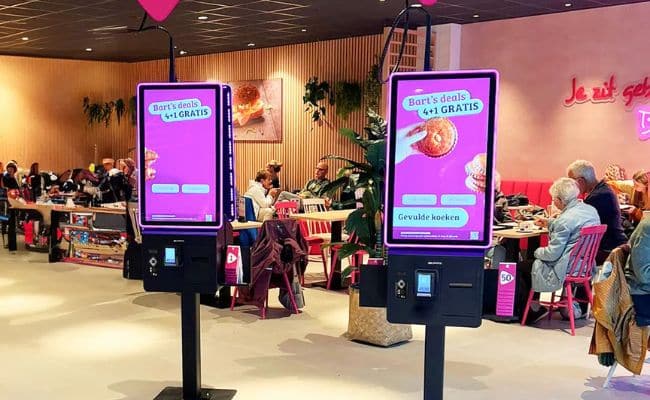
The 32” Evolution is installed at Domino’s Pizza the Netherlands, Germany, France, Belgium. Bakker Bart the Netherlands, several location in Germany and the Netherlands and very soon in the US.

Total installations to date is 80. This year we expect minimum installations will be 420 pieces of this unit.

SSU Self Service Unit deployed at Schiphol

The SSU 1.2 by Prestop redefines accessibility and user convenience for travelers. Featuring a hearing loop and a Storm AudioNav device, Prestop designed this Self-Service Unit (SSU) to accommodate all users. Its tactile buttons and voice guidance enhance usability, making navigation easier and more intuitive. Travelers can scan their boarding passes to access flight information and wayfinding options. They can also ask for help in a video chat, and the remote employee helping can also send someone to help physically, ensuring a smoother and more flexible journey.

Accessibility is at the forefront of the SSU’s design, adhering to ADA and EEA regulations to meet the needs of all visitors. By eliminating the need to queue at service counters, the SSU streamlines the process of addressing traveler inquiries, significantly enhancing efficiency and comfort, especially for those with disabilities. Integrated with Sitekiosk software, the unit ensures secure browsing by restricting access to unauthorized pages.

Deployed at Schiphol and Hamad airport, the SSU combines advanced technology with practical functionality.

Gallery

About Prestop Kiosks

Here’s a brief overview of the history of Prestop, a company known for its innovative solutions in the field of interactive technology and kiosks:

  1. Founding and Early YearsPrestop was established in 1995 and has since grown to become a leader in the development of interactive kiosks and digital signage solutions.
  2. 30th Anniversary: In 2025Prestop celebrated its 30th anniversary. To commemorate this milestone, the company, along with Omnivision employees, published a book that highlights its journey and the solutions it has developed over the years.
  3. Innovative ProductsPrestop is recognized for being the first company to develop patented touch pen dispensers, with the first customer being Heineken. This innovation marked a significant step in the evolution of interactive technology.
  4. Interactive Experience Center: The company has established an Interactive Experience Center where visitors can explore a timeline of major events and innovations that have shaped Prestop over the past three decades.
  5. Recent DevelopmentsPrestop continues to expand its product offerings and enhance its technology, focusing on creating user-friendly and efficient solutions for various industries.

This history showcases Prestop‘s commitment to innovation and its significant impact on the interactive technology landscape. What aspect of Prestop‘s history interests you the most?

More Posts

Facial Recognition – Steak N Shake, Sam’s Club and Amazon

facial recognition retail and restaurant acrelec america

Facial Recognition Turning Retail On Its Face

acrelec kiosk

Thibaud with ACRELEC America

Very nice writeup on Retail and Restaurant on facial recognition by Thibaud Denolle of ACRELEC America. You can contact Thibaud at his LinkedIn or by email.

Summary of Facial Biometrics in Retail

  • Technology Overview: Facial biometrics uses AI for identity verification via facial features.

  • Real-World Applications: Brands like Steak n’ Shake and Sam’s Club enhance customer experience and efficiency.

  • Benefits: Reduces wait times, improves loyalty programs, and offers personalized interactions.

  • Challenges: Raises privacy concerns and potential job displacement.

  • Future Outlook: Continued evolution expected, with a focus on transparency and data security to build consumer trust. Balancing technology with human interaction is crucial for success.

  • What technology does Amazon Go use to enhance the checkout experience?  Amazon Go uses “Just Walk Out” technology, which combines facial recognition, computer vision, and sensor fusion. This allows customers to pick up items and leave the store, with their accounts automatically charged, significantly reducing wait times and minimizing the need for human staff.

    1. Steak n’ Shake: Implemented a biometric check-in and checkout system for easy order review and loyalty tracking.

    2. Sam’s Club: Increased adoption of its Scan & Go mobile checkout system, allowing customers to scan items and pay via their smartphones.

    3. Amazon Go: Utilizes “Just Walk Out” technology for a seamless shopping experience without traditional checkout lines. What are some real-world examples of brands using facial biometrics in retail? Real-world examples of brands using facial biometrics in retail include:

    4. What challenges do retailers face when implementing facial biometrics technology?

      Retailers face several challenges when implementing facial biometrics technology, including:

      1. Privacy Concerns: Ensuring consumer trust by addressing issues related to data security and transparency about how biometric data is used.

      2. Regulatory Compliance: Adhering to privacy regulations, such as the Biometric Information Privacy Act (BIPA), to avoid legal issues.

      3. Balancing Automation with Human Interaction: Maintaining a positive customer experience while reducing human staff, as some customers may miss personal interactions.

Resources

Buc-ees Removes Kiosks, Cashless at DIA, Vending Market Newsbit

Buc-ees kiosks going away

Buc-ees, DIA and Vending Market – Newsbit January 4

Buc-ee’s Removes Self Order Kiosks

It looks like the self-ordering kiosks at Buc-ee’s have recently disappeared from locations across the country, which has sparked quite a bit of discussion! We reached out to officials at Buc-ee’s on the disappearance of the self-ordering kiosks, a media coordinator for the company simply responded “No comment” when contacted.

Here’s a summary of the situation:

  1. Disappearance of Kiosks: The self-ordering kiosks, which were once a staple for efficiency at Buc-ee’s, have been removed from many locations. This change has left many customers surprised and questioning the decision.
  2. Customer Reactions: Many patrons have expressed their disappointment, noting that these kiosks were a convenient way to place orders without waiting in long lines. Some even referred to them as the “backbone” of Buc-ee’s service.
  3. Recent Discussions: The topic has gained traction on social media platforms, with users sharing their thoughts and experiences regarding the kiosks’ removal.
  4. Possible Reasons: While the exact reasons for the removal haven’t been detailed, it seems to be a significant shift in Buc-ee’s operational strategy.

This change has certainly stirred up conversations among fans of Buc-ee’s! What do you think about the removal of these kiosks? Would you prefer ordering through them or sticking to traditional methods? 😊

Check out these links and comments

  • Animated on Reddit
  • All the kiosk will go away eventually. Most stores are just waiting on the equipment, remodel, or training before they move everything to grab n go including the chicken basket. The reason is because they sell more product as grab n go than they did when customizing from the kiosk. Mix that with a tighter staff level and they get more profit.
  • What’s next, Buc-ee’s? Charging for parking? Turning off the Beaver Nuggets fountain of dreams? You’re walking a fine line here. You were the oasis of abundance on a highway of mediocrity, and now you’re slipping. Do better. We expect greatness, not compromises. Bring back the kiosks, bring back the full menu, and while you’re at it, maybe give us a loyalty program. Until then, you’ve got some explaining to do, Beaver King.

Cashless at DIA for Parking

Recent news regarding Denver International Airport‘s transition to cashless kiosks at parking facilities. Interesting that for purposes of choice they have retained 4 payment kiosks (good luck finding them) where those wanting to pay with cash, can pay with cash.

  1. Transition Date: Starting Monday, January 6, 2025Denver International Airport (DEN) will begin implementing cashless kiosks at its parking lane exits.
  2. Payment Methods: The new kiosks will only accept credit and debit cards for payments, marking a significant shift towards a cashless experience for parking.
  3. Completion Timeline: By the end of January 2025, all parking lot exit stations at the airport will exclusively accept card payments, eliminating cash transactions entirely.
  4. Additional Kiosks: While the parking kiosks will be cashless, there will still be four new payment kiosks inside the main terminal that will accept cash, along with debit and credit cards.

This move aims to streamline the parking process and enhance efficiency at the airport. What are your thoughts on this cashless transition? Do you think it will make things easier for travelers?

Vending News

365 Retail Markets has partnered strategically with Bright Light Solutions (BLS). BLS founder Anton Rakushkin will bring his 20 years of experience in retail technology and vending management to the partnership. Rakushkin has worked with Streamware Corp. and Crane Connectivity Solutions and has extensive experience with vending management technologies, including the architecture of Vendmax, innovations around data exchange, and tools for operator success such as pre-kit and dynamic scheduling features.

The companies announced that the partnership is expected to “drive innovation and deliver transformative solutions to the market.”


Other Interesting Kiosk News

EV Charging Infrastructure for Healthcare Providers – LG

LG EV Charging Healthcare

The Importance and Challenges of EV Charging Infrastructure for Healthcare
Providers

By Dennis Carter, Director, EV Charging, LG Business Solutions USA

With personal transportation in the United States transitioning to EVs (electric vehicles), healthcare administrators in hospitals and assisted living facilities are facing challenges related to their EV charging infrastructure, challenges in terms of space allocation, electrical upgrades and decisions about which EV technology to deploy. This is true for existing facilities looking to add EV chargers as well as new building locations — for staff, visitors and patients, for long stay and short stay.

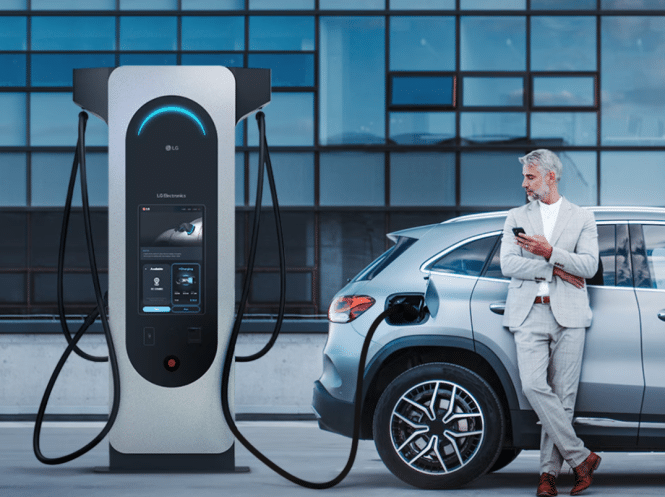
The most popular current commercial options are Level 2 (AC) and Level 3 (DC) chargers. Level 2 chargers offer up to 19kW and are ideal for when the driver can let the car charge for several hours, as they can add up to 39 miles of charge per hour, depending on the vehicle. LG’s Level 2 11kW model makes charging simple, so drivers can plug in and conveniently charge their vehicle over a period of several hours.

Level 3 chargers, on the other hand, are designed for rapid refueling and, as a result, are ideal for short-term visitor parking areas. Installation costs for both levels of chargers vary depending upon local regulations and required electrical infrastructure upgrades, with multi-charger installations helping to bring down the cost per installed unit.

Advertising Opportunities

Some Level 3 models also provide advertising opportunities via built-in digital displays, which healthcare facility administrators can leverage to offset costs or add revenues – depending on the approach they decide to take, in terms of if and how they charge staff, patients and visitors for parking. The software on the chargers gives the site host the ability to set dynamic pricing policies by group, providing a customized approach to billing the EV driver.

When planning their EV infrastructure, healthcare administrators may tap into a range of time-sensitive subsidies and other incentives from various government and utility provider sources. These are designed to encourage EV charger installations by offsetting upfront costs, but it’s important to note that programs have different requirements, standards, and value to beneficiaries.

Proper Planning

The logistics and budgets of EV charger installation is an involved process, so proper planning is key to successful implementation. Do the necessary research to make sure you select the right, reputable EV charging manufacturer and charge point operator who can walk you through the entire decision-making process. This will ensure that the optimum solution is selected, both in terms of which level chargers to select to what software is best for your facility, location of chargers and contractors.

Healthcare facilities are multifunctional, with parking required for staff, visitors and patients, all with differing parking requirements – some who will have to pay, others who won’t; some visiting from distance, requiring more charge, others driving locally – so it’s essential that the correct EV charger selections are made from the get-go, whether that’s within an existing site or a new build.

Ideal locations for level 2 EV charger installations are in the employee parking section, while an investment of Level 3 EV chargers is best in the visitor/patient section, for instance.

Software Platforms

Software platforms are key here, so that healthcare facility managers can manage the cars in the charge spaces appropriately, with customizable content management to enhance the user experience. These platforms can inform the driver if the charger is available and notify the driver when the charge is complete so they can move their vehicle to avoid being billed for idle time. Software therefore has an important role to play, particularly with Level 3 EV chargers, which have a shorter, faster turnover than Level 2.

Whatever decisions a healthcare facility manager makes regarding EV infrastructure, it needs to be an informed decision made in consultation with an EV charger company that understands what is required every step of the way. This critically important partner can also help coordinate research into the number of visitors who come through the facility each day, and who are more likely to require a vehicle charge. This will require staff consultations to establish which workers will need to use short or even long-term charging.

It’s certainly not a one-size-fits-all solution; healthcare EV charging decisions are always going to need a customized approach for each facility’s audience.

Industry veteran Dennis Carter leads EV Charger business development for LG Business Solutions USA which serves commercial customers in the U.S. lodging and hospitality, digital signage, systems integration, healthcare, education, government and industrial markets with cutting-edge commercial displays, robots and electric vehicle charging stations.

More EV Charging Station Resources

More EV Charging Healthcare Posts

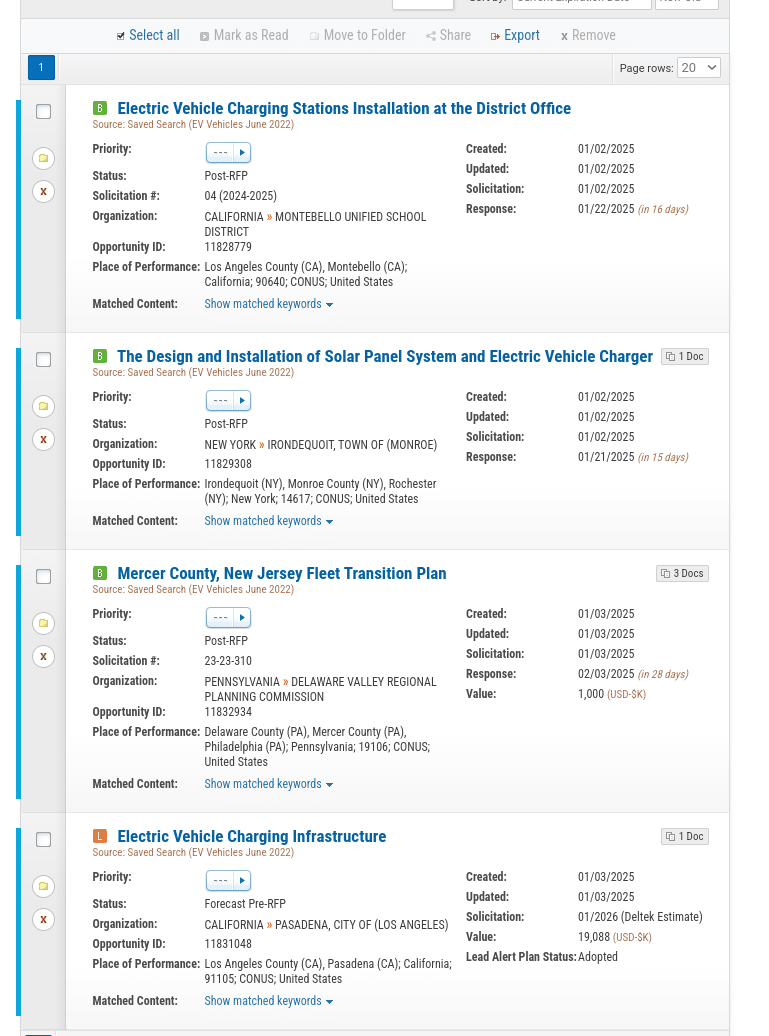
Example of SLED RFPs for EV Charging


Industry Group Kiosks Digital Signage

Experience and UI For Kiosk Self-Service

ATM Screen

Kiosk Self-Service Experience for the User

ATM Screen

ATM Screen

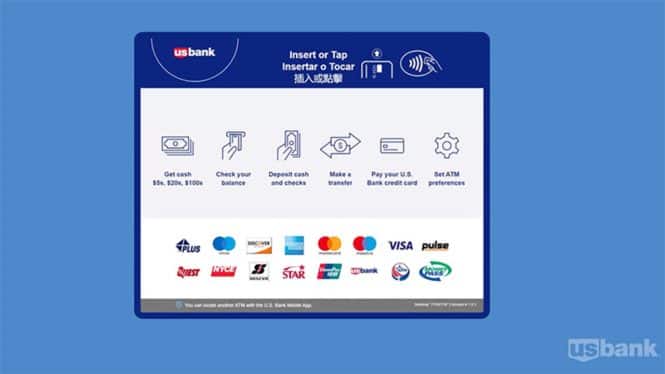
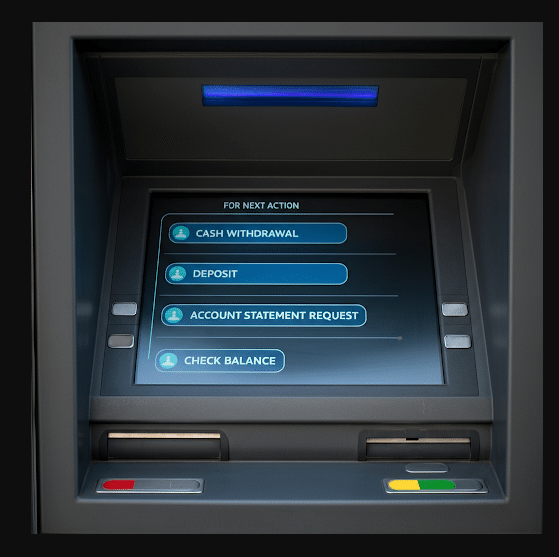
When a user approaches a self-service touchpoint or kiosk, the usual “highest denominator” user looks at the screen and decides what it want them to do. A typical opening screen on an ATM usually displays the bank logo prominently, a welcoming message like “Welcome to [Bank Name]” or “Insert your card,” and clear instructions to insert the debit/credit card into the reader, often accompanied by an arrow indicating the card slot; the screen background is typically clean and uncluttered, with easy-to-read font size and style.

Olea Kiosks has published their take on the Kiosk User Experience and offer many valuable insights into kiosk design and UI.

Some of our own pet peeves focus on mobile apps. Often clear presentation of information is superseded and overwhelmed by the “Special Deal of the Day”.  When you call into Customer Service the first thing that should happen is a person answers but that is not what happens 95% of the time. First there are the preambles for disclosure and access, and then you must select from a first palette, and often a second palette to narrow down your request. Poor user experience is the result.  Interface and ordering screens are the same.

One challenge facing public terminals like kiosks and ATMs for that matter, is to what degree and in what fashion will AI be incorporated.  Many AI pilots in self-service fail because of a rush to get “try it” but having a poor dataset to work from. The underlying data comes first. How do you use AI in a self-order context to not only increase the sale but streamline it at the same time?

Excerpt:

We know kiosks are a proven solution for efficiency and convenience, but is your user experience keeping up? Even the best technology can fall short if it frustrates users or slows them down.

Look at the critical elements of kiosk user experience—everything from usability and design to the environment around your kiosks. This will remind you that great technology is only as good as the experience it delivers.

Read the full article and ensure your kiosk deployment is designed to delight.

Summary:

The article from Olea explains that successful kiosk user experiences hinge on three key elements: usability design, customization, and a strong focus on customer needs. By ensuring kiosks are user-friendly, tailored to specific industry requirements, and accessible to all, businesses can significantly improve customer satisfaction and streamline their operations.

Outline:

  1. Introduction
    • Importance of kiosk user experience
    • Key elements of success: usability design, customization, and customer focus
  2. Usability Design
    • Importance of user-friendly interfaces
    • Benefits of intuitive navigation and clear instructions
    • Examples of effective usability design in kiosks
  3. Customization
    • Tailoring kiosks to meet industry-specific needs
    • Flexibility in software and hardware design
    • Case studies of customized kiosk solutions
  4. Customer Focus
    • Understanding customer behavior and preferences
    • Accessibility features for diverse user groups
    • Enhancing customer satisfaction through responsive design
  5. Conclusion
    • Summary of key points
    • Future trends in kiosk usability and customer experience

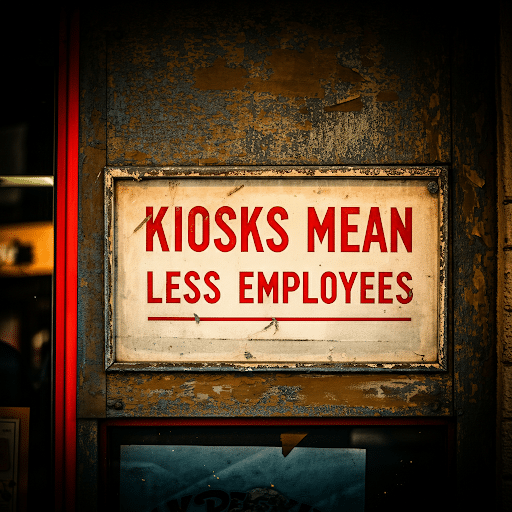
Research – Kiosks Mean Fewer Employees – Let’s Be Honest…

kiosks mean less employees

Small business owners cut costs by 1.38 million

From Chosun Biz Xmas Day 2025 — The Korea Federation of Small and Medium Enterprises conducted a survey on 402 companies utilizing kiosks for the ‘2024 Small Business Kiosk Utilization Status and Policy Discovery Survey,’ and reported on the 25th that 93.8% responded that ‘the introduction of kiosks helps management.’ Respondents noted that they saw effects such as labor cost reduction and decreased work burdens through the kiosks.

Typically, the stance on this has been deflective by noting higher and faster sales create better jobs and more employees.  Generally that is true but those conditions are not the same for small business. They may have 10 tables total (or less). Half their business might be take out.

Some place like a supermarket may replace 3 employee checkout lines with two pods of six self-checkout.  Probably net increase of ten employees (service and techs) with sales.

  • A study by Chron showed that self-checkout kiosks process about 60 items per hour, while cashiers can process around 40 items per hour. This means self-checkout can be about 50% faster under ideal conditions.
  • However, factors like unfamiliarity with the technology, unexpected errors, and the need for staff assistance can slow down the process significantly.

Summary

  • It was determined that small business owners saw a cost reduction effect by using kiosks (self-service machines) to reduce more than one employee.
  • Among the 294 companies that answered that labor costs had been reduced, an average of 1.2 employees were cut, and they noted a reduction in monthly labor costs of about 1.38 million won.
  • Problems — 29.6% of the companies reported experiencing difficulties after implementing kiosks. The difficulties they encountered included technical problems like order errors, inability to contact customer service during late-night hours, challenges in utilization due to lack of digital skills, and customer complaints.
  • Among the 294 companies that answered that labor costs had been reduced, an average of 1.2 employees were cut, and they noted a reduction in monthly labor costs of about 1.38 million won.
  • 29.6% of the companies reported experiencing difficulties after implementing kiosks. The difficulties they encountered included technical problems like order errors, inability to contact customer service during late-night hours, challenges in utilization due to lack of digital skills, and customer complaints.

61.4% of the responding companies noted that the installation and operating expenses of kiosks were burdensome. The average purchase cost of kiosks was about 3.56 million won ($2500 USD) for stand-type and about 1.33 million won for table-type. If kiosks were lent, the monthly average cost was about 100,000 won ($1000 USD) for stand-type and about 190,000 won for table-type.

In addition, respondents identified necessary government support related to kiosks, including training on kiosk utilization for small business owners, guidance on how customers can use kiosks, support for kiosk maintenance and expansion of after-sales service (A/S) channels, and regulation of kiosk fees.

More Posts

Smart Vending Machine Automation Market

smart vending

Smart Vending Machines Getting Smarter

Carl Goodwin

Carl Goodwin

Guest Columnist on Vending and the new Smart Vending.  Carl Goodwin is a technical expert in multiple areas: Smart vending, health, oil/gas, retail, gov, biotech, telecoms, R&D, AI, ML. Based in Truro, Nova Scotia, Canada

Supporting Member:  Intel — nice whitepaper on Smart Vending

What happens when a traditional vending machine is equipped with technologies that transform the vending experience for both the customer and the retailer?

NewFood vending with RFiD deployed in latest iteration. RedyRef announces new deployment. We’re hoping this unit will be demo unit at NRA in Chicago

For the customer:

  • Enticing and engaging multimedia experience
  • Optimized climate control for products
  • Wide variety of payment options
  • Accessible display flexibility
  • Attractive value-adds such as subscriptions and loyalty rewards (where enrolled)
  • Availability of restricted products (eg, via age gating)
  • Integrated links to other services For the retailer:
  • Increased engagement and conversion
  • Optimised product self-life
  • Centralised inventory with real-time event and stock reporting, plus analytics
  • Dynamic pricing based on loyalty or traffic metrics
  • Interchangeable themes, look and feel
  • Ensure ADA compliance and controlling liability
  • Advertising space while at idle

In short, the vender stops being a passive box of products and starts to engage the customer actively.

The machine effectively becomes a sales agent out in the field, not only helping the customer get what they need but also making the experience enjoyable and keeping them coming back for more: all the time carefully noting what sold best to whom and when – and getting out in front of problems before they arise.

For the uninitiated, these features may sound expensive and risky. However, for an expert in the art, these aspects are simply what you would expect from a retail site—virtual or otherwise—albeit one that interacts with the real world through various sensors and has some level of control over the vendor circuitry.

Innovative vending solutions are now becoming cost-effective, especially with the recent advent of reliable IoT and edge computing. Thus, the market is primed for rapid expansion.

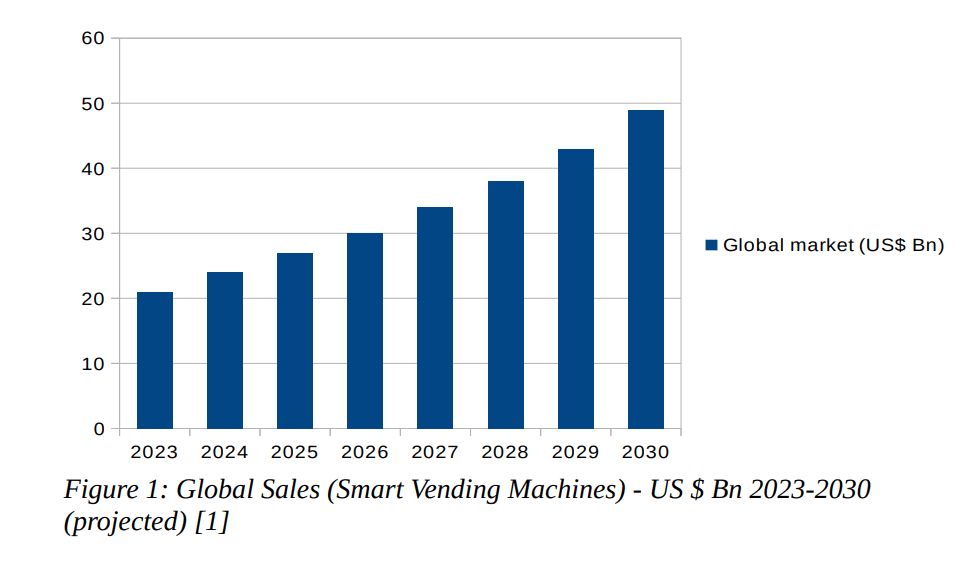
Persistence Market Research said, “The global smart vending machines market is expected to grow at a CAGR of 12.8%, reaching US$48.9 billion by 2030 from US$21 billion in 2023[1].

Vending market

Vending market

Given these numbers, manufacturers are starting to take note, with “smart vending” features such as touch screens, facial recognition, age verification, and centralized stock inventory regularly popping up in offerings from the Far East and the usual big domestic shops.

Their challenge, however, is one of customization and differentiation at scale. Whereas before, it was good enough to specify a custom wrap, the door is now open to a much broader array of options and integrations, each with its particular features, advantages, benefits, and costs. In effect, the inventiveness of marketers on the ground will exceed the ability of the big manufacturers to keep up by way of a “one size fits all” approach.

Therefore, it is no surprise that the more bespoke innovative vending solutions available today tend to blend the best of the established players’ bulletproof hardware with small, agile software companies’ boutique enhancements and mechanical glue. It is merely a matter of time before the market optimizes those relationships, but it is a space worth watching with keen interest.

[1] https://www.persistencemarketresearch.com/market-research/smart-vending-machines-market.asp

Carl Goodwin is an independent kiosk integrator based in Nova Scotia, Canada. With over 30 years of experience building custom solutions, he has a Master’s degree in Bioinformatics from the University of London and is a member of the IEEE.

https://vend.atlantean.ca

[email protected]


Follow Up on Smart Vending

Great writeup on RedyRef

Key Features of Smart Vending Automation Machines

RFID Technology:

RFID (Radio Frequency Identification) is a crucial feature in smart vending machines. It helps in tracking inventory in real-time, ensuring that popular items are always in stock and reducing food waste by alerting operators when items are nearing their expiration dates. This is particularly useful for fresh food vending, where maintaining product quality is essential.

Remote Monitoring and Management:

Smart vending machines can be monitored and managed remotely. Operators receive instant alerts if there’s an issue, such as a temperature fluctuation in a refrigerated vending machine or a stock-out situation. This ensures that the machine is always operational and well-stocked.

Multiple Secure Payment Options for Users:

With advanced payment systems, customers can use various methods to pay for their purchases securely. This includes credit/debit cards, mobile payments, and contactless options, making transactions quick and safe, enhancing the user experience.
Advanced Security and Fraud Prevention Technology:

Advanced payment systems and real-time monitoring help prevent fraud and ensure secure transactions. Remote locking capabilities can also protect the machine and its contents in case of emergencies.

Customizable Inventory:

The ability to tailor product offerings based on sales data and customer preferences ensures that the inventory meets the specific needs of the target audience. This increases customer satisfaction and sales.

Temperature Control

Options such as monitored refrigeration are available for fresh food vending, like those manufactured by REDYREF.

Track Consumer Behavior with Data and Analytics:

Smart vending machines provide valuable data on consumer behavior, sales trends, and product performance. This information helps businesses make informed decisions about inventory management, marketing strategies, and product development.


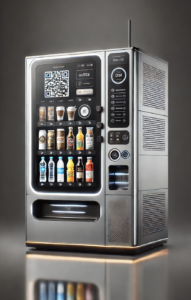
smart vending machine kiosk example 

6 Types of Smart Vending Machines

Smart vending machines are transforming the vending industry by integrating advanced technology, like RFID and remote monitoring, to enhance user experience and operational efficiency. Here’s an overview of various types of smart vending machines and their features:

1. Fresh Food and Refrigerated Vending Machines:

These machines provide fresh meals and snacks. They use advanced refrigeration systems to keep food at the optimal temperature, ensuring freshness and safety. REDYREF’s Fresh Food Fridge, one of our newest kiosks, combines RFID technology with refrigeration to offer fresh food options efficiently, on-demand.

2. Coffee and Hot Beverage Vending Machines:

These machines range from simple models dispensing instant coffee to advanced units offering freshly brewed options using fresh beans. They can customize orders with options for sugar, milk, and flavors, catering to the global increase in coffee consumption.

3. Hot Food Vending Kiosks:

These hot food vending machines are revolutionizing how we access freshly made meals, providing a convenient and efficient solution for busy environments. In fact, there are even some hot food vending solutions that can bake a variety of items, including pizzas, pastries, and gourmet sandwiches on demand.

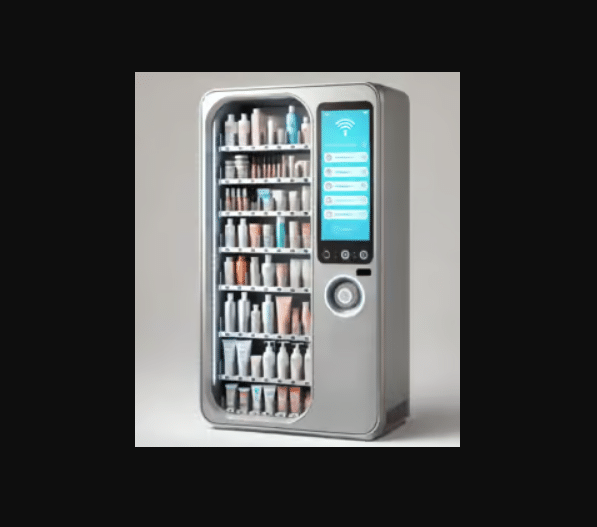
4. Health and Personal Care Vending Kiosks:

Stocked with items like over-the-counter medications and personal care products, these machines are found in locations such as airports and hotels, providing essential goods conveniently .

5. Office Supplies Vending Machines:

These machines dispense office essentials such as pens, notebooks, and other supplies, making them ideal for workplaces and educational institutions.

6. Tech and Electronics Vending Kiosks:

Offering gadgets, chargers, and accessories, these machines cater to tech-savvy users and are commonly found in airports and tech hubs.


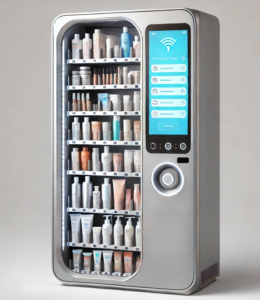
personal care beauty product smart vending machine 

Benefits of Smart Vending Machines

Smart vending machines offer numerous advantages over traditional vending machines, making them an attractive option for businesses looking to enhance customer experience and in crease operational efficiency. Here are some key benefits:

Greater Customer Satisfaction:

The ability to tailor the machine’s inventory based on customer preferences and sales data means that each vending machine can offer a personalized selection of products. For instance, REDYREF’s Fresh Food Fridge can be stocked with the specific types of fresh foods that your employees prefer, whether it’s sandwiches, salads or healthy snacks.

24/7 Accessibility:

These machines are accessible around the clock, providing fresh and quality food options anytime. This makes them perfect for locations like offices, schools, and hospitals, where people need quick and healthy meal options at all hours.

Energy Efficiency for Cost Savings:

Many smart vending machines are designed with energy-saving features, such as scheduling cooling only during specific times or using vacuum-insulated systems to maintain temperatures without continuous power consumption. This reduces operational costs and supports sustainability efforts.

Enhanced Customer Experience:

Equipped with interactive touchscreens and user-friendly interfaces, smart vending machines make the purchasing process easy and engaging. They can display product information, advertisements, and even personalized recommendations based on consumer behavior.

Reduced Waste:

By using real-time inventory tracking and RFID technology, smart vending machines can reduce waste by ensuring that only fresh products are stocked and expired items are promptly removed. This helps maintain product quality and minimizes losses due to spoilage.

Marketing Opportunities:

The digital interfaces on smart vending machines can display advertisements, promotions, and product information, turning the machine into a marketing tool that can influence consumer purchasing decisions and increase revenue.


More Vending Machine Articles


Touch Screen News – Zytronic Troubles Touch Screen Overlays

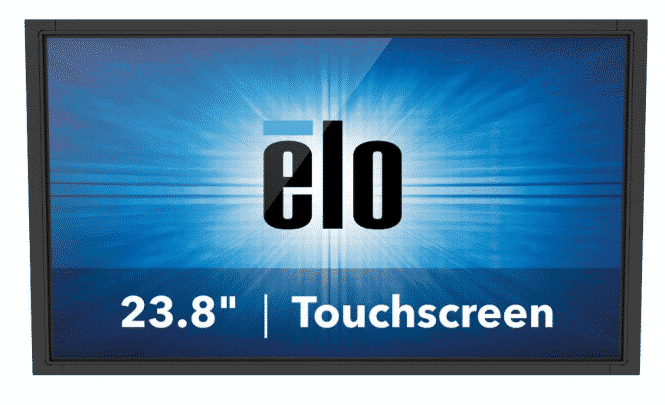
touch screen monitor Elo

Touch Screen News – Zytronic Troubles

As posted on Sixteen Nine — Unfortunate news out of the UK, with the northern England touch screen technology manufacturer Zytronic making it known that is looking at selling the company or even shutting down because of sluggish sales.

The listed company has issued a trading update outlining how sales in the last year fell from £8.6m to £7.2m, and that there are no real signs things are turning around.

Editors notemore business for Elo in any case

A report on MSN UK says Zytronic has appointed restructuring specialists in the wake of a consultation about its future. It told investors on the London Stock Exchange that it will now seek a sale of the business, or a wind down of its assets leading to a solvent liquidation.

Zytronic has about 110 people making touchscreen tech for everything from EV charging stations to casino slot machines.

Too bad and rough timing, though it is likely most people at the company have been aware business was something less than booming.


UK Touch Tech Manufacturer Needs To Sell Or Wind Down As Sales Have Stalled


More Touch Screen Articles

Peerless-AV Notable Projects – dvLED Walls Airports, Outdoor Drive Thru

dvled video wall peerless
At Peerless-AV, we take immense pride in the successful partnerships we’ve built as an installation team. From transforming drive-thru experiences to advancing virtual production technologies, and enhancing airport operations, our client success stories highlight our commitment to delivering high-quality, custom solutions that meet unique project needs.Here are some memorable installations we’ve been fortunate to be involved in and a first-hand perspective about the outstanding results from our clients!

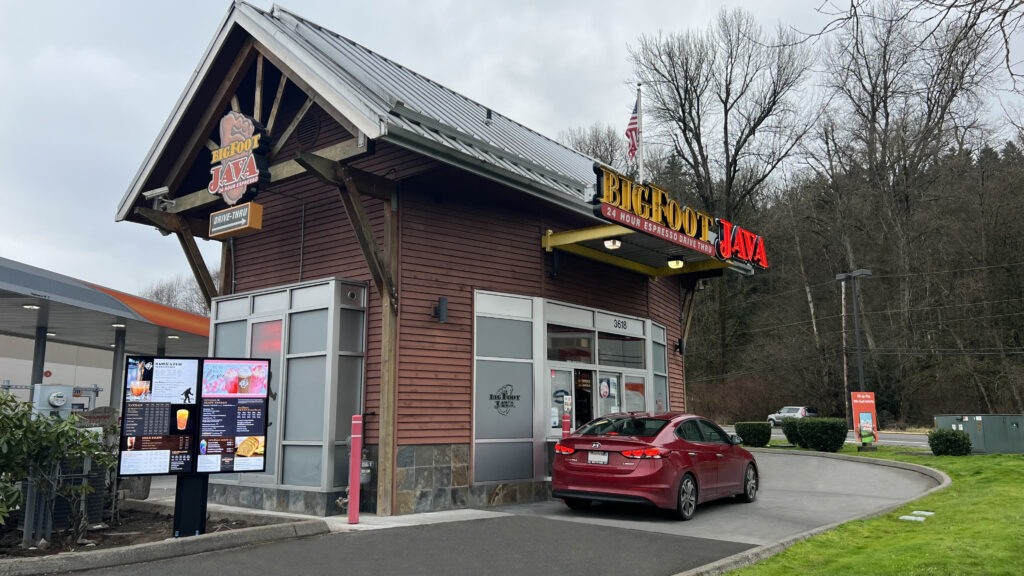
BigFoot Java

Overview

BigFoot Java, a Pacific Northwest coffee chain, upgraded its drive-thru experience by installing Peerless-AV® Outdoor Digital Menu Boards (DMBs) at its 24/7, double-sided locations. Previously, updating static menu boards was labor-intensive and time-consuming. The new digital boards, integrated with cloud-based CMS, allow remote content updates, improving efficiency and reducing maintenance costs. With weatherproofing (IP66 rating), high brightness (2500 nits), and glare reduction, the DMBs ensure visibility in all conditions. The installation, completed in one day per location, enhances the drive-thru’s appearance and customer experience while eliminating the need for printed updates.


BigFoot Java drive-thru digital menu boards


Client Feedback

Kimberly Brecko, CEO of EcoDigital Media:

“We knew Peerless-AV would be the best partner for a long-term scalable solution, including service after sale. We worked together during a very challenging supply chain time in history. Our goal was to provide the most reliable outdoor displays to BigFoot Java. We know many of the internal partners at Peerless-AV, developing trust and keeping afoot of logistics, sometimes daily. We created a strong partnership with a great company, and are very pleased with the high-quality displays that are met with very positive feedback by those in the field experiencing them from installation to present.”

Sony DPMC

Overview

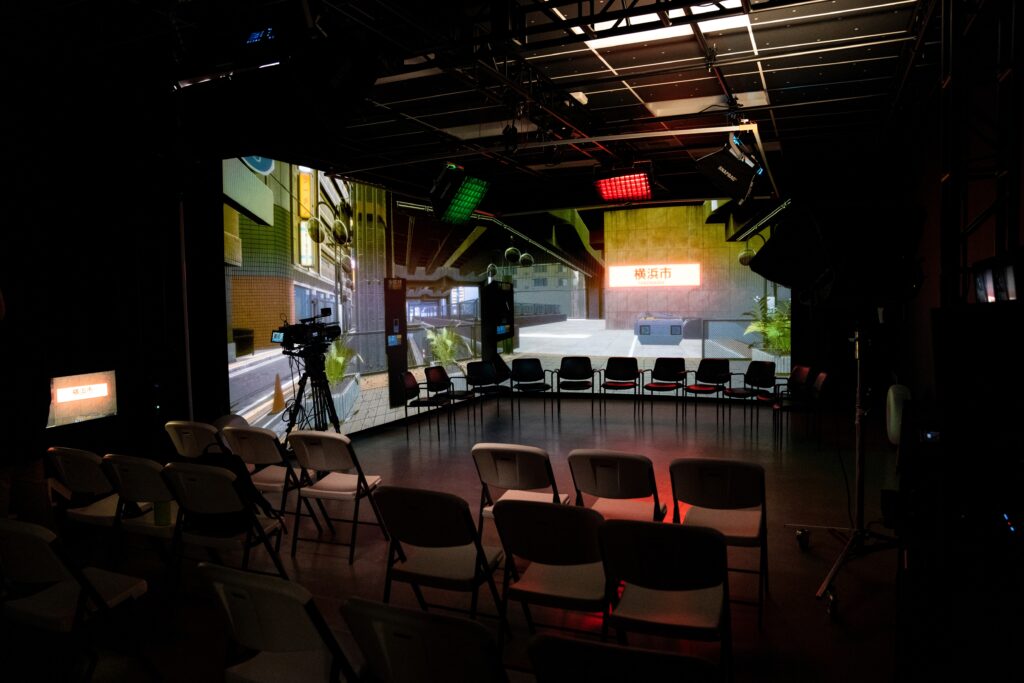
Sony’s Virtual Production Lab at the Digital Media Production Center (DMPC) in Los Angeles is a state-of-the-art facility for testing top-tier cinematography equipment. Ahead of its May 2023 opening, Peerless-AV partnered with Sony to design and install a custom mounting system for a large dvLED video wall. The wall, featuring both flat and curved sections, replaces a green screen and provides a versatile backdrop for production teams. Peerless-AV created a SEAMLESS Bespoke dvLED Mounting System to ensure seamless integration and high-quality visuals with minimal color shift. The installation, completed in just 10 days, includes 162 Crystal LED B-series cabinets, offering over 13 million pixels — more than 1.5 times 4K resolution. The lab’s opening highlighted Sony’s commitment to advancing virtual production technologies.


Sony DMPC case study


Client Feedback

Jason Metcalfe, Project Manager of the installation and Solutions Sales Engineer at Sony:

“Peerless-AV was a logical choice for mounting support. We had a lot of confidence in the quality of Peerless-AV’s products and knew they would align with our intricate design needs. Their in-house engineering and install resources were critical to support this complex and high-profile project.”

Kevin O’Connor, Senior Director, Cinematic Production Solutions, Sony Electronics:

“As a result of this installation, our demo facility achieved an advanced level of immersion sure to wow those testing Sony’s product lineup. We couldn’t be happier with the final product, and we are so excited to show it off.”

Monterrey International Airport

Overview

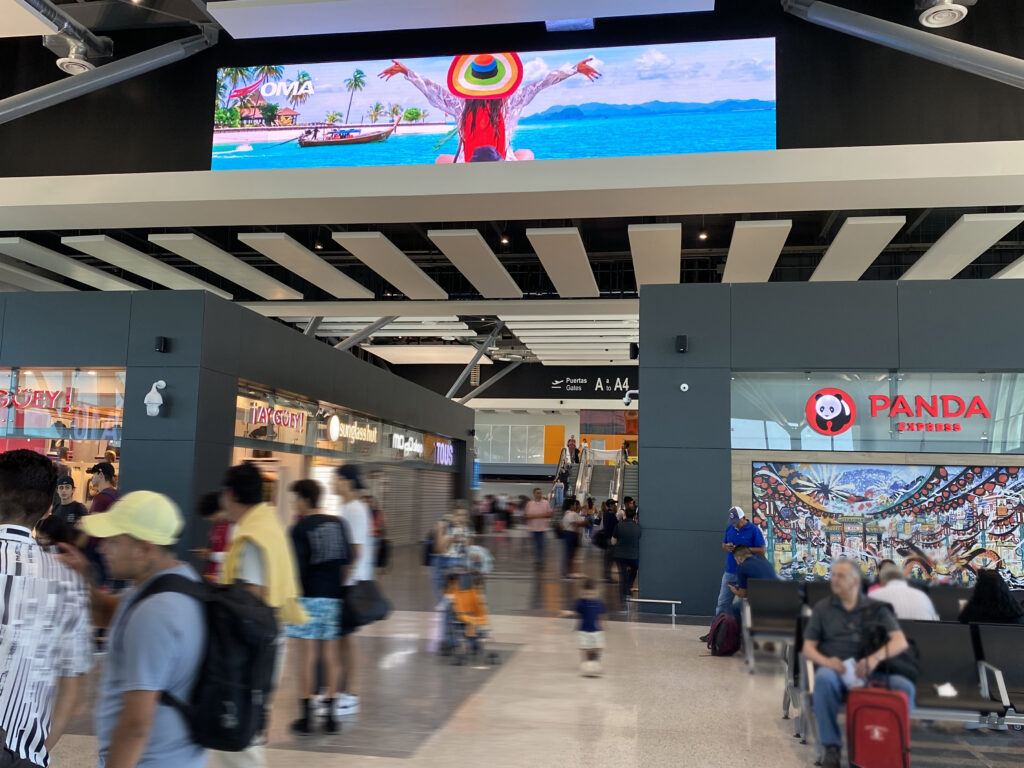
Peerless-AV collaborated with POP Media Technology to install 29 large dvLED video walls throughout Monterrey International Airport as part of a major remodeling project. The goal was to improve wayfinding and communication across busy areas like terminals, check-in points, and boarding gates. The installations featured Absen KL 2.5 LED displays for optimal clarity and durability, and were mounted using Peerless-AV’s SEAMLESS Mounting Systems, allowing customized, secure, and efficient integration. The project enhanced the airport’s aesthetic and functionality, providing travelers with clear flight information and dynamic content, while ensuring seamless, gap-free displays for a modernized experience.


Monterrey Airport case study


Client Feedback

Gabriel Lopez, Sales Director, at POP MT: 

“From previous experience, we knew that any mount provided by Peerless-AV would provide a quick and easy install with reliable, quality performance. However, we also knew the importance of taking time with the project specs and planning stage, without rushing. There were a lot of building regulations and construction considerations so conducting careful site evaluations and taking vital measurements early on, then collaborating on installation steps for the entire mounting structure meant all would go smoothly when it came to placement of the cabinets.”

These client success stories represent just a few examples of how Peerless-AV works hand-in-hand with industry leaders to create cutting-edge solutions that exceed expectations. We look forward to continuing our partnerships and helping businesses achieve their goals with innovative, customized AV solutions.

To learn more about our services and products, visit peerless-av.com/

Hotel Kiosk for Hospitality Increases Upselling for Hotels

hotel kiosk sihot for hospitality

Hotel Kiosk Check-In Upgrades to SIHOT.KIOSK bolsters upselling for hotels

Some interesting hospitality hotel kiosk news from SIHOT. Established in 1986, SIHOT Group – including hardware solutions provider Addipos – employs around 250 people at 11 global locations with SIHOT used in around 3,500 top hotels worldwide. Among SIHOT’s global customers include Accor, Best Western Hotels & Resorts, Motel One, FTI Group, Wyndham Hotels & Resorts and Meininger Hotels.

Latest features and functionalities open up revenue opportunities while enhancing user experience for both guests and operators

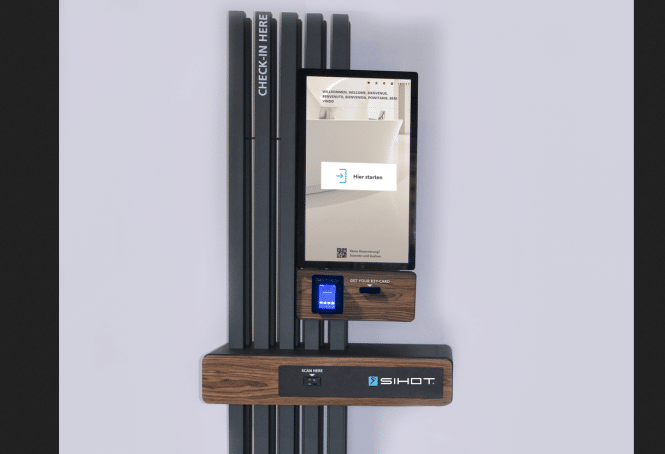
SIHOT, one of the leading hotel management systems, has updated SIHOT.KIOSK – the self-service terminals for hotels – with a suite of additional features to support upselling and enhance the user experience.

The upgrades complement existing upselling options, which include room upgrades and booking additional service packages. Hoteliers can now capture additional revenue on arrival by offering guests the option to select and pay for early check-in, dependent on availability.

In addition, reservations can be made from SIHOT.KIOSK by walk-in guests whether for the same day or future days – by using an integration with the SIHOT.WEB booking engine. Hotels can also better manage late check-outs through a control mechanism that automatically directs guests to reception if they stay beyond their check-out time.

SIHOT has integrated existing technology to enhance the benefits of the self-service kiosks. By completing pre-check-in through SIHOT.GO! guests simply collect their key card from SIHOT.KIOSK on arrival. By streamlining the payment process, the time required for guest data collection and billing is reduced, enhancing efficiency and convenience for hotel staff.

The latest suite of updates provides further administrative support for hoteliers to lessen the pressure on Front Desk and Reservations teams. SIHOT.KIOSK also now supports the collection of personal guest data to meet compliance requirements for domestic and international guests.

QR code recognition enables quicker and easier processing for multi-room and group reservations. On scanning guest QR codes, guests receive instant, smart options tailored to their stay. This provides a more seamless digital experience for guests to easily make selections without needing to navigate through the options.

Carsten Wernet, Chief Executive of SIHOT said, “These new features don’t just facilitate operations and provide better guest experiences, they also enable hotels to capture more revenue. Our future enhancements are designed to elevate the capabilities of the SIHOT.KIOSK system to provide guests with an unparalleled user experience. We’re simultaneously taking repetitive and tedious administration tasks away from hotel staff, giving them time to focus on the guest.”

About SIHOT:

SIHOT (www.sihot.com) is one of the leading, privately-held modular hotel management software systems designed for leisure resorts, hotel chains, mice hotels, camping and hostels. The SIHOT hotel management platform built for hoteliers covers all operational processes with full customisation, offering a highly qualitative and complete property management solution. Established in 1986, SIHOT Group – including hardware solutions provider Addipos – employs around 250 people at 11 global locations with SIHOT used in around 3,500 top hotels worldwide. Among SIHOT’s global customers include Accor, Best Western Hotels & Resorts, Motel One, Wyndham Hotels & Resorts and Meininger Hotels.

Earlier News

SIHOT launches self-ordering terminal for F&B outlets

Hospitality businesses can now reduce pressure on operations with customer self-service ordering terminal

SIHOT, one of the leading hotel management systems, has unveiled its latest hardware-software solution, a self-ordering terminal designed for fast-moving food and beverage outlets.

sihot terminal hotel kiosks hospitality

Click – sihot terminal hotel kiosks hospitality

SIHOT developed the self-ordering terminal to support busy catering establishments – reducing queues, waiting times and pressure on staff – improving operations with digitalised ordering systems. The self-ordering terminal features an intuitive touch screen display with customised menus, enabling customers to easily place orders and access information about nutritional values and allergens. Payments are fast and secure using credit card or mobile via the integrated payment system.

SIHOT’s self-ordering terminal is fully integrated with SIHOT.POS, benefiting from real time data transfer of customer orders to the kitchen printer, and providing customers with a digital receipt. As part of the self-ordering terminal, hospitality and catering businesses can improve the customer experience with a fully integrated card terminal and barcode scanner.

Carsten Wernet, Chief Executive of SIHOT said, “With increasing expectations from customers and greater pressures on businesses, there’s a need to improve processes to fulfil customer orders. Our self-ordering terminal gives F&B outlet customers more autonomy to process their own orders, while teams and processes are efficient to enhance customer experiences and reduce wastage across the business. The integration with our existing systems provides business leaders with full commercial transparency to improve business processes and maximise revenue potential.” 

SIHOT’s self-ordering terminal will be unveiled at Südback, Stuttgart from the 26th – 29th October 2024 in Hall 5, Stand D68. For more informations contact SIHOT or visit www.sihot.com


More Hotel Kiosk articles

Hotel Kiosk Design Resources

Self Ordering Terminal Resources

ecoATM Kiosk Theft – Phone Laundering for $200

ecoATM theft

Phone thieves exploit ecoATM kiosks for quick cash, consequences later

Nice story on how phone thieves exploit ecoATM kiosks to quickly convert stolen phones into cash. For reference ecoATM is one of the good guys here.

Super video story highly recommended.

Summary – Here are the key points:

  1. The Issue: Thieves are using ecoATM kiosks, found in places like grocery stores and malls, to sell stolen phones for quick cash. Despite security features, this has become a significant problem in areas like Portland and Beaverton.
  2. Case Example: The article highlights a case where Jaime Madrigal tracked his stolen phone to an ecoATM at a Fred Meyer store. He could feel his phone buzzing inside the machine but couldn’t retrieve it immediately.
  3. Police Reports: Since 2020, there have been around 150 police reports in Portland and Beaverton mentioning ecoATM. However, this is likely an undercount of the actual number of thefts.
  4. ecoATM’s Response: The company has several security measures, including ID verification and holding items for 30 days. They also cooperate with law enforcement to return stolen devices.
  5. Challenges: Despite these measures, thieves can still sell stolen phones using their own or stolen IDs. This makes it difficult to completely prevent the misuse of ecoATMs.
  6. Advice: The article advises setting up lost or stolen phone features, reporting stolen phones to carriers and police, and contacting ecoATM immediately if a stolen phone is tracked to one of their kiosks.

Excerpt

One Washington County arrest warrant affidavit detailed how a police officer found a stolen iPhone 14 Plus in a national database and tracked it to a Happy Valley Walmart ecoATM transaction, where someone sold it for $205. The officer found photos and verified the ID, thumbprint and signature of the alleged thief.

Another workaround: thieves could opt to use someone else’s ID.

“People that are stealing phones are probably also stealing purses and wallets, which contain IDs, so they’re likely going to have that stolen ID on their person,” said Henderson

An ecoATM spokesperson told KGW, in part: “Phone theft is a concern for ecoATM and the general public, which is why we take proactive measures to address it… We return any device requested from us by law enforcement or customers who can demonstrate their device was sold to us without permission, at no expense to the rightful owner.”

Madrigal found that ecoATM does return stolen devices, but he still felt the whole experience was frustrating.


More ecoATM articles

Press Release December – NRF in NYC – Kiosk Design Awards

NRF kiosk 2025

Press Release December

NRF kiosk design awards in New York City by Kiosk Industry. See PRnewswire and AP News.  Thanks to Send2Press.

WESTMINSTER, Colo., Dec. 17, 2024 (SEND2PRESS NEWSWIRE) — KMA / Kiosk Manufacturers Association announces that next up is NRF in NYC! We’ll be handing out the 2024 best kiosk design awards. The awards are free and open to any kiosk companies and self-service technology companies.

To set up a meeting, get a discount pass or just get more information, send an email to [email protected] (protonmail).

This year we are participating in the Tech Tours. Also this year we will be announcing “Best Self-Service 2024” awards. Stop by and visit. Craig will be in attendance in NYC.

Members participating include: Pyramid Computer, SKG, YourDolphin, Insight Touch, KIOSK Information Systems, Peerless-AV, KioskGroup, Dot Inc., Intel,TPGi, KioWare, Olea Kiosk, Ventus, Elo, Glory/ACRELEC, Ingenico, imageHOLDERS, POSBANK, and Storm Interface to name some.

Thoughts this month – We posted an 88 page whitepaper on self-checkout innovation. Goes thru the history with lots of photos of tech. Nice interviews with IKEA and others. Europe-centric. On Bitcoin page a very detailed 111 page whitepaper on Fintech in 2025.

LATEST NEWS

  • Self-Checkout Innovation – A look back over last ten years
  • Retail kiosk – Improving Customer Satisfaction with Online Selection in Store
  • Service Cost Kiosk – So How Much Does It Cost?
  • Poppulo Digital Signage Partners with Pyramid
  • Touch Screen Industrial Grade One Connect Monitors from Elo
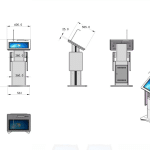
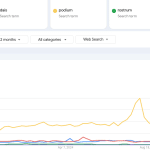
  • Podium Dais Lectern Rostrum – Interactive Mobile Tech
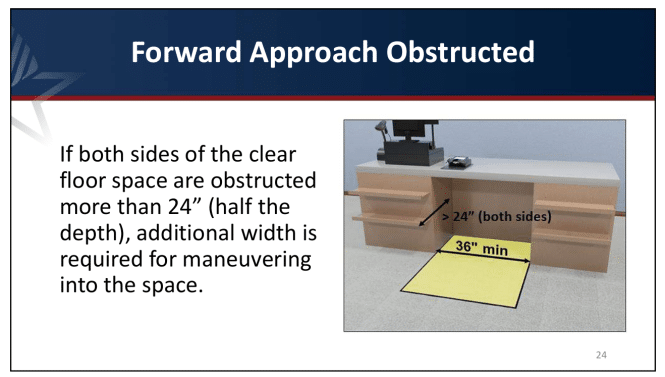
  • ADA ABA Guidelines for Terminals in Restaurants Hotels
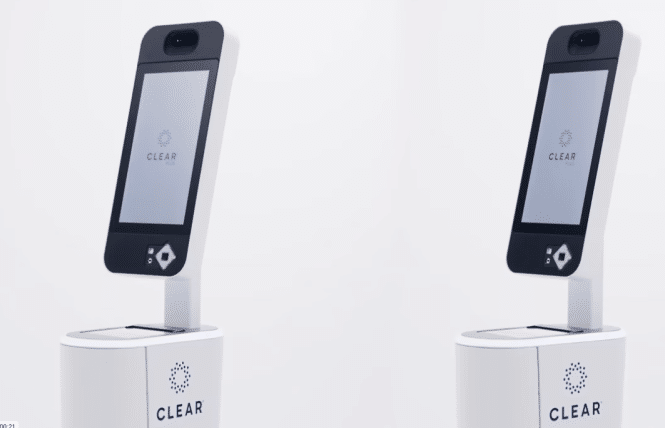
  • Airport Kiosks TSA – Clear EvVe Pods
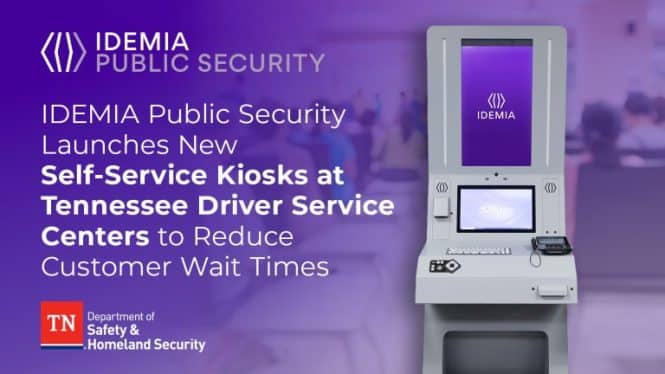
  • DMV kiosks and IDEMIA
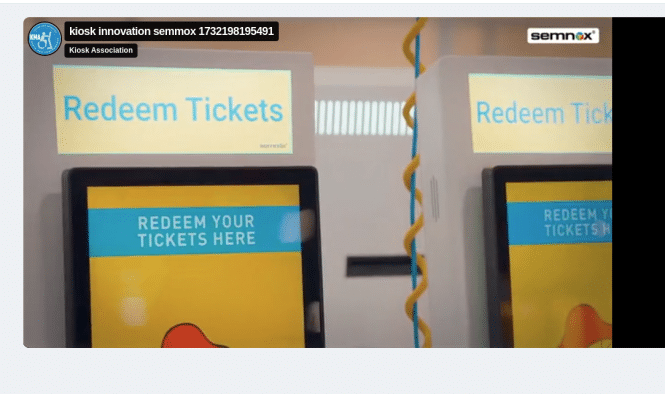
  • How Kiosks Work – Redemption Ticketing Kiosks

Learn more: https://kioskindustry.org/news-posts/

Contact [email protected] with questions or contacts. We accept no financial commission or paid advertising.

About Kiosk Industry

Your source for opinions, insights, news, and market trends for self-service kiosks, digital signage, POS, and more. Learn from the experts. We are “co-op” of 700+ companies.

About the Kiosk Association

Our mission is to inform and educate. Accessibility, ADA, PCI, UL are some of our focus points. Join us for informative Q&A webinars and weekly or monthly update emails (no ads).

Thanks to the companies who make this possible: https://kioskindustry.org/kiosk-manufacturer-companies/.

PHOTO link for media:

https://www.Send2Press.com/300dpi/24-1217-s2p-kma-heroavixa-300dpi.jpg

RELATED LINKS:

https://kma.global/

https://kioskindustry.org/nrf-kiosk-machine/

https://kioskindustry.org/best-kiosk-design-self-service/

NEWS SOURCE: Kiosk Manufacturer Association

Keywords: Point of Sale and Kiosks, KMA, Kiosk Manufacturers Association, best kiosk design awards, self-checkout innovation, WESTMINSTER, Colo.

This press release was issued on behalf of the news source (Kiosk Manufacturer Association) who is solely responsibile for its accuracy, by Send2Press® Newswire. Information is believed accurate but not guaranteed. Story ID: S2P122888 AP-R15TBLLI

To view the original version, visit: https://www.send2press.com/wire/self-service-kiosk-news-for-december-2024-from-kma/

More Related

Self-Checkout Innovation – A look back over last ten years

self-checkout innovation

Self-Checkout Innovation – Germany

A very informative paper (88 pages?) on self-checkout innovation over the last few years.  Thanks to Zahdan of Pyramid Computer (one of the featured examples) for pointing this out.

self-checkout pyramid

Click – self-checkout pyramid

The guide summarizes the status and future of self-checkout (SCO) systems in retail. It notes that SCO systems are becoming increasingly popular as they offer several advantages to both retailers and customers. For retailers, SCO systems can help to reduce labor costs, improve efficiency, and free up staff to focus on other tasks. For customers, SCO systems can help to save time and avoid long checkout lines.  

SCO Self Checkout Summary

Self-Checkout Inspiration Guide” is by the EHI Retail Institute. It celebrates the 10th anniversary of the Self-Checkout Initiative and provides a comprehensive overview of self-checkout systems in retail. Here are some key points:

  1. History and Development: The guide traces the evolution of self-checkout systems in Germany, highlighting the initial skepticism and gradual acceptance by both retailers and consumers.
  2. Market Insights: It provides detailed market analysis, showing the increasing adoption of self-checkout systems in various retail sectors, including food, non-food, and DIY stores.
  3. Technological Innovations: The guide discusses the latest technological advancements, such as AI applications, digital shopping carts, and theft prevention measures.
  4. Case Studies: There are numerous examples from practice showcasing how different retailers have implemented self-checkout solutions. This includes interviews with retailers like Edeka and Ikea, who share their experiences and insights.
  5. Future Outlook: The guide looks ahead to future trends in self-checkout technology, emphasizing the importance of continued innovation and adaptation to meet consumer needs.
  6. Components and Solutions: It also covers various components and solutions related to self-checkout systems, such as payment systems, RFID checkouts, and mobile self-scanning.

Overall, the guide is a valuable resource for retailers looking to implement or improve their self-checkout systems, offering practical advice and highlighting successful implementations.

Table of Contents SCO Checkout

  • Preface
  • The status quo of self-scanning
  • Impressions from food retail
  • Interview with Edeka
  • Self-checkout in non-food retail
  • Impressions from non-food retail
  • Interview with Ikea
  • Smart Stores
  • Digital shopping carts
  • Components & Solutions
  • SCO terminals in the Schubert Edeka store
  • Semi-Assisted Checkout Solutions at C&A
  • Mobile self-scanning at Coop CH
  • Teo Grab & Go Darmstadt
  • Self-service terminal in the Schreyer farm shop
  • Self-checkout at Poco
  • SCOs at Thalia
  • RFID checkout at Amarak
  • Edeka Offenburg
  • Payment systems at the self-checkout
  • Receipt printer
  • Outlook76Theft prevention
  • Artificial intelligence
  • KPMG study
  • Looking to the future
  • Publication details

Excerpts

Why don’t retailers in Germany offer self-checkout terminals or self-scanning solutions? This was the question that gave rise to EHI’s Self-Checkout Initiative back in 2014. Wincor-Nixdorf had put the question to EHI at an in-house fair in Germany’s Eastern Westphalia region. And to be honest, we had no answer at that time. Self-checkout terminals were well established in other countries, but in  Germany  they were few and far between. Ikea, Real and a few independent grocers had made a start, but that was it. Thus it was high time to take a closer look at the question.

A number of companies were quick to offer their support, and the EHI Self-Checkout Initiative was born. The first task was to conduct a major survey of consumers in Germany. The results were surprising: few people had ever used a self-checkout system, but those who had were very satisfied. And non-users expressed considerable interest. Our first big customer survey therefore clearly showed that the demand for self-checkout systems went beyond what retailers had been offering.

This study was followed by further retailer surveys and talks with retail employees, plus many roundtable discussions and events. Within a short time, a large community devoted to self-scanning and self-checkout came into being

History: The first prototype of a self-checkout terminal was developed in the early 1980s by the American David R. Humble, head of the IT company CheckRobot in Florida. The terminal was first installed in a Kroger store in Atlanta in July 1986. This “CheckRobot” was a big attraction at EuroShop 1990 in Düsseldorf. It was presented in a cooperation project with the south German checkout counter manufacturer Harr (photo)


More self checkout articles

Retail kiosk – Improving Customer Satisfaction with Online Selection in Store

Retail Shoe Kiosk

What is the “Customer Experience Paradox” in retail?

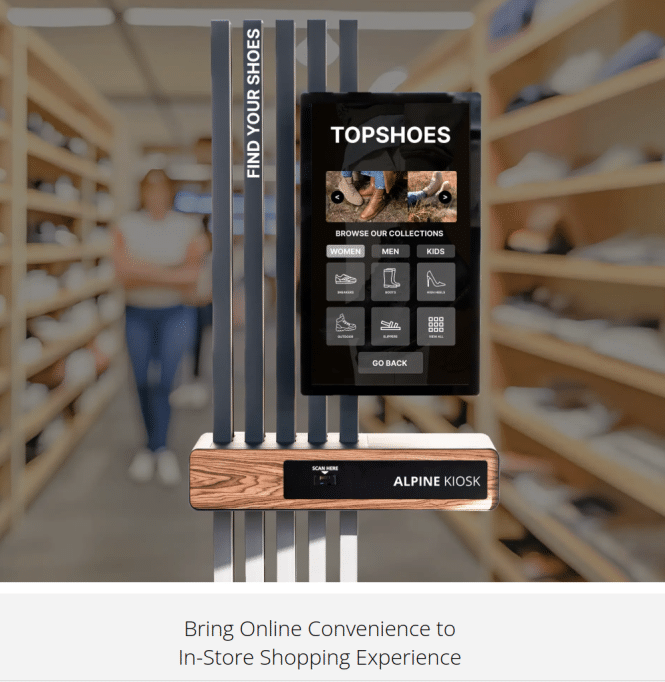
The retail kiosk continues to grow as online merges with brick-and-mortar. Customers expect full selection.  Employees can be difficult to find if they are with other customers.

Online shopping the entire catalog is the answer.

• Online shopping, at least on large screens/laptops, is fast and easy—you can check stock, compare prices, and browse without stress.

• In-store shopping lets you see, touch, and try things before you buy.

But you miss the summarized overview of online shopping, and finding the right size or item can feel like a long search.

So, which is better?

Real-life example:

1️⃣ You walk into a shoe store and see a model you like, but not in your size.
2️⃣ You search for support—can’t find anyone.
3️⃣ You finally find support; they check inventory, you wait, and it’s not available.
4️⃣ You look for another pair—same story.

How much easier would it be to have that online overview in-store?

🛍️ This is the paradox:
✔️ We want the speed and ease of online shopping.
✔️ We want the experience of being in a store—to see, touch, and try.

Especially for Gen Z — who grew up digital — the ease of an online experience is essential, even in-store.

They expect the same seamless, instant access to information wherever they shop.

That’s where omni-channel begins.

Best of both worlds? Find out how:

Resource link — https://alpine-kiosk.com/pages/omni-channel-kiosk-for-retailer

Related retail kiosk links

Service Cost Kiosk – So How Much Does It Cost?

So How Much Does it Cost to Service a Kiosk

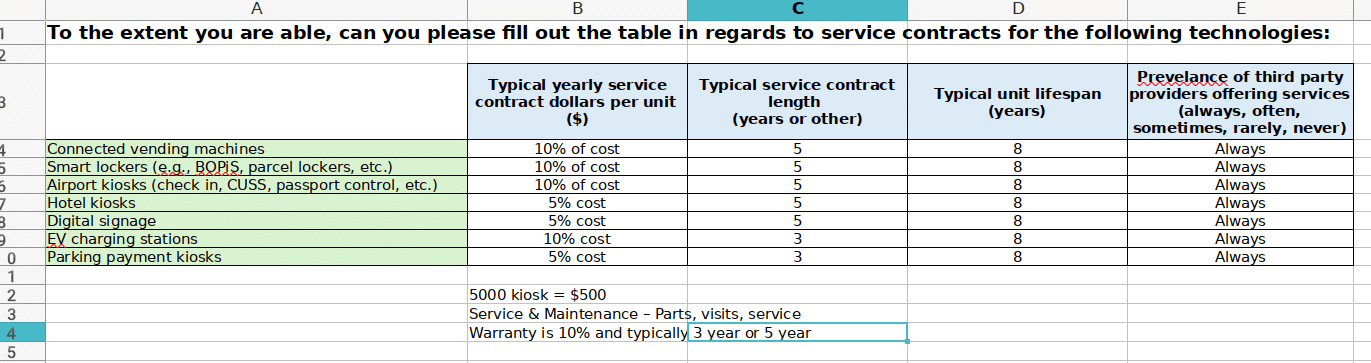
Questions we are asked include just what are the usual service and maintenance costs associated with a kiosk.

Determining the service cost for a kiosk involves several factors. We’ll put all the “details” aside for now.

kiosk service costs

kiosk service costs

Here is real life “current” example of request.

Industry Group Kiosks Digital Signage SOW SCOPE OF WORK_Final

Here is fairly close outline of factors.

Hardware and Installation

  1. Type of Kiosk: Different kiosks (e.g., informational, transactional, interactive) have varying hardware requirements.  Is it a complex unit or simple unit?
  2. Installation: Costs can vary based on the complexity of installation, including site preparation and setup.

Software and Licensing

  1. Software: The cost of the operating system, applications, and any custom software.
  2. Licensing: Ongoing costs for software licenses and updates.

Maintenance and Support

  1. Routine Maintenance: Regular checks and servicing to ensure the kiosk is functioning properly.
  2. Repairs: Costs associated with fixing any hardware or software issues.
  3. Technical Support: Availability of support services for troubleshooting and assistance.

Connectivity

  1. Internet Access: Costs for wired or wireless internet connections.
  2. Data Plans: If the kiosk uses cellular data, the cost of data plans.

Security

  1. Physical Security: Measures to protect the kiosk from theft or vandalism.
  2. Cybersecurity: Software and services to protect against digital threats.

Utilities

  1. Power Consumption: The cost of electricity to run the kiosk.
  2. Cooling: If the kiosk generates heat, the cost of cooling solutions.

Content Management

  1. Content Updates: Costs for creating and updating the content displayed on the kiosk.
  2. Content Management System (CMS): Software for managing and scheduling content.

Location and Environment

  1. Location: Costs can vary based on whether the kiosk is indoors or outdoors.
  2. Environmental Factors: Additional costs for weatherproofing or climate control for outdoor kiosks.

Compliance and Regulations

  1. Regulatory Compliance: Ensuring the kiosk meets local regulations and standards.
  2. Accessibility: Costs associated with making the kiosk accessible to all users, including those with disabilities.

These factors collectively determine the overall service cost for a kiosk, ensuring it operates efficiently and meets user needs.


More Kiosk Service Costs

Poppulo Digital Signage Partners with Pyramid

Poppulo and Pyramid digital signage

 Poppulo and Pyramid Partner

Exciting partnership news

Poppulo is delighted to announce a new hardware partnership with Pyramid, a leader in high-quality industrial PCs and industrial servers.

Designed and engineered in Germany, this collaboration empowers us to deliver even greater value to our customers in EMEA and beyond by combining Poppulo’s market-leading digital signage software with Pyramid’s cutting-edge hardware.

Whether it’s powering immersive workplace displays, transforming retail environments, or driving performance in manufacturing, this partnership unlocks new opportunities to inform, engage, and inspire.

👉 Ready to explore the possibilities? Let’s connect to discuss how Poppulo + Pyramid can achieve your digital signage vision.


More Poppulo Digital Signage Posts

Touch Screen Industrial Grade One Connect Monitors from Elo

Touch screen one connection Elotouch

One Connection Touch Monitors

New line of open frame monitors from Elo. Enable power, video and touch with a single USB‑C cable.

Connections, especially during shipment, fail probably 20% of the time. Add in cable runs and tie wraps PLUS the big power brick and life gets complicated quick.

Brilliant, optically-bonded TouchPro® PCAP display.

The 15-inch 1564L optically-bonded display offers an enhanced, 10-touch tablet-like experience with the durability, touch performance and premium optics required for industrial and commercial applications.

Elo’s 64-Series Open-Frames deliver industrial-grade, optically-bonded touchscreen monitors designed for easy integration into enclosures. Available in 7-, 10- and 15-inch
sizes with sleek, narrow borders and a modern form factor, the 64-Series are well-suited for industrial controls, HMI, warehouse automation, gaming and more.

Part number
Marketing description
E970862
Elo 0764L 7-inch HD Optically bonded LCD (LED Backlight), Open Frame, Projected Capacitive 10 Touch, Zero-Bezel, USB-C, HDMI & Display Port video interface, USB-C touch, Clear, No power brick
E971060
Elo 1064L 10.1-inch HD Optically bonded LCD (LED Backlight), Open Frame, Projected Capacitive 10 Touch, Zero-Bezel, USB-C, HDMI & Display Port video interface, USB-C touch, Clear, No power brick
E971256
Elo 1564L 15.6-inch FHD Optically bonded LCD (LED Backlight), Open Frame, Projected Capacitive 10 Touch, Zero-Bezel, USB-C, HDMI & Display Port video interface, USB-C touch, Clear, No power brick


Specifications


Part Number(s)

TouchPro PCAP – E971256

Enclosure Color

Black

Touch Technology & Capacity

PCAP (TouchPro® Projected Capacitive) – 10 Touch

Touch Thru

TouchPro® PCAP supports up to an additional 6mm glass/3mm plastic with up to 2 touches.

Touch Interface

USB 2.0

Diagonal Size

15.6” diagonal, Active matrix TFT LCD (LED)

On Screen Display

On screen OSD with menu and power buttons on the back of the unit.

Supported Touch gestures include:
1. Call out the OSD menu.
2. lock/unlock the OSD button function.
3. lock/unlock the power button function.

Settings: Auto Scan, Video Priority, Brightness, Contrast, Aspect Ratio, Sharpness, Color Temperature, Color Enhance, Low Blue Light, OSD Timeout, OSD Language, Recall Defaults, Information, Touch On Sleep Mode, Touch Through

Languages: English, French, Italian, German, Spanish, Simplified Chinese, Traditional Chinese, Japanese

Lockouts: OSD, Power

Aspect Ratio

16:9

Active Area

13.55″ x 7.62″ / 344.16 mm x 193.59 mm

Resolution

1920 x 1080

Other Supported Resolutions

640×480 60Hz
720×400 70Hz
800×500 60Hz
800×600 56, 60Hz
1024×768 60Hz
1280×800 60Hz
1280×1024 60Hz
1366×768 60Hz, 60Hz RB
1440×900 60Hz, 60Hz RB
1680×1050 60Hz, 60Hz RB
1920×1080 50Hz, 60Hz

Viewing Angle

Horizontal: ±89° or 178° total / Vertical: ±89° or 178° total

Number of Colors

16.7 million

Brightness (typical)

LCD panel: 450 nits
TouchPro PCAP: 405 nits

Response Time-total (typical)

25 msec

Contrast Ratio

1000:1

Video

HDMI V1.4 Type A receptacle for HDMI input
DisplayPort V1.2 – Supports later versions of Display Port video input
USB Type-C
*Suggest using Elo USB Type-C to Type-C (Elo P/N: E129019) cable to prevent any compatibility issues

Input Video Horizontal Sync frequency range: 30 – 80K KHz

Input Video Vertical Sync (frame rate) frequency range: 50-75Hz

Power

Option1:
External DC – Optional power brick (sold separately)

Monitor input power connector: Coaxial power jack (2.0mm (+0.0 -0.1mm) pin outer diameter, 6.4mm (+/- 0.3mm) barrel inner diameter, 8.8mm (+/- 0.3mm) Barrel depth)
Monitor input power signal specifications: 12V – 24V DC +/- 5%

Adapter output power connector: DC barrel plug (2.1mm (+/- 0.1mm) pin inner diameter, 5.5mm (+/- 0.05mm) barrel outer diameter, 9.5mm (+/- 0.3mm) Barrel length)

Option 2:
USB Type-C Input range:
5V±5%@3A / 9V±5%@3A / 15V±5% @1.8A / 20V±5%@1.35A

Maximum Operating Time

24/7

Power Consumption (Typical)

ON (Default – 80% Brightness): 9.36W
ON (Typical – 100% Brightness): 12.95W
SLEEP (monitor + adapter): 0.45W
OFF (monitor + adapter): 0.25W

Dimensions

14.76″ x 8.83″ x 1.24″ / 375.0 mm x 224.4 mm x 31.6 mm

Shipping Box Dimensions

17.72″ x 11.89″ x 5.55″ / 450 mm x 302 mm x 141 mm

Weight (Unpackaged)

4.91 lbs / 2.23 kg

Weight (Packaged)

9.09 lbs / 4.12 kg

Operating Temperature

0°C to 40°C / 32°F to 104°F

Storage Temperature

-20°C to 60°C / -4°F to 140°F

Humidity

Operating: 20% to 80%
Storage: 10% to 95%

Sealability

IPX1 for front side

MTBF

50,000 hours demonstrated

Warranty

3-year

Regulatory approvals and declarations

Australia RCM
Canada cUL, IC
China CCC
Europe CE, TUV
United Kingdom UKCA
Japan VCCI
Korea KCC
Mexico NoM
Taiwan BSMI
United States UL, FCC
International CB
RoHS, China RoHS, WEEE

Compliance

GLI 27 kV air / 8 kV contact ESD compliance
UL62368 ball-drop compliant
IK08 impact compliant
TUV Rheinland (Low Blue Light)
Power collection function via DDCCI

Energy Star

Energy Star 8.0

Mounting Options

75 mm and 100mm VESA mount
Mounting interface on all 4 sides
Flush mount with included brackets

See dimensional drawings for details

What’s in the Box

1564L
HDMI cable
Touch USB Cable (USB-A to USB-C)
Flush Mount Brackets w/Screws
Quick Install Guide
EEI Label

Options / Peripherals / Upgrades

Cable Kit DVI-D to HDMI – Elo P/N: E538507
North America power adapter and cable kit – Elo P/N: E005277
European & Korea power adapter and cable kit – Elo P/N: E571601
UK power adapter and cable kit – Elo P/N: E180092
China power adapter and cable kit – Elo P/N: E558862
Taiwan power adapter and cable kit – Elo P/N: E818655
Japan power adapter and cable kit – Elo P/N: E182546
Argentina power adapter and cable kit – Elo P/N: E887099
Optional PCAP Stylus Pen – Elo P/N: E066148
Elo Backpack® 4 (Value Model)- Elo P/N: E393754
Elo Backpack® 4 (Standard Model) – Elo P/N: E393359

Accessories

(2)

Upgrades, add-ons, and more.

More Links

Electronic Podium Digital Lectern Rostrum – Mobile

podium dais lectern rostrum

Electronic Podium – Digital and Smart For Less than $5000

This week, we want to examine the podium as a digital mobile kiosk and mobile interactive terminals. The word “mobile” usually refers to a handheld phone or tablet, but here, we are looking at mobility in positioning. Typically, these devices come with casters for moving from one place to another.

We are starting with portable podiums, also known as speaker podiums, speaker dais, lecterns and rostrums.

Part 1 – Podiums

Nice interaction.

TERMS — So what are interactive podiums called?  There are many names including lectern, dais, and rostrum to name some.  They used to be wooden (like kiosks of old) but now they come with super media connectivity, adjustable heights (like check-in units) and top tier technology for AV (AudioVisual)

Here is RFP by FBI last year requesting Thirty eight “Portable Podiums”

Industry Group Kiosks Digital Signage


Where are Podium Smart for Dais Rostrum Lecterns Used

  • Universities
  • Classrooms
  • SLED
  • Corporate Meeting Rooms
  • Corporate Auditoriums

Typical Specifications

  1. Highly Integrated Design: Built-in all-in-one system with detachable side trays; motorized height adjustment;  lightweight aluminum construction for portability.
  2. Computer Module: Detachable OPS unit for easy maintenance and upgrades.
  3. Display Output: HDMI output for large screens or projectors; also supports HDMI input.
  4. 27-inch Display: Android 1GB+16GB, supports one-click content sharing via mobile, USB, or cloud.
  5. Construction: LED-backlit display, 10-point capacitive touch, durable metal casing.
  6. Wireless Connectivity: Built-in WIFI
  7. Interface Panel: 2 * System Height Adjustment, 2 * 23.8-Inch Display Height Adjustment, 1 * System Reboot, 1 * Advertising Display Power, 1 * HDMI Switching.
  8. Height and Angle Adjustment: Motorized height control with a 200mm range, silent operation, 15° angle adjustment.
  9. OPS Signal Output: 2 * HDMI Outputs, 1 * VGA Output, 1 * XLR Microphone Output with volume control,   * 3.5mm Audio Outputs, 1 * Ethernet Port, 1 * USB Port.
  10. Mobility: Hidden lockable caster wheels for easy movement.
  11. Integrated Software: Provides presenter and audience with separate views, real-time annotations, timer display. Supports importing Word, video, web, and image files into PowerPoint without interruptions; preloads up to 10 PowerPoint presentations for seamless multi-speaker sessions.
  12. Electronic Whiteboard Functionality: Includes tools for annotation, drawing, note-taking, synchronized with projection screens or video walls; supports collaborative editing and interactive engagement.

Podium PRICE

A nice smart podium like this is probably less than $5000. If interested please contact [email protected] 

Podium Contacts

Podium Smart for Dais Rostrum Lecterns Links

More Mobile Technology

One reference is What is a Mobile Kiosk


ADA ABA Guidelines for Terminals in Restaurants Hotels

ADA ABA Guidelines

ABA ADA Countertop Placement Recommendations

Update on ADA ABA Guidelines Hotels Restaurants. We keep seeing companies bragging on LinkedIn about their new projects, such as check-in kiosks at hotels and self-order kiosks for restaurants, as being “ideal.” Sometimes, these projects are in the US, and sometimes, they are outside the US (specifically, Europe).

Before proclaiming accessibility, we suggest they educate themselves before declaring themselves experts.

Below is a pdf of the US Access Board with almost 60 pages and illustrations.

Meeting regulatory standards increase your customer base, makes them feel more valuable and ultimately increases revenue.There is negative value in ignoring customers.

And then there is Europe. And then there is post-Brexit UK too.  It’s important to recognize that hotels like Marriott and others are worldwide and they follow a common set of guidelines as part of corporate philosophy.

Session Agenda

• Accessible Routes and Parking
• Sales & Service Counters
• Queues and waiting lines
• Food Service Lines
• Check-Out Aisles
• Dressing and Fitting Rooms

Examples of Counters Covered

• sales counters (all kinds)
• reception & concierge counters
• information counters
• registration & check-in counters
• counters at ticket or service windows
• customer service counters
• ordering, pick-up & drop-off counters
• other types of service or sales counters
• (display/ exhibit counters covered only if they function as a
sales/ service counter)

Handout_2023 ABA Access Board Retail_Restaurant_2-2-2023_2slides_perpage-compressed

Europe ADA ABA

In Europe, the main standard for digital accessibility is EN 301 549. This standard provides guidelines for making websites, electronic documents, and non-web software accessible to people with disabilities. Note that these regulations are in the process of revision, and as a general rule, Europe and US “harmonize”. It covers a wide range of requirements, including:

  • Visual accessibility means ensuring content is perceivable to people with visual impairments, such as providing text alternatives for images and using sufficient color contrast.   
  • Auditory accessibility: Providing captions and transcripts for audio content, and avoiding the use of sounds that may be distracting or confusing to people with auditory impairments.
  • Motor accessibility Means ensuring that all functionality can be accessed using a keyboard or other assistive technologies and providing sufficient time for users to complete tasks.
  • Cognitive accessibility: Using clear and simple language, providing consistent navigation, and avoiding complex layouts that may be difficult for people with cognitive impairments to understand.

EN 301 549 is the standard used to measure compliance with the European Accessibility Act (EAA). This directive mandates accessibility for a wide range of products and services, including digital products like e-commerce websites and mobile apps. The EAA applies to organizations doing business within the EU and aims to harmonize accessibility requirements across European countries.

  • EN 301 549 is the main European standard for digital accessibility. 
  • It covers a wide range of requirements for visual, auditory, motor, and cognitive accessibility.   
  • It is used to measure compliance with the European Accessibility Act (EAA).
  • The EAA applies to a wide range of products and services, including digital products.
  • Organizations doing business in the EU need to comply with the EAA.

Additional Resources:

UK ABA ADA

Does the UK follow EN 301 549

This is a bit tricky! While the UK was part of the EU, it did follow EN 301 549. However, things have changed since Brexit.

  • Before Brexit, the UK implemented the Public Sector Bodies Accessibility Regulations 2018, which aligned with EN 301 549. This meant that public sector websites and apps had to meet EN 301 549’s accessibility requirements, which are essentially WCAG 2.1 Level AA plus some extras.

  • After Brexit: In 2022, the UK updated its regulations. While accessibility is still a major requirement, the regulations now specifically reference WCAG 2.1 Level AA and no longer directly mention EN 301 549.

So, does the UK follow EN 301 549 now?

Technically, no. The UK has its regulations based on WCAG 2.1 AA. However, because EN 301 549 is also based on WCAG 2.1 AA, meeting the UK standards will likely mean meeting most of EN 301 549 as well.

Important Note: Although the UK has its own regulations, businesses in the UK that provide digital products or services to EU member states still need to comply with the European Accessibility Act (EAA) and, therefore, EN 301 549.

Speaking of Europe — EAA Compliance

The European Accessibility Act (EAA) is a directive to make products and services more accessible to people with disabilities across the European Union. It establishes common standards to eliminate barriers caused by inconsistent national laws. Companies that utilize self-service devices and kiosks must ensure that these devices are accessible.

Why EAA Compliance Matters

Reduce Legal Risk and Penalties: Noncompliance can result in fines and sanctions, which may include mandates to withdraw a product or service from the market. Each EU country determines sanctions based on the severity of the violation and the number of people affected. Unlock Market Potential: Accessible and compliant kiosks open doors to a market of over 100 million people with disabilities in the EU. Adapt to Demographic Shifts: Europe’s aging population increases the demand for accessible solutions. Businesses that prioritize accessibility are better positioned to retain customers as their needs change.

Airport Kiosks TSA – Clear EvVe Pods

clear enve pods airport kiosks

Clear introduces faster verification technology

Clear EnVe Pods will enable Clear users to verify their identity using face-first biometric technology (rather than an eye or fingerprint scan) for up to five times faster verification.

Clear’s new EnVe Pods, which use face-first biometric technology for faster identity verification at airports. Key points include:

  1. Efficiency: EnVe Pods provide up to five times faster verification than previous methods.
  2. Deployment: The new technology is being rolled out at 12 airports, including Denver International Airport and John F. Kennedy International Airport.
  3. User Experience: Clear members can verify their identity more quickly, reducing wait times and enhancing the travel experience.
  4. Future Plans: Clear plans to continue rolling out EnVe Pods across its network through 2025, eventually phasing out older verification methods.


Clear lanes at these 12 airports are currently utilizing the new EnVe Pods:

Austin-Bergstrom International Airport (AUS)
Buffalo Niagara International Airport (BUF)
Cincinnati/Northern Kentucky International Airport (CVG)
Denver International Airport (DEN)
John F. Kennedy International Airport (JFK) in New York City
Oakland International Airport (OAK)
Orlando International Airport (MCO)
Pittsburgh International Airport (PIT)
Ronald Reagan Washington National Airport (DCA) in Washington, D.C.
Salt Lake City International Airport (SLC)
San Francisco International Airport (SFO)
San Jose Mineta International Airport (SJC)


Airport Kiosks Clear Related

DMV kiosks and IDEMIA

DMV Kiosk IDEMIA

DMV Kiosks and IDEMIA 2024

IDEMIA Public Security North America, the market-renowned provider of solutions for Motor Vehicle Agencies, in partnership with the Tennessee Department of Safety and Homeland Security (TDOSHS), has launched its new self-service kiosks at Tennessee Driver Service Centers to reduce customer wait times.

Tennessee residents can use IDEMIA’s SMART-E Kiosks to complete many driver’s license transactions, including renewing or replacing a duplicate driver’s license or ID card, changing an address, updating emergency contact information, advancing a Teen/Graduated Driver License, paying reinstatement fees, and requesting a license reissue after reinstatement requirements are met.

Web Enrollment platform

IDEMIA’s next-generation kiosk, the SMART-E, has been redesigned for motor vehicle agencies

IDEMIA’s next-generation kiosk, the SMART-E, has been redesigned for motor vehicle agencies, offering self-service options built on the same industry-renowned browser-based Web Enrollment platform used by examiners to capture customer data, photo, signature, and payment.

With cloud-hosted Issuance 360 Back Office providing integration with the State System of Record on the backend, users can enjoy a seamless solution that spans industry-renowned customer service at examiner workstations, and flexible and efficient self-service, along with many great benefits:

  • Easy to Use and ADA-Compliant: Easy-to-follow instructions over two screens for dynamic workflow and privacy protection. ADA-compliant audio navigation via speaker or audio jack.
  • Flexible Placement: Easily deployed wherever power and ethernet connection is available, with the option of space-saving, back-to-back arrangement.
  • Configurable Workflow: Offers flexibility to be used with agent assistance (“Attended Mode”) or as self-service (“Unattended Mode”).
  • ICAO-Compliant Photos with Automatic Height Adjustment: Photo capture for seated or standing customers with a 13 MP autofocus camera. Automatically crops to ICAO and AAMVA standards and performs ICAO quality compliance checks.
  • Upfront Eligibility Check: Uses 1:1 facial recognition to compare against the photo on file and determine eligibility for self-service transactions.

New self-service kiosks

We are excited about the added flexibility and convenience the new self-service kiosks will provide for Tennesseans. Citizens can complete many Driver Services transactions at one of these new kiosks, which will help reduce wait times at Driver Services Centers,” said TDOSHS Commissioner, Jeff Long.

We are thrilled to launch our new self-service kiosks in the state of Tennessee. With our commitment to serve Motor Vehicle agencies across the country, we are excited to bring this solution to help Tennessee Driver Services Centers bring an efficient, convenient, and seamless experience to their customers who come into their offices,” said Donnie Scott, CEO, IDEMIA Public Security North America.

Other advanced DMV solutions

In addition to IDEMIA’s self-service kiosks, IDEMIA serves Tennessee residents with other advanced DMV solutions, including mobile travel cases, physical driver’s licenses, facial recognition, remote web test, proctor ID (at home testing), and front office/capture equipment.

On top of IDEMIA’s advanced DMV solutions, IDEMIA also provides Tennessee residents access to statewide enrollment services, Automated Fingerprint ID System (AFIS), LiveScan Devices, Morpho/Mobile IDent 2.0, U.S. Citizenship and Immigration Services, Checkpoint Identity Authentication, and TSA PreCheck.


How Kiosks Work – Redemption Ticketing Kiosks

how kiosks work

How Kiosks Work – Example of Redemption

How kiosks work is often asked question.  Kiosks perform a multitude of functions in a multitude of verticals.

In this video the owner gives you and operational walkthru demonstrating the efficiency the kiosk brings to table.  And seeing how important installation and service are to the equation.  Seeing how it works is so much better than pretty blah-blah language describing it in usual marketing 101 terms (think hackneyed terms like “frictionless” or synergy).


The People’s Choice Family Fun Center upgraded to Semnox’s state-of-the-art systems, enhancing both guest experience and operational efficiency. With the introduction of RFID cards and self-service kiosks, guests enjoy faster, smoother visits, while the center saves on labor costs and boosts revenue!

John Sarantakis, President of The People’s Choice:
“Working with Semnox has been a great experience. During the conversion, they brought in their people making the installation seamless. We didn’t lose any revenue and that just doesn’t usually happen, especially when switching over to a new system.”

Watch the transformation unfold!

Editors Note — this unit won 1st place at IAAPA show in 2024 — 1st Place, Parafait Klassic Pro Kiosk – Session/Slots Bookings with Automatic Waiver Management   Semnox Solutions LLC  2036   “Truly operator less, requires no labor, sell variety of products. Comes in variety of kiosk formats (outdoor, indoor, big). Robust technology.”


Redemption kiosks are commonly used in various settings to provide customers with a convenient way to redeem rewards, coupons, or loyalty points. Here are a few examples:

  1. Casino Redemption Kiosks: These kiosks allow casino patrons to redeem their loyalty points for cash, free play, or other rewards. They are often located throughout the casino floor for easy access.
  2. Retail Store Kiosks: Many retail stores have kiosks where customers can redeem digital coupons, loyalty points, or gift cards. These kiosks can also provide information about ongoing promotions and special offers.
  3. Amusement Park Kiosks: In amusement parks, redemption kiosks are used for guests to redeem tickets or points earned from arcade games for prizes. These kiosks help streamline the prize redemption process and reduce wait times.
  4. Supermarket Kiosks: Some supermarkets have kiosks where customers can redeem loyalty points for discounts on their purchases. These kiosks can also print out coupons that can be used at checkout.
  5. Movie Theater Kiosks: Movie theaters often have kiosks where customers can redeem points from loyalty programs for free tickets, concessions, or other rewards.

These kiosks enhance the customer experience by providing a quick and easy way to access rewards and incentives.

More Redemption Kiosk posts

Post Office Kiosks Rolling Out – Multi-functional Services

imageholders

Post Office Kiosks Being Deployed

imageHOLDERS announces new deployment with Post Office in UK. Partnering with Ricoh, Intelligent AR and Meld CX.  You may remember MeldCX from hotel check-in integrations. Also typically Chrome so shows up on Thinclient.

Nice article on Dorset News — The gradual nationwide rollout is set to begin in Spring 2025. Neal Newbrook, propositions manager at the Post Office, said: “Post Office is committed to enhancing customer service across the network, working in partnership with our Postmasters and retail partners. “Introducing these new self-service kiosks will make it easier and more efficient for customers to access the mail products they require. “We’re excited to work with imageHOLDERS on this key project that will help postmasters and our retail partners meet evolving customer needs.”

Pictures – the kiosk lineups are illustrative of their go to market ranges – our key sectors are Healthcare, Aviation, Retail, Hospitality and Post and Mail.


FOR IMMEDIATE RELEASE

imageHOLDERS Partners with Post Office for Nationwide Rollout of Self-Service Kiosks

Revolutionizing Customer Service Across the UK

Dorset, 20/11/2024 – imageHOLDERS, a leading provider of self-service kiosk solutions, is proud to announce its new partnership with Post Office for the rollout of self-service kiosks in Post Office branches across the UK. This collaboration will support Post Office’s aim to enhance customer service, increase accessibility, and streamline transactions at Post Offices nationwide.

Post Office, a cornerstone of British communities, serves millions of customers every day. To continue delivering high-quality service while adapting to evolving customer expectations, Post Office has chosen imageHOLDERS’ state-of-the-art kiosks to provide an efficient, user-friendly, and inclusive self-service experience.

Collaborating with industry-leading partners Ricoh, Intelligent AR, and Meld CX, this self-service kiosk collaboration provides expertise in advanced automation and intelligent design to elevate the functionality and user experience of the kiosks. Ricoh brings extensive service capabilities, reaching, installing, and supporting 4,000 + devices across the estate, while Intelligent AR provides postal software solutions rooted in a deep understanding of the customer journey.

Meld CX offers remote kiosk and device monitoring to deliver real-time support and self-help, ensuring maximum uptime.

Together, these partnerships ensure that Post Office remains at the forefront of innovation in customer service by providing streamlined, responsive solutions.

Enhancing Customer Experience with Cutting-Edge Technology

The rollout of self-service kiosks will allow customers to quickly and easily perform a variety of tasks, including:

  • Postal services – sending parcels, purchasing stamps
  • Home shopping returns
  • Electronic pre-advice and overseas services
  • Printed confirmation and tracking details

By automating these routine transactions, the kiosks will reduce queues, improve service efficiency, and free up staff to assist customers with more complex needs.

The kiosks will be equipped with intuitive touchscreens and designed with inclusivity at the forefront, ensuring ease of use for all customers, including those with accessibility requirements.

Delivering Accessibility and Innovation

As part of its commitment to providing an inclusive customer experience, imageHOLDERS will work closely with Post Office to ensure that the kiosks meet the highest standards of accessibility. From ergonomic design to accommodating assistive technologies such as screen readers and braille interfaces, the self-service kiosks are built to serve every customer equally.

“We are thrilled to partner with Post Office to help deliver more efficient and accessible services to customers across the UK,” said Richard Satchell, CEO of imageHOLDERS. “Our self-service kiosks will not only reduce wait times and improve customer satisfaction but will also ensure that these essential
services remain inclusive to everyone, regardless of their abilities.”

A Nationwide Transformation

The nationwide rollout is set to begin in Spring 2025, with self-service kiosks being introduced in a select number of Post Office branches before expanding to more branches across the country. This partnership signifies a major milestone in both imageHOLDERS’ and the Post Office’s ongoing missions to modernize service delivery, enhance customer experiences, and meet the changing needs of today’s consumers.

“Post Office is committed to enhancing customer service across the network, working in partnership with our Postmasters and retail partners,” commented
Neal Newbrook, Propositions Manager, Post Office. “Introducing these new self-service kiosks will make it easier and more efficient for customers to access the Post Office mail products they require. We are excited to work with imageHOLDERS on this key project that will help postmasters and our retail
partners meet evolving customer needs.”

About imageHOLDERS

imageHOLDERS specializes in creating innovative self-service kiosks and device enclosures for a wide range of industries, including healthcare, aviation, retail, and public services. With a focus on combining cutting-edge technology with ergonomic, user-friendly design, imageHOLDERS works to provide seamless and inclusive digital experiences that enhance both customer satisfaction and operational efficiency.

For more information on this partnership or to schedule an interview, please contact:

Freya Storey – Marketing and Communications Manager, imageHOLDERS
T: +44 (0) 1202 892863 E: [email protected] A: 42c Cobham
Road, Ferndown Industrial Estate, Wimborne, Dorset, BH21 7QG, UK

More Post Office Kiosks imageHOLDERS related content:


China Tablet Manufacturers – MiniPC & Media Players

Panera tablet kiosk

China Tablet Manufacturers

Along with Chinese kiosk manufacturers and Chinese display technology, we have a large interest in Chinese tablets along with media players, AIOs and Mini-PC

We use multiple resources such as the website Thin Client – Media Players and well as online database lists

China Tablet Resources

  • From China database — https://list.ly/list/9n0F-chinese-touchscreen-display-kiosk-companies-vetted
  • Wintouch is the best industrial Panel Pc Manufacturer and Tablet Pc supplier In China,Wintouch was founded in 2011.We are dedicated to product customization services in hardware devices for industrial control solutions and tablet PCs, In industrial control solutions devices, we focus on the products of panel PCs, industrial monitors and touch panels; in the field of tablet PCs, we cover Android tablet PCs, kids tablet PCs and rugged tablet PCs. We meet customer needs with a professional team to help you realize your product customization needs.
    We recommend contacting Cheng (aka Dora) cheng [email protected]

    Industrial Panel Pc
    The panel PC can be installed with Android/Linux system, which has touch function and is reliable and durable.

    Industrial Monitor
    Industrial monitor connected to industrial PC or box computer, with touch function makes operation more convenient.

    Touch Screen Panel
    Capacitive Touch Screen Panel, high hardness capacitive multi-touch technology, multiple sizes and shapes.

    HMI Pcs
    (Human Machine Interface)
    Human-computer interaction makes the automation of the Internet easier, more convenient, and more flexible.

    Kids Tabelet
    Kids Tablet PC with protective case and pre-installed children’s applications

    Rugged Tablet
    Cost-effective rugged tablet, with high drop resistance and durability, suitable for harsh environments such as construction and outdoor adventures.

    Tablet Pc Solution
    Tablet PC is a good partner in educational use, enterprise application and medical field.

    Our contact there is Dora He
    [email protected]

  • Since 2002, Centerm is a global leading provider of smart terminal products and solutions, including VDI endpoint, thin client, mini PC and smart biometric terminal. Based on over 20-year powerful innovation abilities, Centerm forms on the unique advantage in the areas of cloud computing, VDI artificial intelligence, biometric Identification, fintech and related industrial applications, providing a total solution including hardware software and service. Centerm enterprise thin clients enjoyed continued strength and ranked No.3 in worldwide.
    Cassie Fujian Centerm Information Co.,Ltd.

    Overseas Dept Sales
    WhatsApp:+86-15705918731
    WeChat: +86-17606040117
    Skype: cassie_here
    Email: [email protected]
    Website: https://www.centermclient.com/
    Add: 20/F Block A Star-net Science Plaza, #33 Xingang Road, High-Tech District, Fuzhou, Fujian, China

  • linkedin.com/in/funpad-linky-90713618b
    [email protected]And I hope that my company’s products can increase sales and reduce labor costs for my customers.
    Our products have EU export certification and CE certification. As a professional supplier, we hope to seize every opportunity for cooperation.
    Here is the company’s official website:www.FUNPAD.com

    Self checkout kiosk
    Taking simplicity, safety and flexibility to new levels. FUNPAD commercial display solutions make every team more effective, and every meeting more productive.

    FUNPAD was established in 2015, is a high-tech enterprise, focusing on the research and development of intelligent devise in retail and catering industry. The company’s product concept is touch screen+, which combines touch screen with industry hardware, integrates application software, and launches a variety of intelligent devices to meet the needs of different application scenarios.

    FOUNYA was established in 2009, Is an enterprise integrating product design, production and technical support. FOUNYA has cooperated with Lenovo, BOE, TCL, Alibaba and other groups to provide ODM/OEM services. The company has passed a number of management system certifications, including ISO9001:2015, ISO14001:2015, ISO45001:2018, as well as the American SA8000 social responsibility standard, and the international RBA system certification.
    6500+ Total Employees

  • Mar 30, 2024 – glorystargroup.com – 8
    Glory Star Group | commercial android tablets | touchscreen computer | kiosk tablet | touchscreen signage |

    We are the leading provider and manufacturer for industry focused touch solutions.

    We are the pioneer of display screen and all-in-one touch interface, the company has more than 800,000 units of installation in fitness, retail, self-service and building automation industry globally. We offer customization of tablets allowing you direct access to engineers with a broad selection of screens from 4.3” to 43”. We bring engagement to users through the use of tablet technology.

    Glory Star provides the broadest selection of OEM kiosk tablets, commercial tablets, and all-in-one touch computers for different markets, including building automation, industrial automation, interactive kiosks, healthcare, office equipment, retail displays, transportation applications and point of sale devices.

    Glory Star Group was formed in a time where huge technological advancements were made and continues to thrive by adapting to the trends in technology in 1984.. Mr. Cheung, the founder of Glory Star Group, after graduation from National Taipei University of Technology, moved to Hong Kong at the age of 25 with USD200 in his pocket and a passion for success. The business in its early stages started by trading calculators and smoothly transitioned to reselling the world’s first cell phone, the Motorola DynaTAC 8000M. Weighing in at 2 pounds (picture this – the heaviest phone at the moment is the iPhone Pro Max weighing at 0.49 pounds!), it was one of the biggest breakthroughs in technology and the hefty price tag to acquire one was $3,995 USD at the time.

    Mar 30, 2024 – cjtouch.com – 1
    CJTouch All In 1 Pc

    Founded in 2011. By putting the customer’s interest first, CJTOUCH consistently offers exceptional customer experience and satisfaction through its wide variety of touch technologies and solutions including All-in-One touch systems.

    CJTOUCH makes available advanced touch technology at a sensible price for its clientele. CJTOUCH further adds unbeatable value through customization to meet particular needs when required. The versatility of CJTOUCH’s touch products is evident from their presence in varying industries such as Gaming, Kiosks, POS, Banking, HMI, Healthcare and Public Transportation.

More China Tablet Articles

Business Impact of Tariffs on Kiosk Industry

digital kiosk display Chinese

So What About Tariffs?

Update April 12 — Tariff Mini-PC Quote – US versus Poland versus Mexico – Apr12 — Comparing realtime quotes. Also latest CBP guidance and a list of US manufacturers as well. Buy American when you can we say! Support and maintenance is huge overlooked factor. Article link

Update March 5th — It took a month by tariffs announced on Canada, Mexico and China. This time around, the president is choosing across-the-board tariffs over targeted ones, invoking a legal authority with fewer constraints, and not giving time for companies to plead their case for special exceptions.  It’s only been 2 days though and odds are pretty good Trump will announce some deal in his favor and mitigate them.

The line chart presents the average effective tariff rate in the U.S. from 1975 to 2025, highlighting stability until a spike during Trumps term in 2018-2019. With tariffs unchanged, a rise to 9.5% is expected by 2025, potentially impacting kiosks and digital signage industries. Data source: Yale Budget Lab.

The line chart presents the average effective tariff rate in the U.S. from 1975 to 2025, highlighting stability until a spike during Trumps term in 2018-2019. With tariffs unchanged, a rise to 9.5% is expected by 2025, potentially impacting kiosks and digital signage industries. Data source: Yale Budget Lab.


Article on Impact of Tariffs on kiosks and digital signage. With the election comes new trade policies. One in particular is tariffs. If put in place, it will have ramifications across the kiosk and digital signage industries.  Article on AVIXA

It’s early on for sure but good idea to lay out starting framework for cautions and also new opportunities.

Updates:

  • Seeking Alpha 11/25 — Trump’s tariffs could cost Americans $78B in annual spending power: NRF – The increased prices would be too high to be absorbed by U.S. retailers, resulting in prices that many consumers would be unwilling or unable to pay, the NRF report said.

  • Cryptopolitan 11/25 — No-one wins in a trade war’ – China warns Trump against crashing the global economy. China has fired back at President Donald Trump’s latest threat to slap a 10% tariff on all Chinese imports.
  • Speaking with lawyers specializing in business formation there is a big rush by Chinese companies to set up US offices.
  • Many Chinese companies have already set up in Vietnam
  • Nice post by Dave Haynes 11/26 on digital signage impact

——-

The kiosk industry has always had a complex relationship with Chinese component and kiosk pricing.  We love to buy devices at the lowest cost, such as barcode scanners, touchscreens and displays. The kiosks selling for a third the price (before shipping) are not so loved. Made in China, it is easy to find.

This year, in order to learn and understand more, I began an Asia Pacific group on WhatsApp and began recruiting participants, primarily from Shenzen but from all over. The Grotto image is from Luoyang, where one of my members makes lockers, for example.  I have 50 participants currently.

The recent election has raised potential outcomes that directly impact both Chinese suppliers and American manufacturers.  Tariffs have long been a negotiating tool but have also been implemented and implemented. Importers pay that fee.  See article on APnews explaining potential impact on China, US manufacturers utilizing China and Mexico (100% tariffs).  

In February 2025, there is a strong possibility for additional tariffs, as high as 60% for Chinese goods.  I have advised my APAC members to prepare and consider as the probability of some type of impact is relatively high. Maybe there is a two to three-month window for “buy now before the price goes up…”?  FOMO is the acronym for selling tactics. 

While the potential increase in tariffs may decrease competition for American-made kiosks, it’s important to note that those US-made kiosks also rely on main components from China, which means their costs are also likely to rise. However, this situation could also present new opportunities for the industry.

Generally, the cost of a kiosk consists of an enclosure, the computer, and the display.  Usually assembled, which is another factor. Assemblies and parts are often treated differently.

Of note: BOE in China is the dominator regarding screens/glass.  

Many Chinese companies have taken the unusual step of setting up mirror facilities in Vietnam, which faces different challenges.

My advice to my Chinese members?  Sell as much as possible, as fast as possible, and then back off from the US market. Not surprisingly, my Chinese members had no idea of potential tariffs in play till I told them this week.

American kiosk producers would have an advantage, but higher profit is seductive. 

It’s important to remember that this is relatively unknown and speculative. I’ve been an investor for 40 years so my first reference point is always the financial markets. I like to predict. As such, it’s crucial to approach the situation with caution but also a readiness to adapt to any changes that may occur

Given the current situation and the potential for change, all industry stakeholders must prepare and carefully consider different scenarios. This proactive approach can help mitigate potential risks and ensure the industry’s resilience.

Pandemic — The Sequel? Good chance we might be headed towards parallel of pandemic when prices & costs increased “because of pandemic…).  Tariffs present close approximation of those conditions. Walmart and Lowes have weighed in and support that idea.  Walmart says, Walmart’s CFO, John David Rainey, said the retailer could have to raise prices on some items if President-elect Donald Trump’s proposed tariffs take effect. On an earnings call, Lowe’s CFO Brandon Sink said about 40% of the company’s cost of goods sold comes from outside of the U.S., including direct imports and merchandise from national brands. He said tariffs “certainly would add product costs,” but added “timing and details remain uncertain at this point.”

I’ll keep an eye out and will post comments and updates here.

Excuse me while I admire my unbelievable gains in digital currency and bitcoin markets over the last month…Not a big fan of Blackrock but the IBIT ETF has been stellar. It’s not hard to foresee less regulation of digital currency and wider monetization across American public in form of bitcoin ATMs  and others.  Fasten your seatbelt!

Comments:

How tariffs could be structured matters:  Prior, the bulk of the products tariffs put on on were B to B products.   By and large, tariffs on B to C products were not levied. Regarding the B to B product, if the tariff is raised to 60%, it is an actual 23% increase from the product currently tariffed at 30%.

Here is an example of cell phone carriers and iPhones to differentiate between B to B and B to C tariffs.   When the cell carriers want to upgrade their store, the display that cost $1,000 before the first tariff now costs 1,300. At a 60% tariff, the carrier will pay $1,600 for the same display.  The higher display cost is allocated against thousands of customers, so the impact on any one customer is pennies at most and not apparent to them.   Restated, the cost impact to a given consumer is negligible. 

Compare that to putting a 60% tariff on a new iPhone the consumer purchases from the carrier store.  If the sell price of a $1,000 iPhone goes to $1,600, the consumer is painfully aware, and all hell would break loose on social media. 


Related Impact of Tariffs on kiosks and digital signage Links

Kiosk Industry November 2024 Press Release

iaapa kiosk

Kiosk Industry November 2024

Self Service November 2024

Westminster, CO – November 15, 2024 Come see us in Orlando next week for IAAPA 2024 #5727. 1100 exhibitors and 40,000 attendees. Did we mention free passes? We have those too. See landing page for Code.   PRnewswire Here is APNews.

Our booth at IAAPA features a strong lineup of partners, including Pyramid kiosks (two units), RedyRef (two units), AcquireDigital, & TPGi. TPGi will be showcasing a demo from imageHOLDERS. In the digital signage pavilion, you can also find 22Miles and Elotouch, further demonstrating our commitment to collaboration and innovation. Don’t forget too that several members are in digital signage pavilion (22Mikes and Elo). Our next tradeshow after IAAPA is NRF in January.

We want to say thanks to new members Crane CPI, SKG Manufacturing, EasyPay, Ventus (Digi), POSBank with great POS systems and DPL WIreless for their support. Membership has grown such that we are now limiting entry. Having someone with experience to talk to is great, but there is only one of us.

Thoughts this month – tariffs in February are high probability. Chinese prices go up (60%) and so do the US prices. Not sure who wins there. We have 45 Shenzen participants and monitor (whatsapp). Also — bitcoin has gone thru the roof thanks to election. People on the move this week include Dot Pad and Olea Kiosks.

Latest
WIreless Modems and Router Suppliers
Kiosk Manufacturer – SKG
JCPenney Kiosk – Innovative Use of Handheld M60 by Elo
Redbox Shut Down – An Obituary
Picking a Kiosk Manufacturer – Tips
Security Stadium Biometrics – Fan Experience, Safer, Data Insights
Hospitality Breach News – P2P Encryption for Payment Processing
• Airport & Airline Accessibility ADA Kiosks
C-Store Retailers Employee Training and Self Service
• Restaurant Kitchen Employee Hygiene
Wristband Printing Wristband Tickets

Contact [email protected] with questions or contacts. We accept no financial commission or paid advertising.

About Kiosk Industry
Your best source for opinions, insights, news, and market trends for self-service kiosks, digital signage, POS, and more. Learn from the experts. We are a “co-op” of over 700 companies.

About the Kiosk Association

Our mission is to inform and educate. Accessibility, ADA, PCI, UL are some of our focus points. Join us for informative Q&A webinars and weekly or monthly update emails (no ads).
Thanks to the companies who make this possible.


AP News Posts

Self Service Kiosk News for October 2024 from the Kiosk Manufacturer Association

Kiosk Industry News December 2023 from Kiosk Industry and Kiosk Manufacturer Association

Self Service Kiosk News September 2024

Kiosk Industry News for Nov. 2023 from Kiosk Manufacturer Association

InfoComm 2023 Preview Kiosk Association

Amusement Park Attractions – POV by Acquire Digital

amusement park attraction acquire digital

Modern Amusement Parks –

Nice blog article by AcquireDigital on amusement park technology.

Summary

Discusses the evolution of guest experiences in attractions, emphasizing the shift from traditional methods to seamless digital solutions.
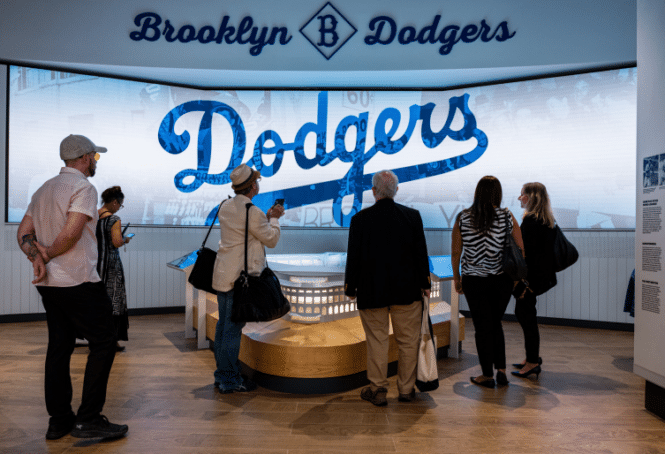
Key points include:

  1. Digital Transformation: The post-pandemic landscape has accelerated the need for digital experiences, with guests expecting intuitive and smart interactions.
  2. Challenges: Attractions face the challenge of meeting these expectations while managing operational costs.
  3. Smart Solutions: The article highlights the importance of creating an intelligent ecosystem where digital touchpoints enhance the guest journey and drive revenue.
  4. Operational Efficiency: Smart content management systems can automate updates, freeing staff to focus on guest engagement.
  5. Revenue Generation: Digital solutions can turn guest movement into opportunities for engagement and revenue, such as promoting less crowded areas or highlighting special offers.
  6. Future-Ready: The importance of scalable and adaptable digital solutions that evolve with the attraction’s needs.

The article underscores the need for attractions to integrate smart digital solutions to enhance guest satisfaction and operational efficiency

Read the full article

Excerpt

Transforming Operations Through Intelligence

The true power of smart digital solutions reveals itself in daily operations. Drawing from our discussions with venue operators over 27 years, we understand that operational excellence isn’t just about installing new technology – it’s about empowering your team to deliver exceptional experiences efficiently.

Gone are the days of staff manually updating multiple systems or rushing around your attraction changing digital displays. Our automated content management system handles these routine tasks seamlessly. When information needs updating – whether it’s wait times, show schedules, or promotional content – changes propagate instantly across all touchpoints. This isn’t just about saving time; it’s about ensuring your guests always have accurate, consistent information wherever they are in your venue.
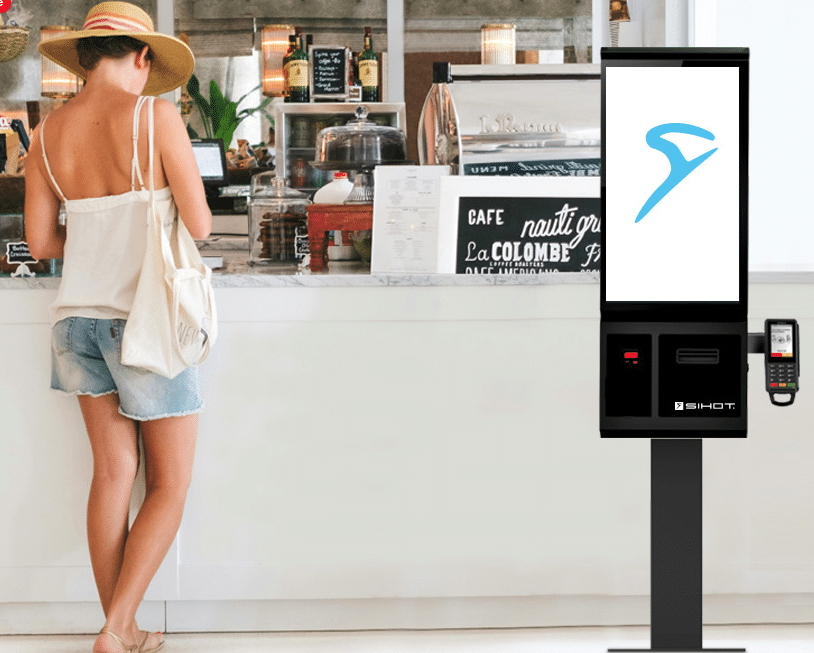
Think about your current operation:

How much time does your team spend answering basic navigation questions or updating information boards?

How often are staff pulled away from creating magical guest moments to handle routine updates?

Our system frees your team to focus on what they do best – engaging with guests and creating memorable experiences.

Integration with your existing systems means no more juggling multiple platforms or dealing with disconnected solutions. Whether it’s your ticketing system, event management tools, or emergency protocols, everything works together harmoniously. When you need to make changes, you do it once, and the system handles the rest.


More articles

Payment Tech – Crane CPI

New Member Crane CPI

Here is the main kiosk website — https://www.cranepi.com/en/self-service-kiosks – For contacts we recommend Ron Turlington. Super smart long time. Worth noting Crane has “returned”.  One of the original charter members they had some reorganizations and we lost our champion so to speak.  But they are back!

Consumers want fast, flexible solutions that keep them moving. Associates want to perform value-add work. At CPI, we want it all. That’s why we develop integrated technologies that keep you moving. Our portfolio includes everything from self-checkout, custom kiosks, and attended lane automation to smart safes, cash processing and fourth wall revenue solutions. We have everything you need for productivity and peace of mind. Collaboration with diverse partners means we satisfy the requirements of the global retail market and help you focus on what matters.

With 30 million devices in operation, processing 40 million cashless payment and powering 4 billion transactions each week, there are many reasons to partner with CPI.

Kiosks

66% of consumers love self-service kiosks because they are faster and less stressful for ordering and payment. Business love them because they help fill the labor gap and redeploy associates to value-add customer services. Whatever your reason for self-service, we’ll help you make it a reality.

Vending

Convenience drives the Vending industry, and the biggest challenge operators face today is enabling consumers to pay at their vending machine with any payment options available to them, to promote growth as well as increase sales revenues. With over 50 years experience in the payment industry, CPI is at the forefront of innovation when it comes to new technologies and products targeted to increase end-user satisfaction.

Retail

Consumers want fast, flexible solutions that keep them moving. Associates want to perform value-add work. At CPI, we want it all. That’s why we develop integrated technologies that keep you moving. Our portfolio includes everything from self-checkout, custom kiosks, and attended lane automation to smart safes, cash processing and fourth wall revenue solutions. We have everything you need for productivity and peace of mind. Collaboration with diverse partners means we satisfy the requirements of the global retail market and help you focus on what matters.

More resources

Weekly Digest Kiosk – AIrport Dining, Digital Signage, People News

weekly kiosk news

What’s Happening This Week

Lots of news items this week. Also an update on how lacking AI graphic generation is.  This one is from Copilot. Pretty bad.

  • ACRELEC America — Check out Thibaud Denolle‘s latest article in Aviation Pros! He discusses our collaboration with SSP Group plc Nordics at Arlanda Airport, where we’ve introduced self-service kiosks and self-checkout units to enhance traveler dining experiences. This hybrid model removes the dilemma of ‘Kiosk or SCO,’ giving customers the choice and flexibility to browse, grab, scan and go—or both! ✨ This innovation reduces wait times, boosts operational efficiency, and provides data insights for optimizing resources. The Future of Airport Dining: Embracing Technology for Enhanced Traveler Experience by Thibaud Denolle
  • ACRELEC America — this time Accessibility. Exciting Update from ACRELEC Did you know? Our latest kiosk software update is packed with powerful features:
    ✅ Improved Accessibility: We now natively support Stormpad-based navigation for the visually impaired, making our kiosks even more accessible!✅ Feature-Rich Framework: Our off-the-shelf framework is a perfect match for brands with high marketing expectations and ambitious roadmaps. Easily integrate complex loyalty and gift card systems!

    ✅ Hardware Reliability: Our kiosks are built to last! Plus, we support 3rd-party hardware, so even if you didn’t start with us, we’ve got you covered.

  • AcquireDigital — LinkedIn article — Digital Innovation in Attractions: Building Smarter Guest Experiences Through Intelligent Communication
  • AcquireDigital – IAAPA preview post on LinkedIn

PEOPLE IN THE NEWS

  • Big news is Olea Kiosks pulled the string and hired Eric Nebola as VP Sales. Eric began at KIOSK Information Systems. Used to come in my office to talk way back then.  He lives close by so maybe we share a coffee.
  • Dot Inc. accessibility — Alison Long from RNIB is on the team there now. “We feel incredibly fortunate to have experts like Mazi Zarrehparvar and Alison Long on our team. Thanks to their knowledge and experience, our technology is advancing rapidly.”

More Articles


Wireless Kiosk – Wireless Modems and Wireless Router Suppliers

wireless kiosk

Kiosk Wireless For Kiosks and Digital Signage

Key considerations for wireless kiosks include connectivity options, security measures, and performance factors.

Connectivity Options

  1. Wi-Fi: Offers flexibility in kiosk placement but may be susceptible to interference and signal disruptions
  2. Cellular (4G LTE or 5G): Provides seamless connectivity, especially in remote locations, but requires a monthly contract
  3. Ethernet: Offers a more stable connection but limits placement options

For optimal performance, consider using multiple connectivity methods:

  • Implement both wired and cellular connections for failover protection
  • Use external antennas to improve Wi-Fi or cellular signal strength

Security Measures

  1. Private Network: Use a managed cellular solution to provide a secure private network, protecting the kiosk from shared networks and potential hackers
  2. Data Monitoring: Implement systems to track data usage and detect suspicious activity
  3. PCI Compliance: Ensure network security for payment transactions

Performance Factors

  1. Signal Strength: Evaluate the location for strong Wi-Fi or cellular coverage
  2. Bandwidth Management: Consider storing content locally on the kiosk to reduce reliance on network connections
  3. Power Availability: Ensure access to power outlets for each kiosk

Additional Considerations

  • 24/7 Support: Reassures you with a provider offering round-the-clock customer support for quick issue resolution
  • Cost Analysis: Compare initial costs with long-term return on investment for different connectivity options

User Interface: Consider your customers by designing an intuitive interface for their ease of use. Businesses can ensure reliable, secure, and efficient wireless kiosk operations by addressing these key considerations.

Resources

  • Digi Ventus — Ventus is an industry leader in IT networking innovations, leveraging technology to produce market-driving network solutions. Operating from over 20 years of experience delivering secure enterprise class networks, Ventus develops cellular wireless and fixed line SD-WAN, Hybrid WAN, and Cellular WAN solutions for an expanding array of business connectivity applications. Contact Cheryl for more info. [email protected]

Nice breakout from Digi Ventus

More Resources

  • There are lots of ATM people with “drip” cellular (OptConnect comes to mind).
  • Many time consumer grade can be used.
  • USB cellular sticks  from Verizon

Main kiosk connectivity specialists

These companies focus specifically on kiosks, vending, ATMs, micro‑markets, digital signage, etc., bundling routers/modems, SIMs, and management:

  • OptConnect – Managed cellular (LTE/5G) for kiosks, ATMs, smart safes, micro markets, and digital signage; plug‑and‑play routers (e.g., neo2), private IP, 24/7 monitoring, and carrier redundancy.

  • NuvoLinQ – Designs and configures modems, routers, antennas, and multi‑carrier connectivity specifically for self‑serve kiosks in partnership with kiosk OEMs/integrators.

  • Always Connect Solutions (ACS) – “Day‑1” wireless for kiosks, vending, ATMs; offers cellular plus Wi‑Fi/Ethernet options, with plug‑and‑play hardware for quick deployment.

  • Allpoint Wireless – Managed IoT connectivity for kiosks with secure links, remote monitoring, and remote reboot/management tools.

  • Wilson Connectivity – Cellular IoT and signal‑boosting solutions for kiosks, ATMs, ticketing machines, etc., including direct‑connect repeaters when you can’t use venue Wi‑Fi.

  • POND IoT – Multi‑carrier SIMs and LTE/5G failover for vending and unattended retail when primary Wi‑Fi/wired links drop.

  • Transatel – Global multi‑network SIM platform connecting self‑checkout, smart vending, and self‑service kiosks across countries via 2G–5G.

  • Pronto Networks – Cloud‑managed LTE/5G routers for “smart kiosks,” with encrypted access and large‑scale device management.

A number of kiosk OEMs will bundle connectivity from these providers into their own managed services, so your “provider” may be a white‑label of one of the above.


More Wireless Kiosk Articles

Kiosk Manufacturer – SKG

kiosk manufacturer SKG

SKG Kiosk Manufacturer

SKG Manufacturing is a US-based contract manufacturer of fully integrated kiosks and storage solutions in Grand Rapids, MI.  Their robust in-house design, cutting, forming, welding, powder coating, assembly, and testing facility on over 100,000 sq.ft. of floorspace allow their customers unparalleled quality, efficiency, and production speed.

When bringing new product offerings to life, from concept to prototyping, their time to production is unmatched, thereby helping their customers unlock the fastest possible return on investment.

The team at SKG believes in taking the time needed to understand each customer’s individual needs, and in the importance of fostering long-term relationships. To this end, SKG invests in the efficacy of its long-term customer support services just as highly as it does in the outstanding quality of its products.

Contact for more information:

  • Kosi Stobbs – Sales Manager
  • C: 778-834-7328
  • Grand Rapids, MI

[email protected]

www.skgmanufacturing.com


Latest Kiosk News

JCPenney Kiosk aka JCP Kiosk

jcpenney kiosk

Innovative Use of Handheld

Nice video on JCPenney kiosk aka JCP Kiosk and new handheld mobile service.


Excerpt from Irfan who is the Director of Software Engineering at JCPenney

I’m excited to share the pilot launch of an incredible project that we’ve been working on at JCPenney! See details below.

JCPenney is responding to evolving consumer demands with innovative technology. Teaming up with Kitestring Technical Services and Elo Touch Solutions to streamline operations with a mobile-first approach.

Watch this case study video to discover how we’re reshaping retail shopping into a customer-first experience with a mobile payments-powered handheld, the Elo M60.


Related JCPenney Kiosk links

JCPenney Kiosk aka JCP Kiosk

Redbox Kiosk Shut Down – An Obituary

redbox kiosk

Redbox Kiosk Shuts Down

Yes, Redbox kiosk is shutting down after its parent company, Chicken Soup for the Soul Entertainment (CSSE), filed for Chapter 7 bankruptcy in July 2024: 

Notes 2025

Redbox kiosks are effectively defunct as of 2025. The company behind Redbox, Chicken Soup for the Soul Entertainment, filed for Chapter 7 bankruptcy in July 2024, leading to a full shutdown of operations. This included the cessation of its online streaming services, mobile app, and the removal or abandonment of most of its roughly 24,000–26,000 DVD rental kiosks across the U.S.26

Current status of Redbox kiosks in 2025:

  • Most kiosks have been removed or are abandoned. Major retailers like Walgreens and CVS have been working to remove the machines, which are expensive to power and maintain, with removal costs estimated at $500 per unit5. Some companies have hired contractors to haul away or recycle the kiosks7.

  • A few abandoned kiosks still exist and may even function. There are scattered reports and videos from early 2025 showing individuals finding and sometimes using powered kiosks to rent DVDs, despite the company’s shutdown11112. However, these are rare exceptions, and most kiosks are either unplugged, removed, or vandalized.

  • No new movies or updates. Since the company is liquidated, there are no new movie releases being stocked, and the payment infrastructure is largely non-functional21012.

  • Collectors and hobbyists have taken over some machines. Some enthusiasts have acquired old kiosks as collectors’ items, and a few have managed to keep them running independently510.

  • Legal and financial fallout continues. The company’s assets, including the Redbox brand and remaining kiosks, were auctioned off in April 2025, but there is no indication that the DVD rental business will be revived under new ownership6.

In summary: There is no sign of a Redbox comeback in 2025. The vast majority of kiosks are gone or abandoned, and the business is officially closed. Any remaining operational kiosks are isolated oddities, not part of a functioning rental network12612.

History of Redbox

  • My kiosk company actually turned them down when the first sought manufacturers. No ROI
  • Eventually they made their way to FLEX (big supply chain)
  • Redbox Automated Retail, LLC, commonly known as Redbox, was founded in 2002 by Gregg Kaplan. Initially developed as part of a McDonald’s business expansion initiative, Redbox started with automated DVD rental kiosks. The concept was tested in Denver in 2004 and quickly gained popularity due to its convenience and affordability.In 2005, Coinstar (later known as Outerwall) acquired a 47% stake in Redbox, eventually buying the remaining shares by 2009. Redbox expanded rapidly, with kiosks located at convenience stores, supermarkets, and pharmacies across the United States. At its peak in the early 2010s, Redbox operated over 34,000 kiosks and controlled more than half of the U.S. DVD rental market.However, the rise of digital streaming services led to a decline in physical DVD rentals. In 2016, Apollo Global Management acquired Outerwall, including Redbox. In 2022, Chicken Soup for the Soul Entertainment purchased Redbox, but the company faced financial difficulties and filed for Chapter 11 bankruptcy in June 2024. The case was converted to Chapter 7 liquidation the following month, leading to the cessation of Redbox’s online streaming services and the removal of many kiosks
  • Redbox actually spawned Blockbuster kiosks which was NCR entry into DVD vending. Eventually NCR gave up.
Good links
  • Fast Company – Redbox closing down: What happens to kiosks, employees?
  • IGN — Redbox Officially Shutting Down, Spelling the End of Thousands of DVD Rental Kiosks Across the U.S.

  • Kiosks

    Many of Redbox’s 26,000 kiosks have been removed, but the remaining ones will continue to work for the time being. 

  • Online services

    Redbox’s online streaming services and mobile app stopped working in July 2024. 

  • Employees

    Over 1,000 employees were laid off and will not receive severance or extended benefits. 

Redbox’s closure is due to a number of factors, including:
  • Competition

    The rise of streaming platforms and digital offerings led to a decline in DVD sales in the 2010s. 

  • Debt

    CSSE acquired Redbox in 2022 for $375 million, but the company’s debt grew to nearly $1 billion. 

Mismanagement

CSSE was accused of gross mismanagement, including failing to pay employees and payroll taxes, and cutting employee health insurance.

Redbox was founded in 2002 and was known for its bright red touch-screen movie-rental machines. At its peak, Redbox had 43,000 kiosks in the U.S. and Canada and an annual revenue of $1.97 billion.

Blockbuster, once a giant in the video rental industry, ventured into the DVD kiosk market in the late 2000s to compete with the rising popularity of Redbox. These kiosks were designed to offer a convenient way for customers to rent DVDs without needing to visit a traditional store.

Key Points in the History of Blockbuster DVD Kiosks:

  1. Launch and Expansion: Blockbuster introduced its DVD rental kiosks in 2008, aiming to provide an alternative to Redbox’s successful model. The kiosks were placed in various locations, including grocery stores and pharmacies.
  2. Partnerships: Blockbuster partnered with NCR Corporation to manufacture and deploy the kiosks. This collaboration aimed to rapidly expand the number of kiosks available to consumers.
  3. Competition and Challenges: Despite the initial push, Blockbuster’s kiosks struggled to gain significant market share against Redbox, which had already established a strong presence.
  4. Decline: As Blockbuster faced financial difficulties and filed for bankruptcy in 2010, the focus on kiosks diminished. The company continued to close stores and reduce its footprint in the market.
  5. End of an Era: By 2013, Blockbuster announced the closure of its remaining company-owned stores and the end of its DVD-by-mail service, marking the decline of its kiosk operations as well.

Blockbuster’s attempt to enter the DVD kiosk market was a notable effort to adapt to changing consumer preferences, but it ultimately couldn’t compete with the convenience and established presence of Redbox

Related Redbox Kiosk Links