Assistive Technology

assistive technology swair storm

Assistive Technology for Unattended

Assistive technology refers to a wide range of tools and services that help people with disabilities live more independently and participate fully in society. Some of the most common types of assistive technology include:

  • Braille: Braille is a tactile writing system that uses raised dots to represent letters and numbers. It is used by people who are blind or have low vision.
  • Tactile navigation: Tactile navigation uses raised or textured surfaces to help people with visual impairments find their way around. It can be found on sidewalks, in buildings, and on public transportation.
  • Audio: Audio assistive technology includes devices such as audiobooks, speech synthesizers, and screen readers that convert text to speech. It is used by people who are blind, have low vision, or have learning disabilities.
  • Screen readers: Screen readers are software programs that read text aloud from computer screens. They are used by people who are blind or have low vision.
  • Multilingual: Assistive technology can be multilingual, supporting multiple languages and dialects. This is important for people who speak more than one language or who live in multilingual communities.

Assistive technology has come a long way in recent years, and there are now many innovative and affordable options available. As technology continues to develop, we can expect to see even more powerful and effective assistive technology tools in the future.

Craig Keefner, director of kiosk association adds, “New regulations regarding assistive technology are set to be released shortly by the U.S. Access Board.  Guidelines for EV charging stations as well as Self-Service are on the table.

Recently we added Dot Inc. with their assistive technology for Braille users — “We are thrilled to welcome Dot Inc. to the Accessibility Committee,” said Craig Keefner, Executive Director of KMA Kiosk Association. “Their dedication to accessibility aligns perfectly with our mission, and their contributions will be instrumental in shaping the future of assistive technology and inclusive kiosk technologies.”

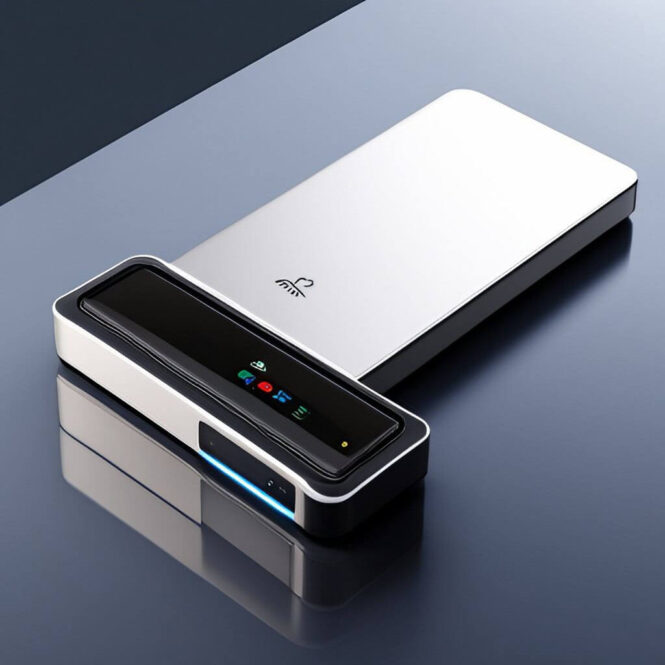
Dot Inc. is known for its innovative solutions like Dot Pad, the first tactile graphic device for the visually impaired. It shows maps, images, and graphics in braille and tactile formats. Their Accessible kiosks combine tactile displays with other tech, making info easily accessible in stores and public places. At CES 2023, Dot Inc. received three awards, including one for Best Innovation in Accessibility.

What is Assistive Technology

Assistive technology refers to a diverse range of tools, devices, software, and equipment designed to enhance the independence, functionality, and quality of life of individuals with disabilities. These technologies are specifically tailored to accommodate various physical, sensory, cognitive, or communication impairments, aiming to bridge the accessibility gap and empower people to participate fully in society.

Assistive technology encompasses various solutions, including screen readers for visually impaired individuals, mobility aids such as wheelchairs and prosthetic limbs, speech-to-text software for those with communication difficulties, and adaptive computer interfaces. Additionally, it includes specialized apps and devices that facilitate daily tasks, from reading and writing to cooking and driving.

The significance of assistive technology cannot be overstated, as it fosters inclusivity and equal opportunities for people with disabilities, enabling them to pursue education, employment, and social engagement with greater autonomy. This field is continually evolving, driven by advancements in robotics, artificial intelligence, and human-computer interaction, promising even more innovative and effective solutions. As society increasingly recognizes the importance of accessibility and inclusivity, the role of assistive technology in enhancing the lives of individuals with disabilities will continue to expand and evolve.

Disabled Statistics – Who Does Assistive Technology Assist?

We researched disablity statistics in 2023.

What Does The CDC Say

From https://dhds.cdc.gov/

CDC Data

CDC Data

Examples of assistive technology in real-life

  • Restaurant ADA — McDonald’s self-order kiosks utilize multiple assistive technology
  • Hospitality ADA — Marriott hotel check-in kiosks
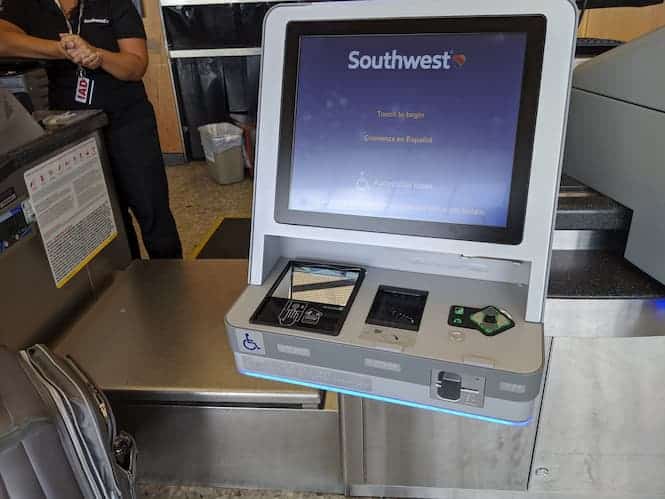
  • Transportation ADA — Southwest Airlines check-in kiosks

Assistive Technology Resources

  • Vispero – The world’s leading assistive technology provider for people who are blind or who are partially sighted.
    • JAWS Kiosk is focused on delivering accessible kiosk solutions whether it’s through the incorporation of Freedom Scientific’s industry-leading screen reading software, JAWS®, or by utilizing TPG’s accessible design and technical implementation services.JAWS Kiosk Software –
    • TPGi — a subsidiary of Vispero, TPG Interactive (TPGi) is a world-class accessibility solutions provider with a reputation for excellence. We help clients achieve end-to-end accessibility in their digital assets (websites, software applications, mobile applications, documents, etc.), as well as assist in embedding accessibility into their processes and procedures. Whether you are new to accessibility or mature in your accessibility processes, TPGi can assist your organization.
  • Storm Interface — Storm Interface develops and manufactures responsive human interface devices for use in a wide range of public and industrial applications. The company’s award-winning products are now globally deployed, internationally recognized and widely acclaimed.
  • Tech For All Consulting — https://kioskindustry.org/lgs-next-gen-kiosks-advance-a-better-life-for-all — For over 15 years, TFA’s expert teams have been providing consulting services to its clients to ensure the accessibility and usability of their products, websites, mobile apps, kiosks, and services. Tech for All’s Accessibility Compliance and Universal Design Services — Web, Mobile, and Multiplatform Applications — Kiosk and Self-Service Systems — Training — Planning and Strategy
  • Dolphin Computer Access — Welcome people who are blind and partially sighted into your business by enabling them to fully engage with your self-service points through SuperNova Accessible Kiosks. SuperNova Accessible Kiosks can deliver a range of support—magnification, speech and full screen-reading—without expensive retrofits. SuperNova differentiates itself from other kiosk accessibility software through crystal clear magnification at any level, unrivaled intuitive touchscreen capabilities, 24 changeable color themes and full screen-reading with human-sounding voices. It’s also fully compatible with Storm AudioNav Keypads and the SuperNova API is customizable for your bespoke kiosk projects.
  • MimoMonitors — Haptic Touchscreens — The first of its kind, this new 10.1” touchscreen leverages the durability, reliability, and quality of the Mimo Vue display and the groundbreaking technology of TanvasTouch to allow users to feel what they see on screen. The result is a multisensory experience that brings touch to life on a new dimension.
  • dot inc. — Assistive Technology to build a Barrier-free world. Design with the user’s eye level in mind. Automatic and manual use provided for user’s ease and convenience. Braille, tactile, sign language, voice guidance, large font size Barrier-free features for all.
  • SysTech Displays, Inc. — the Leader in Braille, ATM and Custom Signs

Potential Consequences of Inaction with Assistive Technology

  • You are missing out on serving a very large and growing consumer marketplace.
  • June 16, 2021 — A proposed class of consumers with mobility disabilities has slapped the owner-operators of 139 Wendys franchise restaurants with a suit in Wisconsin federal court, claiming they violated the Americans with Disabilities Act by denying disabled customers full and equal access to the eateries.
  • See Legal News for complete current and past litigations
  • 2023 most recent is decision for ACB against Quest Diagnostics — attorney fees + remediation ($6M?)

Assistive Technology More  Resources

Quick Tips for ADA and Accessibility Compliance

  • Tactile navigation is extremely critical component
  • Tactile displays and tactile tablets for Braille are now available
  • Audio — bidirectional audio is a requirement
  • Screen Reader – needs to be automatically included
  • Testing before deployment – test with multiple personas to determine exactly how accessible or inaccessible your kiosk is.
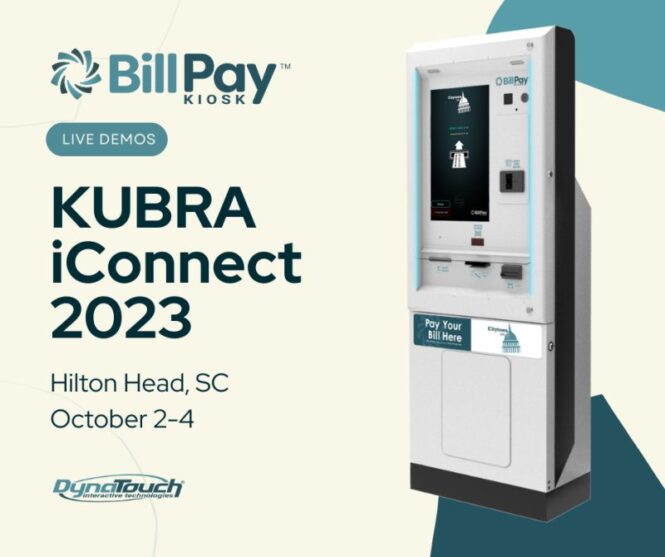
 

Payment Kiosk – Harris/Dynatouch Partner with KUBRA

Dynatouch KUBRA Harris Payment Kiosk Outdoor

TEMPE, Ariz.–(BUSINESS WIRE)–Harris Computer Corporation (Harris), a renowned provider of advanced enterprise software solutions, and KUBRA, a leading force in customer experience management solutions, proudly announce their strategic alliance. Together, they are poised to reshape customer experiences across key sectors, including utilities, government, and telecommunications.

At the heart of this partnership lies a commitment to deliver a game-changing suite of integrated billing, payment, and customer communications solutions. Harris will seamlessly integrate its utility-specific solutions, designed to enhance customer service, operational efficiency, and financial performance, with KUBRA’s cutting-edge offerings:

  • KUBRA MyHQ™: A customer interaction management solution
  • KUBRA iMail™ and KUBRA EZ-PAY®: State-of-the-art, fully hosted billing and payment solutions
  • Notifi® and IncidentWatch™: Customer communications solutions

Client Benefits

This powerful fusion empowers client companies to break free from convention and embrace a future-oriented approach to customer-centric platform capabilities by giving them access to a suite of tools that effortlessly offer e-billing, digital payment options, self-service platforms, and real-time notifications. These features align seamlessly with the evolving expectations of their customers and include crucial elements such as outage reporting.

In an unwavering commitment to joint market engagement, Harris and KUBRA will:

  • Reshape the Landscape of Customer Experience: Together, they will redefine the standards of customer interaction.
  • Drive Innovation and Integrated User Experiences: Aiming to enhance Customer Satisfaction (CSAT) through innovation.
  • Facilitate Business Evolution: Assist client companies in transitioning to the next phase of their growth journey.

Rick Watkin, President, and CEO of KUBRA, expressed his enthusiasm, saying, “We are pleased to partner with Harris Utilities, who, like us, understand that customer experience is a pivotal driver of consumer behavior. Our omni-channel billing, payment, and customer communications solutions are designed to simplify bill management, payments, and other provider interactions for every customer.”

Dana Lendorf-McCarthy, Portfolio Leader at Harris Utilities, echoed this sentiment, adding, “By joining forces with KUBRA, we are making remarkable progress in our dedication to enhancing user satisfaction and preferences. Through integrating KUBRA’s cutting-edge solutions with mission-critical software solutions, we are empowering providers to elevate their service offerings and cater to the evolving demands of their customers effortlessly.”

About KUBRA

KUBRA provides customer experience management solutions to some of the largest utility, Government, insurance entities across North America. Their extensive portfolio includes billing and payments, mapping, mobile apps, proactive communications, and artificial intelligence solutions for customers. With more than 1.5 billion customer interactions annually, KUBRA services reach over 40% of households in the U.S. and Canada. KUBRA is an operating subsidiary of the Hearst Corporation. Visit https://www.kubra.com for more information.

About Harris Computer Corporation (Harris)

Harris acquires vertical market software businesses, manages them well, and builds them for the future. Through acquisitions, Harris has grown extensively from its roots in the utilities, local government, education, and healthcare verticals to operate over 130 businesses globally across more than 20 industries. Harris is part of Constellation Software Inc. (TSX: CSU), one of North America’s most active acquirers of software businesses. To learn more, visit www.harrisutilities.com.

October 02, 2023 05:29 PM Eastern Daylight Time

More Posts

Walmart Self Checkout Being Replaced? Is NCR Toast?

walmart self checkout

Walmart Self Checkout

Update March 2024

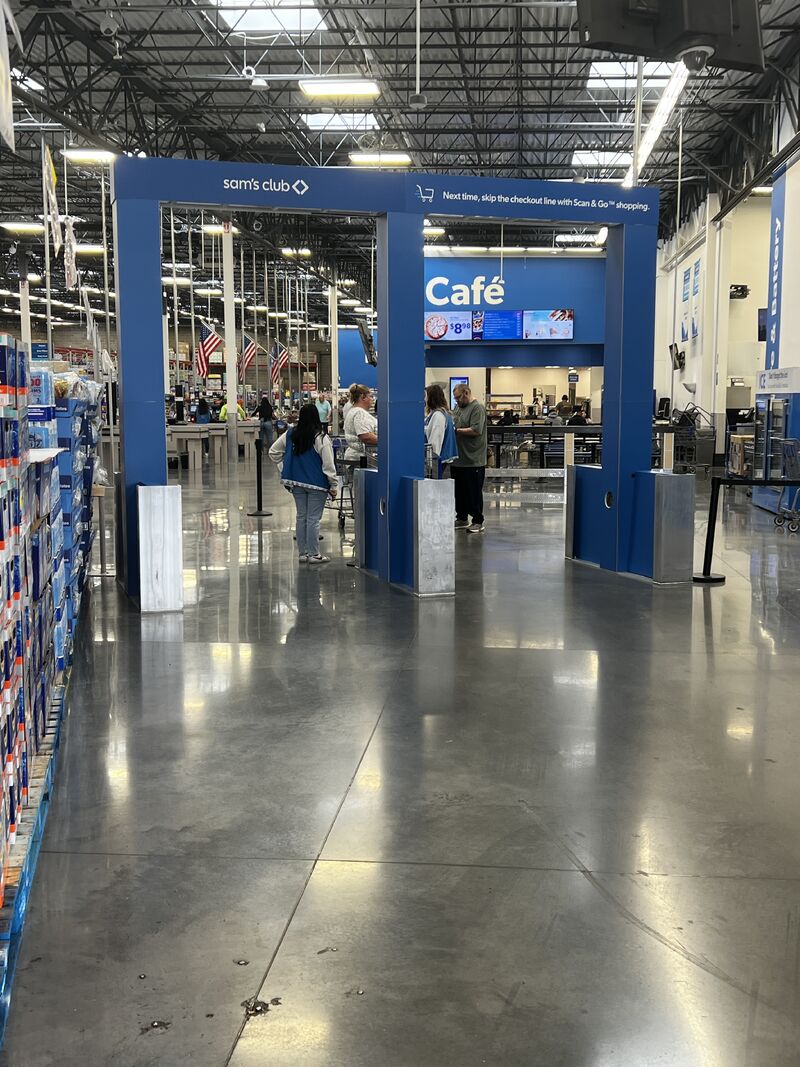
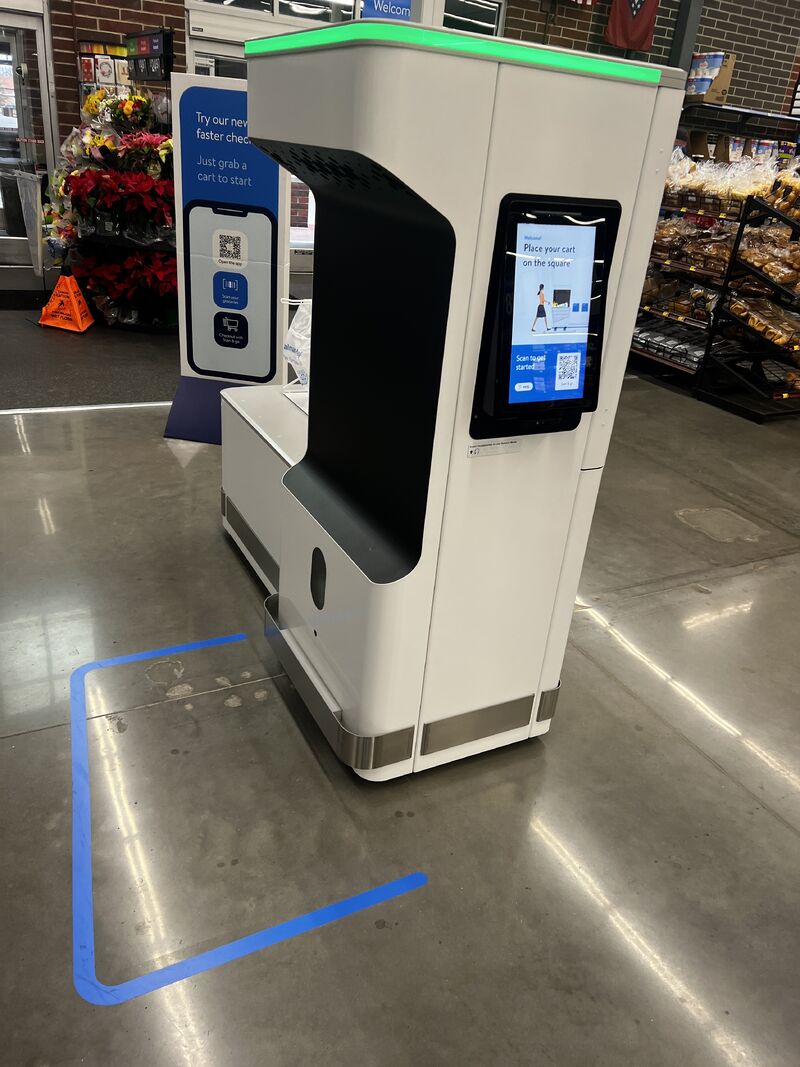
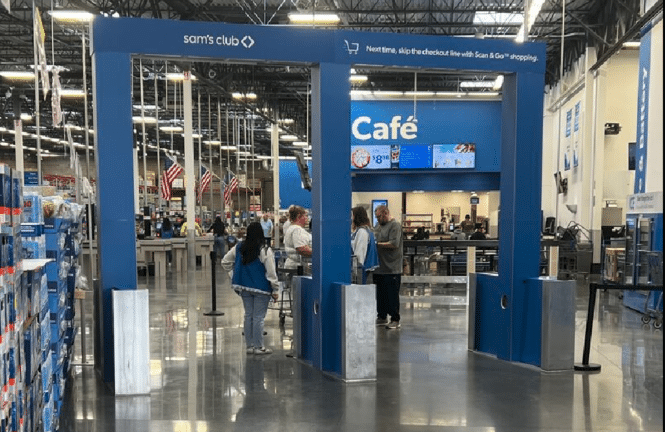
  • The computer vision checkout fixture has been installed in my local Sam’s Club in Springdale, Arkansas. The device has not been activated yet, but it looks to be close to being operational. Awesome!  Thanks to Scott Benedict Affiliate Partner at McMillan Doolittle!
  • Interesting 2006 Video by IBM [Thanks Zac at Nanonation!)
  • walmart self checkout

    walmart self checkout

    sams club checkoutUpdate Feb 2024 – Walmart announces massive new updating and ungrading of existing stores to its “Store of the Future” concept.

    • Update December 25th, 2023 – Latest test in downtown Bentonville Neighborhood market is RFID(?) cart. This example from a local Neighborhood Market store is an opportunity for rapid checkout with a cart full of tagged purchases. We will all be interested to see how this test unfolds in the year ahead.  Meanwhile the troubles for Toshiba continue to grow.

    What’s coming next? Optimization is moving from the counter to the upstream cart. Next stop is the shelf itself?

    Thanks to Reforming Retail & Jordan for the tip.  Recommended highly subscription (we do…). Forget the sponsor-advertiser led “news portals”.

    walmart self checkout

    walmart self checkout


    Walmart Self Checkout Update Feb 25th


    Update 12/6 – New comment added.

    We track SCOs as we call them. Everybody uses them from Lowes, Home Depot, to Target to Whole Foods, Costco and yes, Walmart.

    Updated 10/16/2023 — see below image and comment

    Good article on Reforming Retail detailing what RR thinks the next steps are for Walmart and Self-Checkout. We have a paid subscription and RR is very nice about us republishing their content.  We recommend a paid subscription to access all the articles. We say that very rarely. Reports from Insiders isn’t quite the same as a corporate announcement for sure. We’ll monitor.  For reference Whole Foods uses NCR SCOs. We have an article on their lack of accessibility.


    Imagine a company so corrupt that an incompetent CEO can make $20M a year to lose customers the size of the ones in the article title.

    Yet that’s exactly what’s happening according to NCR insiders.

    Most of you are probably familiar with NCR’s self-checkout technology having interfaced with it at your local box box retailer in the past.

    But those days are coming to an end.

    Lowe’s partnered with Publicis to build their own self-checkout and replace NCR.

    Target similarly gave NCR the boot.

    Same wth Home Depot.

    And Kroger.

    Then came Walmart, the 800-pound gorilla.

    Walmart doesn’t like NCR.

    This from NCR’s own insiders

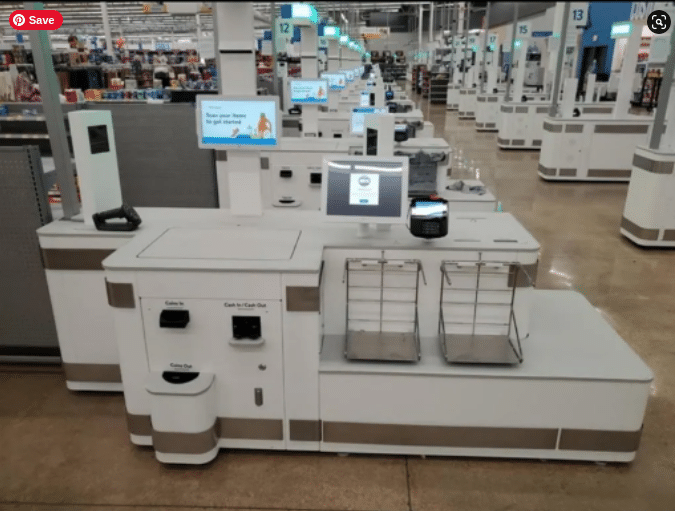
    So some years ago Walmart decided to build their own self-checkout machine called Gulfstream – image below.

    walmart self checkout

    walmart self checkout

    In late 2022 they began deploying the machines in the Dallas market.

    The way it works, per the NCR insiders, is like this:

    NCR will provide the installation and services of these new Gulfstream self-checkouts. But NCR’s self-checkout product is dead as far as Walmart’s concerned.

    There was a hiccup in October of 2022 with Gulfstream’s cash dispensing module so Walmart had NCR come back in to temporarily reinstall their NCR machine until Walmart could get through the holidays.

    But now, according to NCR insiders, Walmart is dead set on rolling out their Gulfstreams.

    Over the next four years Walmart won’t install any new NCR systems and Walmart will roll out their own. It will probably take decades to replace NCR, but BCS has a warehouse full of Gulfstream machines and even had to buy the building next door to store all of the Gulfstream units.

    NCR insider

    We called BCS but they offered no comment.

    We also asked NCR for comment and they offered none.

    As we were told, years ago Walmart went away from NCR to Compucom. It turned out that Compucom didn’t have enough resources so Walmart begrudgingly negotiated a new contract with NCR. But ultimately, Walmart is not a fan of NCR (neither are we fans of companies who pay executives tens of millions a year to screw shareholders and employees).

    When we first started deploying the Gulfstream it was taking 6 hours to build the system with 2 technicians, which is labor intensive as these things go. Instead, BCS is going to assemble them all and ship them out, drastically cutting down on NCR installation time.

    Under my tenure NCR has lost Lowe’s and Home Depot, so it’s not surprising a larger, more sophisticated retailer is booting NCR.

    NCR insider

    In response to the bleeding, NCR has made huge personnel reductions according to insiders.

    NCR fired so many people to get up profit margins so it looks good on paper. We eliminated territory managers in the self-checkout depart, stopped all travel for installations, and only allow travel for break/fix issues

    NCR insider

    According to the insiders, the theory is that NCR’s self-checkout business will be sold to Amazon, who own Whole Foods, one of the only sizable retailers left using NCR.

    Of course Amazon has their own self-checkout technology, and it’s better if for nothing else than it cuts down on fraud.

    Why they haven’t rolled this out to Whole Foods is anyone’s guess.

    But in the Walmart vs Amazon world, NCR might make some money on the grudge match.

    Just expect all of it to funnel directly into the pockets of NCR’s management.

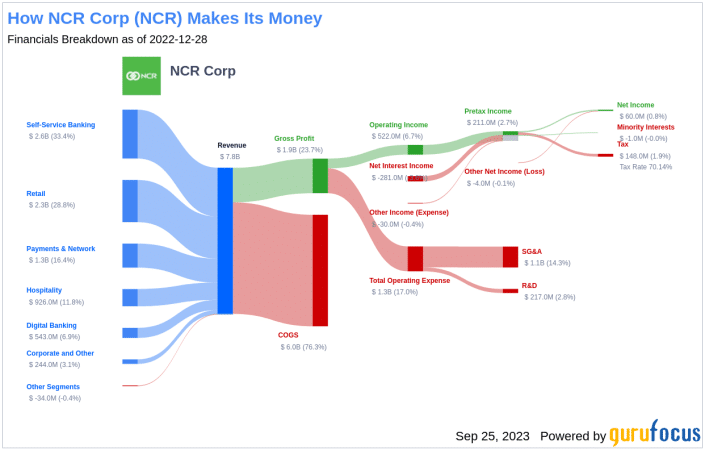
    More About NCR

    NCR Money

    NCR Money


    More Walmart self checkout posts

    Other SCOs?

    You never know but someone like Fujitsu or others may show up being tested.

    walmart self checkout fujitsu

    walmart self checkout fujitsu


    Wegmans Self-Checkouts

    See link


Walmart Self Checkout Related Links

Future Travel Experience, Live check-in, AI self-service, and Oktoberfest!

United Airlines kiosks by Imageholders

October update from imageHOLDERS

Writeup post-FTE from ImageHolders


Hi there,

Welcome to your imageHOLDERS October Newsletter, where you can read all about the latest industry updates, our company news, and everything you need to know about what we’ve been up to over the past month.

Strengthening our Partnership with United Airlines at The Future Travel Experience

United Airlines kiosks by ImageHolders

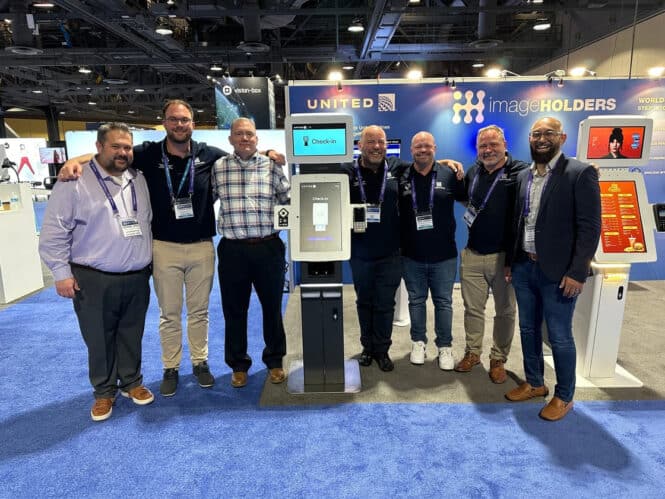
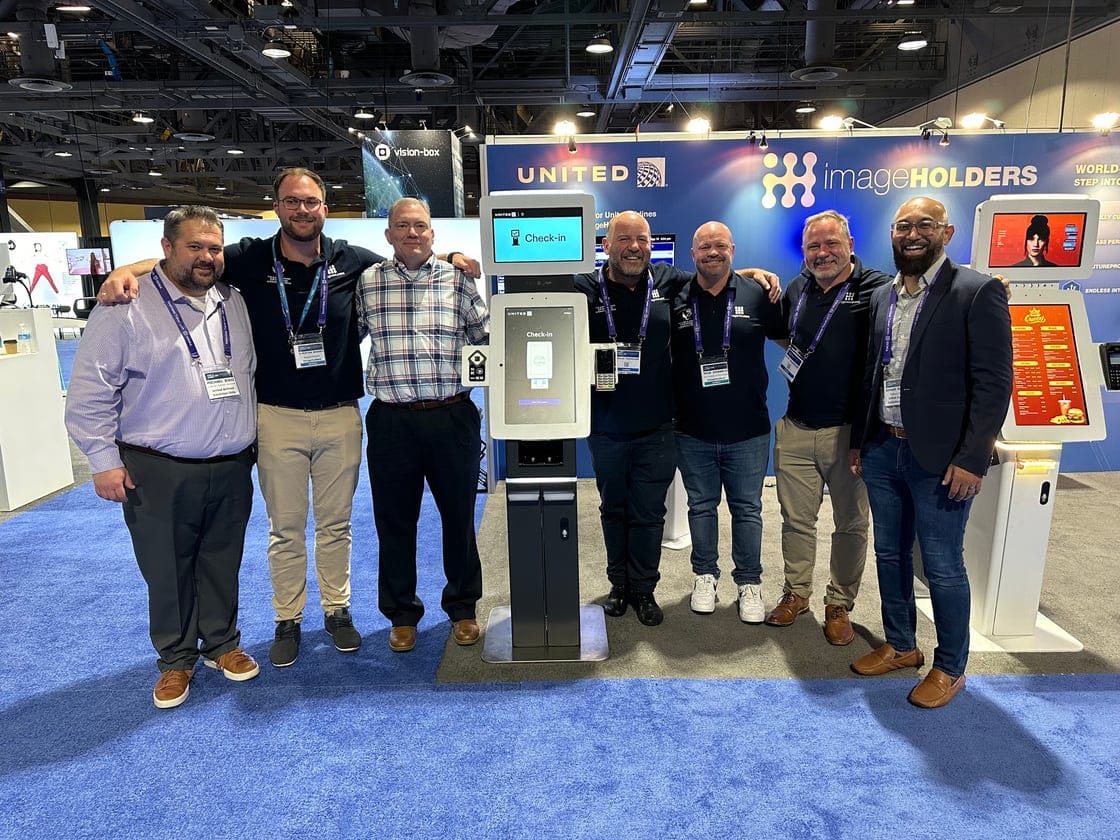
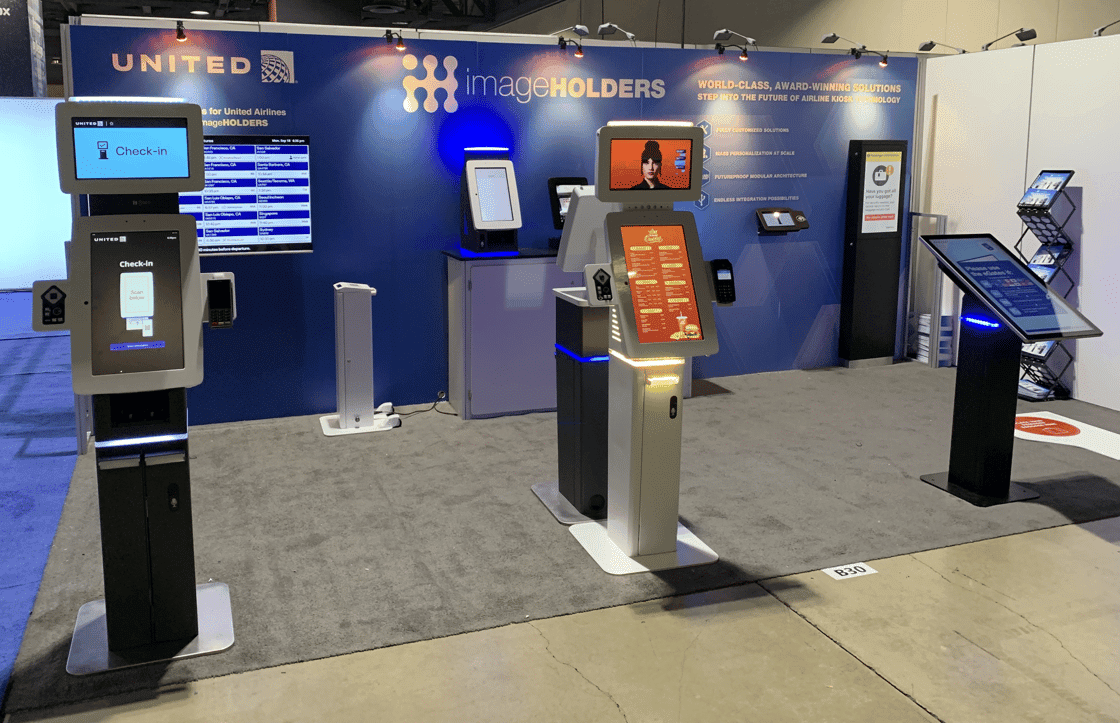
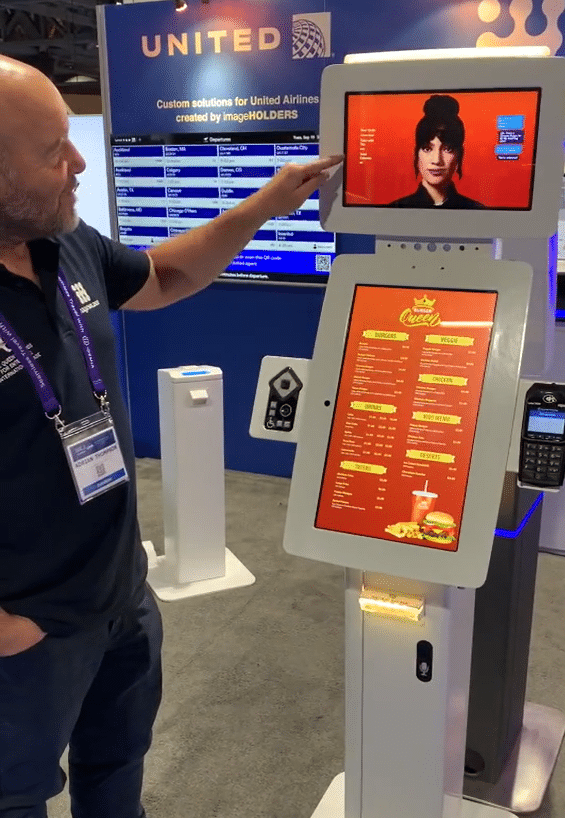
Our Sales team had a fantastic show at this year’s Future Travel Experience where we teamed up with one of our clients, United Airlines. The show gave imageHOLDERS and United Airlines the opportunity to strengthen their relationship and showcase the state-of-the-art aviation kiosks that we have created together.


Airline kiosks

Our range of aviation kiosks fulfills multiple purposes, including passenger check-in, passport scanning, wayfinding, and reporting damaged baggage.
On the final day, we programmed the kiosks so that people could check in live from our booth, something which proved an extremely popular time saver for those busy at the show. We look forward to working further with United Airlines and helping other airlines navigate their digital solutions to offer world-class capabilities.


AI Assist Avatar

Along with solutions we designed specifically for the Airline industry, our AI self-service restaurant kiosk, known as ‘Queenie’, was demonstrated at the Future Travel Experience show. ‘Queenie’ was able to offer a perfect example of how we are able to accommodate multiple industry needs with our kiosks. The AI integration within this Kiosk offers the ultimate CX, providing a quick and efficient dining solution to the busy airport customer.


ImageHolders Kiosks

It may only be the beginning of October, but imageHOLDERS have been celebrating the month’s festivities already! Jack and Chris attended a recent Oktoberfest event hosted by one of our strategic partners, Advantech. Travelling to Munich for the event, the imageHOLDERS contingent showcased our award-winning digital kiosks in front of a global audience. The event offered a great opportunity for the pair to meet, network, and forge new collaborations for the future.

Resource Links

More Airport Kiosk Posts

Tactile Dot Braille Tablet & Square POS

braille kiosks

Tactile & QSR Cool Videos Update

Introduction

Couple of nice videos this week with first real-time tactile graphics display (no piezo thank you) and also Square integrating with restaurant kiosks..

Dot Pad, The First Real-time Tactile Graphics Display

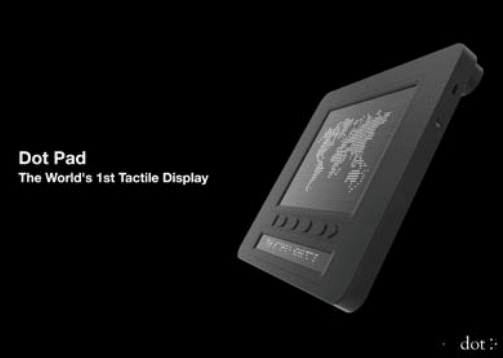
The Dot Pad is a tactile graphics display designed for the visually impaired. It features a patented actuator technology based on electromagnetism that uses 2,400 movable pins arranged in a specific manner to create texts and images 12. Thanks to Texas Instruments. The device is integrated with iOS/iPad OS 15.2 and higher and has an AI-based processor that renders the most meaningful tactile output. The Dot Pad also has six freely assignable buttons that allow users to take control of the content. The device is sized at 273 x 228 x 16 mm and weighs 1200 g, making it portable. The Dot Pad unlocks a whole new world of content for the visually impaired, including maps, graphs, photos, and equations. Estimated cost is $7000 and already deployed widely.

Square Integrating with Restaurant Kiosks

James Youn and I had the incredible opportunity to participate in Square Dev Chats! We delved into the tech stack used to build Gamsa.IO and shared our startup journey’s challenges and rewards. My favorite part was discussing how we engage with our customers — to give them a product they find both intuitive and valuable. Thanks Square and Richard Moot for hosting us!


In this Square Dev Chat, we sit down with James Youn and Jiwon Kim, co-founders of Gamsa.io. James and Jiwon have built a custom kiosk app that integrates directly with Square in order to empower Square sellers in the QSR (Quick Service Restaurant) industry. Gamsa integrates with the Square catalog, terminal, and more to create a seamless experience for sellers looking for an automated way to service their customers. Our conversation with Gamsa touches topics of development phases, Square integrations, technology stacks, and so much more. We hope you enjoy! Chapters: 0:00 – Introduction 0:57 – What is Gamsa? 1:49 – Acquiring the first customers 3:01 – Early learnings 4:01 – Important features 6:15 – Learning from customers and improving UX 8:27 – Technology choices 11:55 – Feedback and feature development process 12:43 – Text message notifications and other features 15:28 – Exploring the quick service restaurant industry 17:39 – Working with Square 21:04 – Terminal API vs Reader SDK 22:54 – Conclusion Resources: Gamsa: https://www.gamsa.io/ Square Catalog API: https://developer.squareup.com/docs/c… Square Terminal API: https://developer.squareup.com/docs/t… Square Loyalty API: https://developer.squareup.com/docs/l…

  • James and G1 are the co-founders of Kamsa, a kiosk app designed for Quick Service Restaurants (QSRs).
  • Kamsa integrates with Square and provides a kiosk solution for busy restaurant locations.
  • The kiosk app is built using Windows and Electron, with React for the UI.
  • They prioritize feature development based on customer demand, focusing on requests such as text message notifications and tax exemptions.
  • The team aims to expand their product to food halls, stadiums, and other markets beyond QSRs.
  • They plan to stay in the QSR (Quick Service Restaurant) space for now.
  • ️ Expanding into stadiums requires significant effort.
  • Exploring retail would involve considerations like barcode scanning.
  • ️ Considering larger venues like amphitheaters within the QSR realm.
  • Comparing stadiums to food courts, emphasizing the need for efficient ordering.
  • Discussing menu abstraction and its importance.
  • Reflecting on integrating with Square as a positive decision.
  • Appreciating Square’s personable approach compared to other payment processors.
  • Discussing regrets about not integrating with Square earlier.
  • ️ Challenges faced with printing on Linux and the benefits of Square’s hardware integration.
  • Choosing the Terminal API due to its suitability for kiosks and user-friendliness.
  • Appreciating the seamless integration of the Terminal API with their setup.
  • Interviewer expressing gratitude for the conversation and looking forward to future developments.

Square Advice on Restaurant Kiosks

As a business owner, finding ways to streamline operations and improve customer service is always a priority. If you run a busy restaurant or retail store, a self-serve kiosk may help you do just that.

What is a self-serve kiosk?

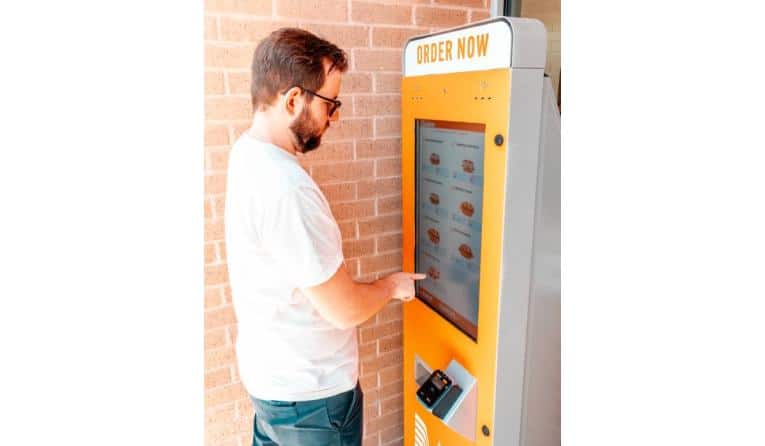
A self-serve kiosk is an interactive touchscreen device that allows customers to buy products or services without the help of a staff member. It includes both hardware and software components that make it possible for customers to browse items, to place orders, and to pay independently.

The hardware component is a screen device that is fixed in place to surfaces such as walls, countertops, or standing pedestals. The software component is a kiosk application that allows you to design an ordering workflow that suits your business. An example of a self-serve kiosk is a mounted point-of-sale (POS) system that allows customers to check out independently in a store or restaurant.

How a self-serve kiosk can help your business

Improve space management.

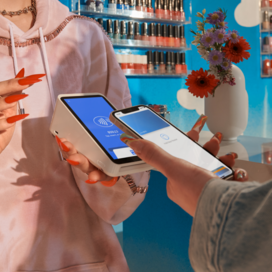
A self-serve kiosk can save significant counter space. The Square Stand Mount can be fixed on walls, on counters, or on standing pedestals. So you can customize the device to fit into your space without making any major structural changes to your store or restaurant.

Reduce staffing requirements.

Customers can complete orders with little or no staff attention on a self-serve kiosk. This helps free up staff members for other important activities that benefit from human interaction. This may be particularly helpful if your business is short on staff. According to the Square Future of Restaurants report, up to 70% of restaurants say that they are experiencing a labor shortage.

Deliver a better customer experience.

In self-serve mode customers have complete control over their orders, so they can select items they need quickly and check out faster. This means fewer order errors and shorter wait times, which translate to an improved customer experience.

Increase your revenue.

First, self-serve kiosks offer customers anonymity, so they can order more items or make special requests without feeling judged. In one study, the market share for hard-to-pronounce items increased by 8.4% via self-service channels.

Second, self-serve kiosks allow you to set up well-planned upsells and other incentives that can be presented to customers in a carefully considered way. A McDonald’s study found that customers were also more likely to take an upsell presented via a self-serve kiosk compared to in-person orders.

Receive better customer insight.

Customer activities on self-serve kiosks can be accurately tracked, giving you more insight into customer behavior and preferences, enabling you to offer more personalized experiences.

How to set up a self-serve kiosk for your business

Analyze your business needs.

Consider whether a self-serve kiosk is a wise investment for your business. Think about the purpose of your kiosk and how you intend to use it. For example, a busy, quick-service restaurant may want to speed up customer service or optimize space. In contrast, a full-service restaurant may need an easy way for servers to punch in orders without crowding the kitchen or counters.


Choose the right device.

Once you’re clear about the purpose of your self-serve kiosk, the next step is to choose a device. Consider ease of use. The last thing you want is a device that’s difficult for customers to use or that requires several minutes of explanation. That defeats the purpose and experience of a self-serve kiosk. Next, match device specs against your requirements. If freeing up counter space is a key requirement, consider a small device such as the Square Stand Mount, which can be fixed anywhere — on a wall, on a flat surface, or on a standing pedestal — and connects your POS directly with multiple kiosk apps.

Set up your kiosk.

Choose a good spot in your store or restaurant. Depending on the device you choose, you may not need a technician to install it. For example, all the mounting hardware needed to install the Square Stand Mount is included in the box, so it requires zero service visits. Plus, if you change your mind about a kiosk location, you can uninstall it and move it to another location.

Promote your kiosk.

Your self-serve kiosk is only helpful if your customers use it. Inform customers about your kiosk and find ways to boost adoption. In-store signage can introduce customers to the kiosk and provide easy instructions. You can also encourage customers to use the kiosk by offering a discount on orders placed via the self-serve kiosk.

Raspberry Pi Kiosk – Version 5 Now Available

raspberry pi kiosk

Raspberry Pi Kiosk News

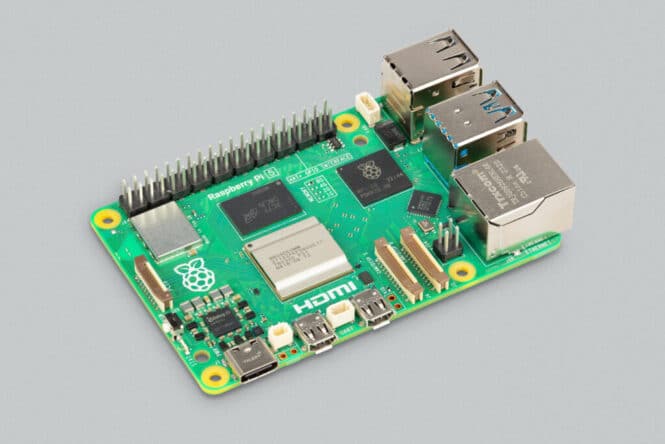
From email from director to us — Raspberry Pi 5 builds on the phenomenal success of Raspberry Pi 4. In comparison with its predecessor, it delivers a 2-3x increase in CPU performance, and a significant uplift in GPU performance, alongside improvements to camera, display, and USB interfacing.

These interfacing improvements are delivered by the RP1 I/O controller chip, designed in-house here at Raspberry Pi. For the first time, we have Raspberry Pi silicon on a flagship product!

Raspberry Pi 5 key features:

  • 2.4GHz quad-core, 64-bit Arm Cortex-A76 CPU, with 512KB L2 caches and a 2MB shared L3 cache
  • VideoCore VII GPU
  • LPDDR4X-4267 SDRAM (4GB and 8GB SKUs available at launch)
  • 2.4 GHz and 5.0 GHz 802.11ac Wi-Fi
  • Bluetooth 5.0 / Bluetooth Low Energy (BLE)
  • Micro SD card slot, with support for high-speed SDR104 mode
  • 2 × USB 3.0 ports, supporting simultaneous 5Gbps operation
  • 2 × USB 2.0 ports
  • Gigabit Ethernet, with PoE+ support (requires PoE+ HAT)
  • 2 × 4 lane MIPI camera/display transceivers
  • PCIe 2.0 x1 interface for fast peripherals
  • 5V/5A DC power (PD enabled)
  • Raspberry Pi standard 40-pin header

Please refer to the following link for further information on this exciting launch.

https://www.raspberrypi.com/news/introducing-raspberry-pi-5/

More Posts

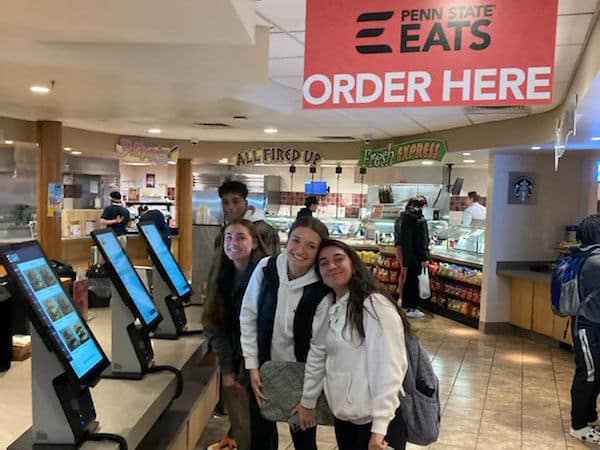
JAWS Kiosk Screenreader Comes to Penn State Food Service

JAWS Kiosk Penn State

Penn State Partners with TPGi® to Make Food Service Kiosks Accessible for Blind and Low-Vision Users

CLEARWATER, Fla.Sept. 26, 2023 /PRNewswire/ — Penn State has partnered with TPGi®, a Vispero® company and global leader in accessibility software and services, to assist in providing students and faculty with more accessible food service kiosks.

Recognizing that screen readers needed to be implemented into its current kiosk system, Penn State chose the accessibility experts at TPGi and the JAWS® for Kiosk screen reader software after finding that other large-scale food service companies relied on the same solution and because of its compatibility with Penn State’s kiosk hardware.

JAWS is a popular screen reader developed for users with vision loss. Industry-leading and award-winning JAWS for Kiosk is the only screen reader software designed for self-service experiences.

In Penn State’s Accessibility Statement, the University says it is committed through its Policy AD69 to ensuring that people with disabilities have an equal opportunity to their nondisabled peers to participate in the University’s programs, benefits, and services, including those delivered through electronic and information technology.

As a part of its mission, Penn State says its “purpose is to bring positive impact to humanity. By opening doors to everyone, creating transformative experiences that few universities can provide, and by making the mission of every Penn Stater to leave the world in a better place than we found it, Penn State stands for doing good around the world.”

Penn State is committed to accessibility and maintaining high standards for diversity, equity, inclusion, and belonging,” said Karen Kreger, Penn State assistant vice president for housing and food services. “Partnering with TPGi® and utilizing the JAWS® for Kiosk screen reader software is another way we are working toward making Penn State a more inclusive campus.”

About TPGi

TPGi®, a Vispero® company, provides digital accessibility software and services to help businesses reduce risk, grow revenue, and improve user experience. With over 20 years of experience and 21 employees actively influencing accessibility standards on the World Wide Web Consortium (W3C), TPGi offers the most robust knowledge base and accessibility expertise in the industry as well as award-winning self-service kiosk software. Our tailored approach has enabled 1000+ customers to achieve the best outcomes for their business, their employees, and their consumers. Trust the experts to guide your accessibility journey. For more information, visit www.tpgi.com.

About Penn State
Penn State founded in 1855, is the Commonwealth of Pennsylvania’s sole land-grant institution and its largest public university. Penn State’s land-grant mission embraces teaching, research, and public service to support the Commonwealth’s citizens, collaborating with industrial, educational, and agricultural partners to create, disseminate, integrate, and apply knowledge that is valuable to society. Penn State’s unique educational model spans 25 campuses, including World Campus, that educate nearly 90,000 students. For example, the Invent Penn State initiative has established innovation hubs in 21 communities across Pennsylvania to fuel entrepreneurship and economic development.

View original content to download multimedia:https://www.prnewswire.com/news-releases/penn-state-partners-with-tpgi-to-make-food-service-kiosks-accessible-for-blind-and-low-vision-users-301936508.html

SOURCE TPGi LLC


More JAWS Kiosk Posts

AI-in-a-Box Assistive ADA With Language Translation Captioning Without Internet Connection

AI-in-a-box

AI-in-a-Box

Your very own private AI that you can ask questions and get answers, all in a tiny box! The first AI that you can talk to, and that talks back, running locally with no internet connection so your conversations and data are completely secure. No account, setup, or subscription are needed; just plug in the box and start chatting.

Excerpt: Useful Sensors’ introduction of the AI in a Box marks a significant breakthrough in offline conversational AI. In contrast to conventional AI systems, this technology operates independently of continuous internet connectivity. This ensures the user’s privacy and circumvents the need for intricate registration procedures. Powered by the NPU within the Rockchip RK3588S processor, this AI in a Box brings the future of AI-powered interactions to the forefront.  As noted on Cryptopolitan Sep 2023

Summary In Brief

  • Offline conversational AI
  • Live Captions
  • Live Translation
  • Can operate as keyboard streamlining audio transcription or converting videos into text
  • Utilizes “Whisper Model” from github
  • Plastic housing with connection for HDMI display, USB speaker and USB microphone.
  • Runs on Ubuntu 22.04
  • “Fortified” privacy – has no internet connection
  • privacy-focused offline AI that talks like a human without the internet.
  • Offers live captions language translation and works as a keyboard. No Wi-Fi or Ethernet is needed for full privacy.
  • Crowdfunded on Crowd Supply, with a final product due by January 2024, starting at $299, or an early prototype kit for $475 available by December 2023.

Update 10/16/2023

Greetings backers and subscribers, I’m very excited to share a video of real-time, on-device translation as mentioned in our last update.

It’s not yet the universal translators in Star Trek, but we’re ecstatic to have achieved this milestone. While quality will vary depending on the robustness of the language’s model, we’ll support on-device translation for the following languages:

  • Arabic
  • Dutch
  • English
  • French
  • German
  • Greek
  • Italian
  • Japanese
  • Korean
  • Mandarin
  • Norwegian
  • Persian
  • Polish
  • Portuguese
  • Russian
  • Spanish
  • Thai
  • Turkish

I can’t wait to see what interactions this technology will unlock!

On the hardware side, we’ve finished the layout of the expansion board with all the circuitry for the LCD screen, microphone, speaker, and USB emulation. It should be assembled and delivered next week, at which point we’ll start end-to-end testing to work out all the bugs, chief among them, cooling, and microphone interference.

Can’t wait to share more next week. Thanks again for all your support!

Live long and prosper,
Laura

More Cool Accessible Technology Startups

  • Accessercise: “The first ever complete fitness app created specifically for people with impairments”
  • BrailleTeach: “Providing a simple yet powerful solution for learning the Braille alphabet, numbers, and symbols in 3 months, making the 6-dot code accessible to more people than ever before”
  • Cyborg Base: “Providing all people with disabilities in the world with high-quality prosthetics”
  • Gluxkind: “Enabling all parents and their little ones to explore and navigate the world safely and comfortably”
  • Lotus Labs: “A wearable ring to control objects at home by pointing”
  • MakeSense: “A haptic solution for a visual problem”
  • Mizaru: “Online platform helping organizations find and manage disability support workers”
  • Parrots Medical Assistive AI: “Technology that empowers those with physical and neurological challenges to reach their limitless potential.”
  • Play with ASL: “A comprehensive ASL learning platform that combines interactive lessons, videos, quizzes, and gamification experience”
  • Revolve Mobility: “Your wheelchair in the size of cabin luggage”
  • Stimvia: “URIS® is a breakthrough technology for the treatment of diseases associated with Central Nervous System disorders.”
  • Travelsist: “Making a safe, smooth, seamless airport experience accessible to anyone and everyone – especially our passengers-in-need.”
  • Thanks to Hilton Schwartz!

Tactile Display Braille CES 2023 Award

CES 2023 Award Innovation Braille

CES 2023 Innovation Award for Braille Pioneer

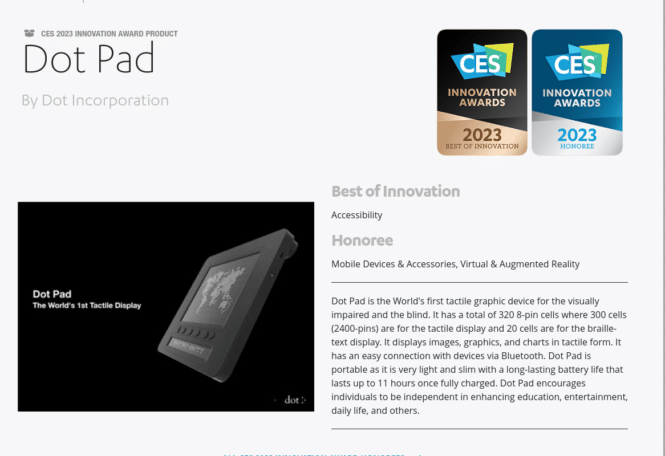
Kiosk Industry is happy to note that one of our sponsors recently won two awards at the CES 2023 show.  The Dot Pad is the world’s first tactile display for braille and assistive technology.

Link to award — https://www.ces.tech/innovation-awards/honorees/2023/best-of/d/dot-pad.aspx

Best of Innovation Tactile Display

Accessibility

Honoree for Tactile Display

Tactile Display Braille

Click for full size. Tactile Braille

Mobile Devices & Accessories, Virtual & Augmented Reality


Dot Pad is the World’s first tactile graphic device for the visually impaired and the blind. It has a total of 320 8-pin cells where 300 cells (2400-pins) are for the tactile display and 20 cells are for the braille-text display. It displays images, graphics, and charts in tactile form. It has an easy connection with devices via Bluetooth. Dot Pad is portable as it is very light and slim with a long-lasting battery life that lasts up to 11 hours once fully charged. Dot Pad encourages individuals to be independent in enhancing education, entertainment, daily life, and others.

More Resources by Dot


In Related News from Europe and EN301-549


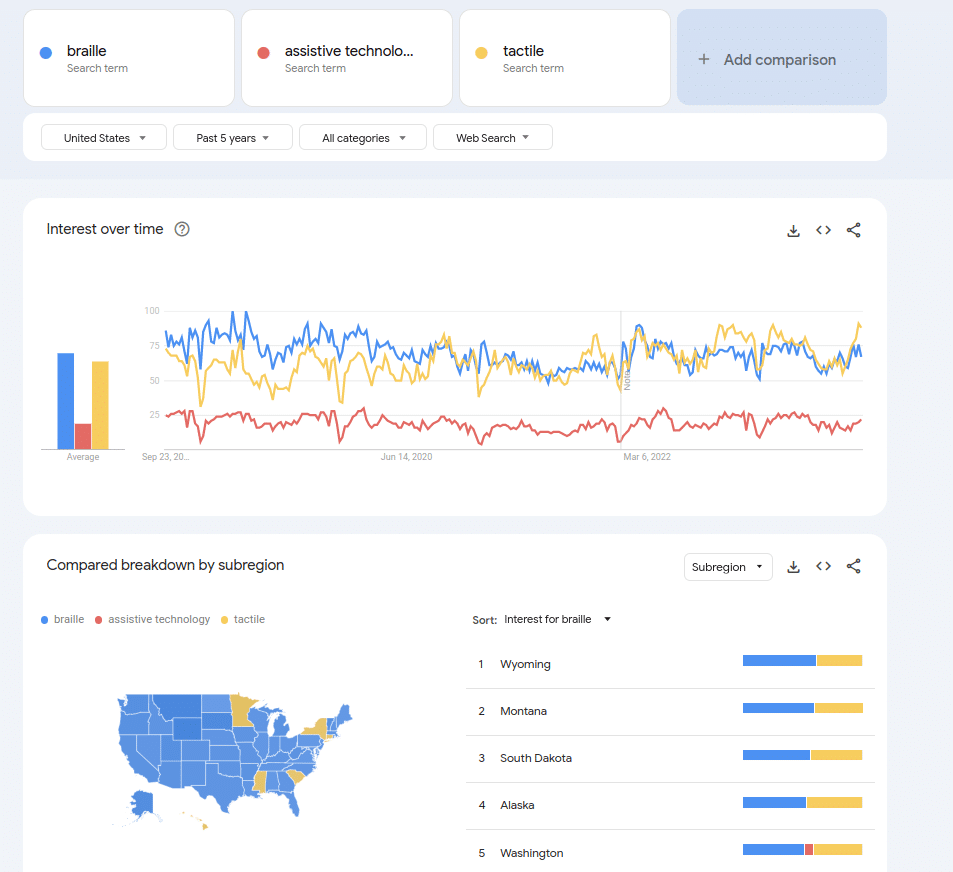
Interesting Trends

Google Trends for braille, tactile and assistive

click for full size — Google Trends for braille, tactile and assistive

More Links

Kiosk Accessibility Event – M-Enabling Summit

m-enabling sponsors 2023

Kiosk Accessibility News

AI and Digital Transformation: New Paradigms for Accessibility and Inclusion Strategies

Note: Both Tech For All Consulting and TPGi (division of Vispero) are Sponsors for the Summit

Join disability advocates, corporations, government agencies, academia, and accessibility executives at the 11th M-Enabling Summit, the leading all-inclusive conference and showcase dedicated to fostering innovations, solutions, and strategies for digital inclusion.

Participants will benefit from rich and unique networking opportunities with thought leaders, technology providers, innovators and developers of assistive technologies that serve more than one-billion Persons with Disabilities and an expanding aging population globally.

The 2023 M-Enabling Summit will examine how AI drives innovation and automation in multiple areas allowing to scale up digital accessibility in unprecedented ways and review risks for persons with disabilities that organizations need to mitigate.

Practitioners will be sharing how they manage their product lifecycles and digital transformations to support their accessibility journeys and help achieve their organizations’ Diversity, Equity, Inclusion (DEI) objective. Case studies will illustrate how accessibility features of products and services are leveraged to better serve persons with disabilities and older persons in work environments, for digital products and services, urban and transportation environments, e-commerce, leisure, social or educational activities.

A unique venue for dialogue and cooperation, the 2023 M-Enabling Summit will feature panel discussions, open conversations with innovators and disrupters in digital inclusion, instant polls, networking meetups, brainstorming and live debates among disability advocacy leaders, business executives, accessibility experts, and information technology and assistive technology providers.

On day three of the Summit, the International Association of Accessibility Professionals (IAAP) will host a thought leadership Expert Forum on integrating accessibility in organizational maturity.

Key Topics

  • How AI Will Transform the Digital Accessibility Eco-system
  • The Future of User Interfaces
  • Extended Reality and Assistive Navigation Apps and Services
  • New Enablers for Inclusive Workplaces
  • Marrakesh Treaty: Addressing Gaps in Adoption at a Global Level
  • W3C-WAI Update on Web Accessibility Guidelines
  • The Impact of AI on Assistive Technologies
  • Implementation and Impact of the European Accessibility Act
  • Global Accessibility Regulatory Trends
  • Drivers and Solutions for Inclusive Digital Gaming
  • Usability Testing and Research
  • Latest U.S. Legislative and Regulatory Developments
  • IoT for Independent Living
  • The Impact of AI on Accessibility Testing
  • AI for Users’ Online Safety
  • Latest Advances of Social Media Accessibility
  • Technology Watch: Neurotechnologies and Brain-Computer Interfaces for Persons with Disabilities
  • Inclusive Retail and Customer Service


More Posts

Kiosk Industry News – Press Release September

kiosk industry news

Kiosk Industry News September

As noted on APnews and PRnewswire

WESTMINSTER, Colo., Sept. 18, 2023 (SEND2PRESS NEWSWIRE) — From Kiosk Industry and Kiosk Manufacturer Association, our features — IAAPA is coming up for us and here is our preview. Outdoor ticketing, wristband dispense. In January we are at NRF and are an official sponsor of the NRF Foodservice Innovation Zone. We have two full conference passes to give away for free.

Preview: https://kioskindustry.org/iaapa-kiosk-update/

We have a writeup by beststocks.com on how to profit from consumer-centric self-service. It’s a good article and kiosk industry is referenced.

Finally, new entries on Best Offer inventory. Thirty top-of-the-line telehealth units with vitals. Also a large quantity of Crane BNR cash recyclers. Seller will take best offer. Normally on-sale for $4K each.

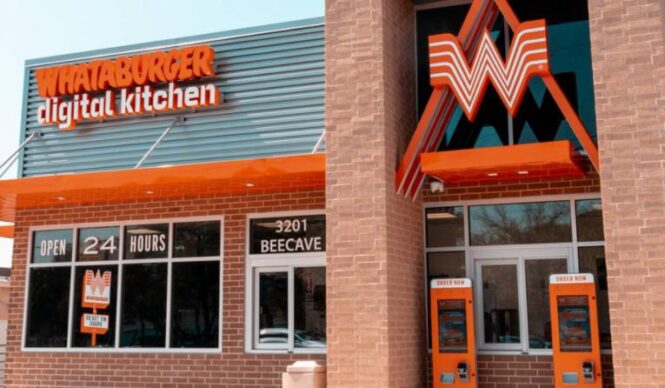
Restaurant News — new digital-only Whataburger just opened in Austin. Also a nice case study with Aramark.

ADA — HHS issued NPRM on proposed changes to Section 504 rules. It appears to mainly affect telehealth, thin clients, chromebooks, websites of course as well as mobile apps. There is some kiosk but not much. They are looking forward to December 2023 and the new guidelines from the U.S. Access Board. We have a couple of new and updated posts by TPGi that are not to be missed.

Kiosk News 9/15/2023:

ADA Kiosks – HHS Section 504 Proposed Rule Writeup

NRF Foodservice Innovation Zone – Free Full Conference Pass (2)

Consumer-Centric Self-Service – How To Profit

Kiosks For Sale – New Inventory

Kiosk Accessibility in Healthcare

Four Rules for Healthcare Stations and Kiosks

Digital-Only Restaurant by Whataburger Opens

Build Your Own LLM

Kiosk Case Study – Aramark POS & Morrison

Touch Screen Outdoor – ELO Outdoor Touch Screen

PCI Kiosk – What About PCI DSS 4.0?

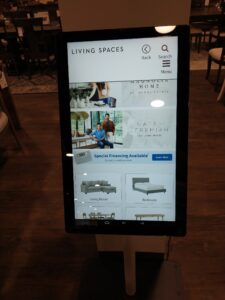
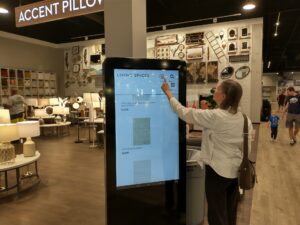
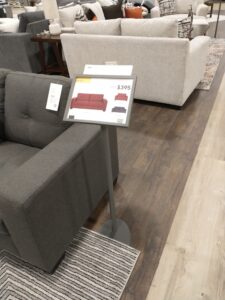
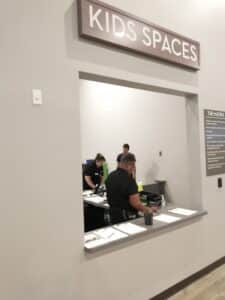
Kiosks at Living Spaces Colorado – In the Wild

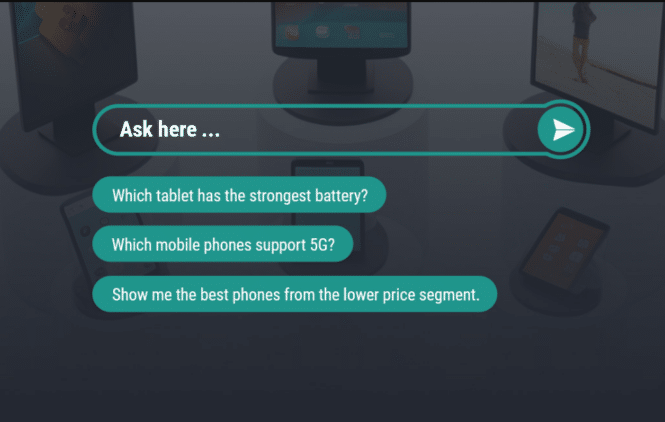
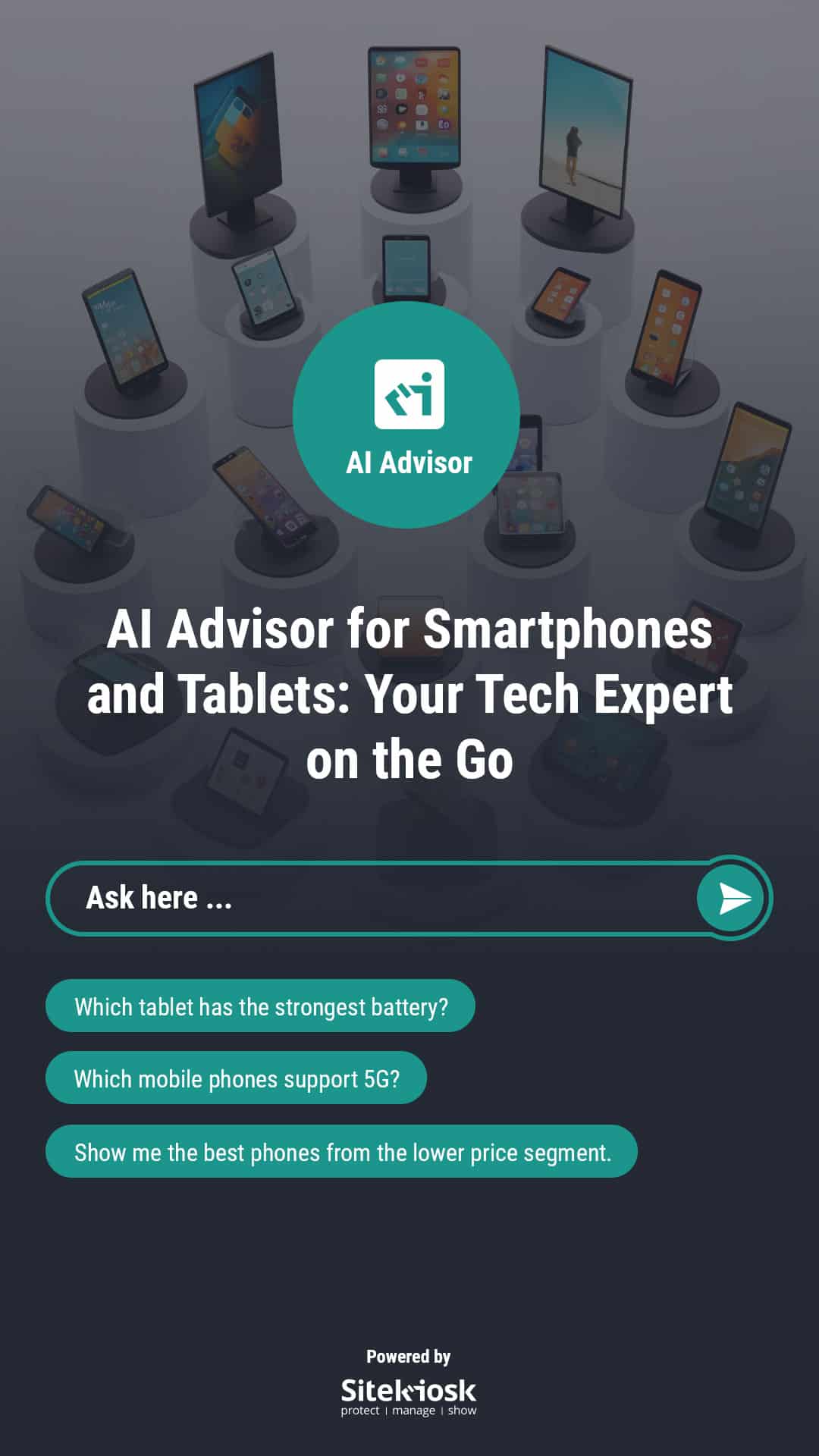
SiteKiosk Demo with AI

* AVIXA Posts

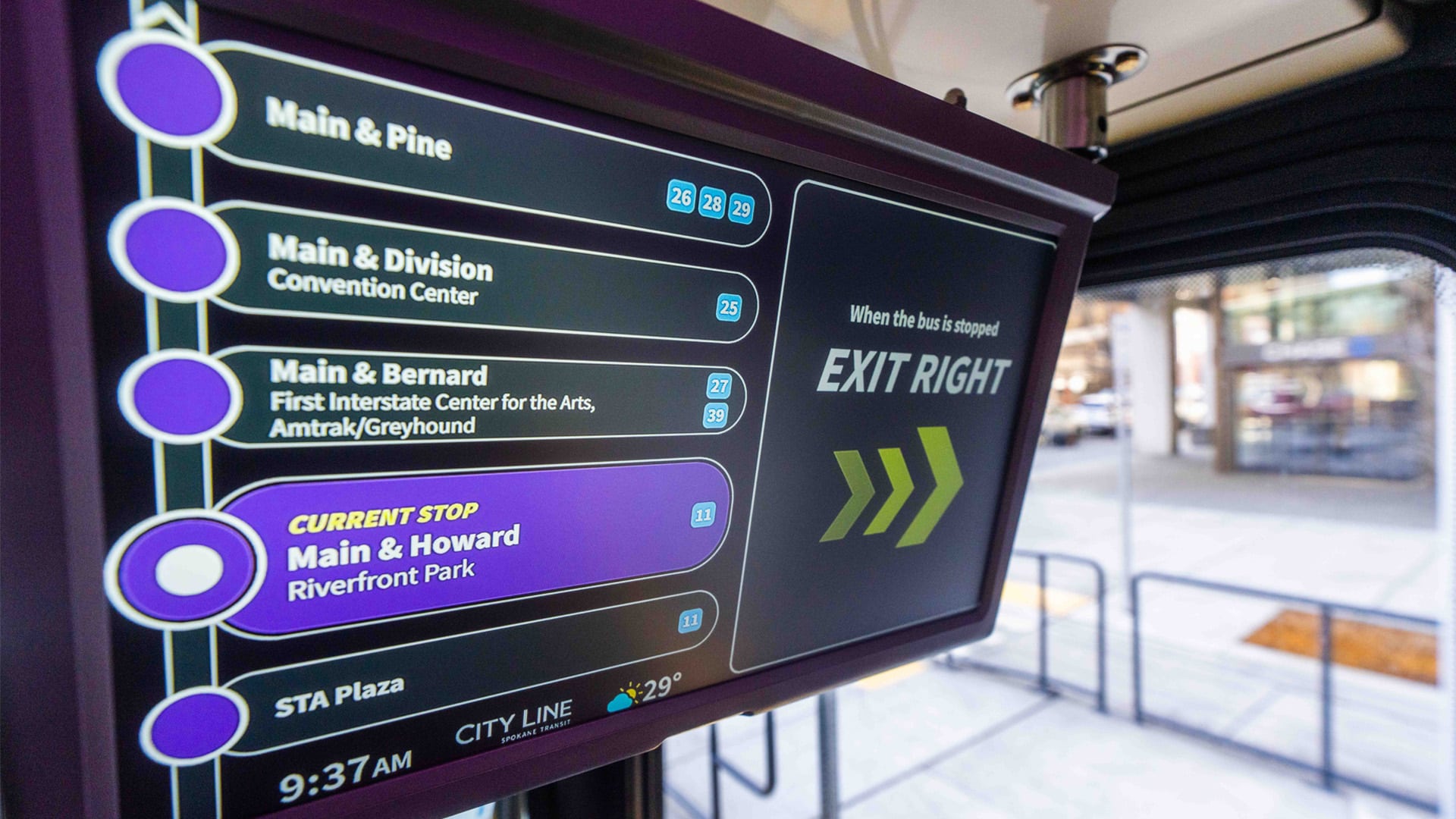
Real-Time Displays for Spokane Transit System

Generative AI: Coming soon to a wayfinding kiosk

Biometric Kiosk Authentication – Frank Olea

Accessibility and ADA Update – June 2023

Conversational Avatars (Tokkio by NVIDIA)

Cool Stuff at InfoComm 2023

Funnies — Coming in a bit under budget…

Seven Steps to Installing LED Video Walls

AV posts on AVIXA

For more information, contact [email protected] or visit https://kioskindustry.org/. Since 1996 for 27 years (three years to go before we retire). For all verticals, visit The Industry Group.

Thanks to the companies who make this possible.

MEDIA CONTACT:

Craig Keefner [email protected]

MULTIMEDIA:

KMA LOGO: https://www.Send2Press.com/300dpi/23-0918-s2p-kmalogoblk-300dpi.jpg

NEWS SOURCE: Kiosk Manufacturer Association

Keywords: Point of Sale and Kiosks, KMA, Kiosk Industry and Kiosk Manufacturer Association, IAAPA Expo, NRF Foodservice Innovation, WESTMINSTER, Colo.


ADA Kiosks – HHS Section 504 Proposed Rule Writeup

HHS 604

HHS Proposed Rule for Section 504

HHS Section 504 Proposed Rule

There is a new entry on Federal Register for addressing disability. You may submit electronic comments at http://www.regulations.gov by searching for the Docket ID number HHS–OCR–2023–0013. Follow the instructions at http://www.regulations.gov online for submitting comments through this method.  For more info contact Molly Burgdorf, Office for Civil Rights, Department of Health and Human Services at (202) 545–4884 or (800) 537–7697 (TDD), or via email at .

Thanks to William Goren, attorney — https://www.understandingtheada.com/

I spent last Friday reading the proposed §504 regulations, which runs a little over three hundred pages, put out by the U.S. Department of Health and Human Services. The regulations have not been updated in decades and this is their update. The proposed regulations can be found here. Comments on the regulations are due November 13, 2023. Due to the way administrative law works, getting the proposed regulation changed means getting in comments now. It is very difficult to affect regulations once they are finalized.

While We Have You….

Worth noting related ETSI and Europe developments. The latest European accessibility standard with the EN 301 549 V3.2.1 2021-03 for ICT products and serivces and the EN 17 210 for the built environment.  Work is ongoing to update these standards and develop new standards following a standardisation request from the European Commission for accessibility requirements of products and services in support of Directive (EU) 2019/882. You can find this standardisation request here: https://ec.europa.eu/growth/tools-databases/enorm/mandate/587_en —  Specifically, the schedule of revision of the EN 301 549 is publicly available at the following link: https://portal.etsi.org/eWPM/index.html#/schedule?WKI_ID=64282

Our Comments

Ultimately the HHS is going to adopt the U.S. Access Board guidelines to be issued this December. If HHS funding is involved in any way then this new proposed rule will apply and all of this is directed towards Health.

  • Telehealth would seem to be “under the gun” here. There are many devices that may twist and/or be physically manipulated.
  • Chromebooks for Education.  Lots of website content there.
  • They are adopting WCAG 2.1 which is standard

Comments by William D. Goren

  1. Individualized analysis is critical.
  2. Stay away from speculation, stereotypes, and generalizations. Rely on objective evidence instead.
  3. Don’t forget about the interactive process.
  4. Focus on the definition of a disability rather than on any diagnosis.
  5. The confusion in the proposed regulations over causation definitely needs to be clarified because “solely by reason of,” “by reason of,” “on the basis of,” and “because of,” are not equivalent to each other. That is, while on the basis of, “because of,” “by reason of,” may mean the same thing, “solely by reason of,” definitely means something different, as discussed here.
  6. Healthcare professionals will need to undergo substantial retraining with respect to the worth of individuals with disabilities and how curing or fixing the disability is not necessarily the name of the game when it comes to treating people with disabilities.
  7. Associational discrimination is a thing under these proposed regulations.
  8. Current user of the illegal use of drugs is incredibly complicated.
  9. With respect to service animals, it is two inquiries and not two questions. HHS really needs to avoid the unnecessary confusion in its final rule that presently exists in the proposed regulation and its discussion of same.
  10. Undue burden requires a certification from the entity.
  11. Expect lots and lots of comments to come in from industry groups and persons with disabilities on the proposed regulation.
  12. The proposed regulations certainly would be covered by the major question doctrine, which we discussed here. Is the grant of authority for the regulations sufficient to allow HHS to come up with such game changing regulations?
  13. Criteria that screen out people with disabilities, including any technical standards, need to be reviewed very closely.

In Brief

  • The Department proposes to amend its existing regulation implementing section 504 for federally assisted programs and activities to address the obligations of recipients of Federal financial assistance to comply with section 504 across a variety of contexts. The proposed rule clarifies the application of section 504 to several areas not explicitly addressed through the existing regulation, including medical treatment decisions; the use of value assessments; web, mobile, and kiosk accessibility; and accessible medical equipment. The proposed rule also expands on and clarifies the requirements in the current regulation applicable to federally funded child welfare programs and activities.
  • The Department is aware that some recipients, including doctors’ offices, hospitals, and social service offices, use kiosks or similar self-service transaction machines for members of the public to perform a number of tasks including checking in for appointments, providing information for the receipt of services, procuring services, measuring vitals, and performing other services without interacting directly with recipient staff.
  • The use of inaccessible kiosks that result in delays checking in, privacy concerns, and even the complete inability of people with disabilities to check in for their appointments results in avoidable lack of access to health and human services.
  • The Department has received information from individuals with physical disabilities who have experienced difficulty reaching the controls on kiosks, or operating controls that require tight grasping, pinching, or twisting. Individuals with hearing loss may not be able to operate a kiosk effectively if audio commands or information are not provided in an alternative format. The Department is aware of the barriers created by inaccessible kiosks, particularly in health care, so the proposed rule includes a provision specifically addressing recipients’ existing obligations with respect to kiosks.
  • The Department is not proposing specific technical requirements for kiosks, but proposes to include general language recognizing that section 504 prohibits recipients from discriminating on the basis of disability in their programs or activities provided through kiosks because of the inaccessibility of those devices.
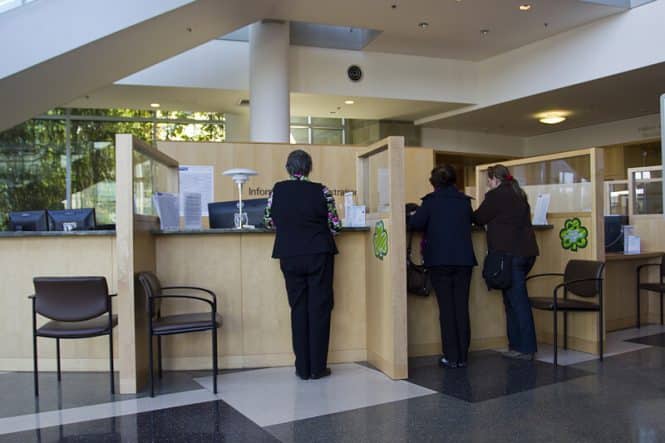
  • Here is “bailout” provision — Recipients that use kiosks may make their programs accessible by instituting procedures that would allow persons with disabilities who cannot use kiosks because of their inaccessible features to access the program without using kiosks.[254For example, a clinic or a social services office may allow persons with disabilities to go directly to the personnel at the main desk to register for necessary services. Such work-around procedures must afford persons with disabilities the same access, the same convenience, and the same confidentiality that the kiosk system provides.
  • In instances where kiosks are closed functionality devices that do not rely on web content or mobile apps, the proposed technical standards in § 84.84 will not apply. Under these circumstances, recipients are still obligated to ensure that individuals with disabilities are not excluded from participation in, denied the benefits of, or otherwise subjected to discrimination in any program or activity of the recipient, including the information exchange that would occur at the kiosk.
  • The Department is aware that the U.S. Access Board is working on a rulemaking to amend the ADA Accessibility Guidelines to address the accessibility of fixed self-service transaction machines, self-service kiosks, information transaction machines, and point-of-sale devices. The Access Board issued an advance notice of proposed rulemaking on these issues in September 2022 and heard from more than 70 commenters.[255The Board is now in the process of developing a notice of proposed rulemaking, which may be issued by December 2023.[256Once these guidelines are final, to be enforceable, DOJ and the U.S. Department of Transportation would have to adopt them, via separate rulemakings, before they would become enforceable standards for devices and equipment covered by the ADA. Similarly, HHS will consider adopting these guidelines under section 504 once they are finalized.
  • Definition of kiosks proposed — The Department proposes to add a definition of “kiosks.” Kiosks are self-service transaction machines made available by recipients at set physical locations for the independent use of patients or program participants in health or human service programs or activities. The devices usually consist of a screen and an input device, either a keyboard, touch screen or similar device, onto which the program participant independently types in or otherwise enters requested information. In health and human service programs, recipients often make kiosks available so that patients or program participants can check in, provide information for the receipt of services, procure services, have their vital signs taken, or perform other similar actions. These devices may rely on web content or mobile apps or may be closed functionality devices, i.e., devices that do not rely on web content or mobile apps.  definitions (kiosks) Question 2: The Department requests comment on whether a definition of “kiosks” is necessary, and if so, requests comment on the Department’s proposed definition in § 84.10 and any suggested revisions to it.

Excerpt

Section 504 prohibits discrimination on the basis of disability in programs and activities [1that receive Federal financial assistance as well as in programs and activities conducted by any Federal agency.[2Section 504 provides:

No otherwise qualified individual with a disability in the United States, as defined in Section 705(20) of this title, shall, solely by reason of her or his disability, be excluded from the participation in, be denied the benefits of, or be subjected to discrimination under any program or activity receiving Federal financial assistance or under any program or activity conducted by any Executive agency or by the United States Post Office.[3]

The Office for Civil Rights (OCR) in HHS enforces section 504 as well as two other statutes that prohibit discrimination on the basis of disability. Title II of the Americans with Disabilities Act (ADA) prohibits discrimination on the basis of disability in, among other areas, all health care and social services programs and activities of State and local government entities.[4OCR also enforces section 1557 (section 1557) of the Patient Protection and Affordable Care Act (ACA),[5which prohibits discrimination on various bases including disability in any health program or activity, any part of which receives Federal financial assistance, including credits, subsidies, or contract of insurance or under any program or activity that is administered by an Executive Agency or any entity established under Title I of the ACA.[6]

More Posts

NRF Foodservice Innovation Zone – Free Full Conference Pass (2)

NRF Foodservice Innovation Zone

NRF Foodservice Innovation Zone

The Kiosk Association is an official sponsor for the upcoming Foodservice Innovation Zone being produced at NRF 2024.  We are exhibiting in the main show at 1602 (entrance lower level). See our KMA logo on this page: Foodservice Innovation Zone | NRF 2024: Retail’s Big Show.  We have a couple of free Full Conference passes if you are interested.

The retail, grocery, convenience and restaurant industries are constantly innovating to meet consumer expectations and stay ahead of the latest trends. Adding dining and upscale foodservice has become a focus for retailers as they seek to increase consumer dwell time and sales. Whether it’s full-service dining, fresh gourmet food or a pre-ordered meal, how food is “delivered” and experienced continues to evolve.
At NRF 2024: Retail’s Big Show, attendees will step into the future at the Foodservice Innovation Zone, an interactive exploration of the technologies and innovations that are transforming the customer foodservice experience.

This interactive experience will feature:
  • 50+ food tech-focused booths
  • A stage with sessions led by industry leaders and innovators
  • Celebrity chef appearances
  • Six immersive activations that put you hands-on with the technologies and innovations necessary to provide a future-forward customer-centric restaurant and retail foodservice experience

Technology so good you can taste it

The expanded Foodservice Innovation Zone features new immersive activations created by collaborations between retailers and their solution partners.
Activations will consist of:

  • Center of the Plate/Restaurant Tech
  • Convenience Store
  • Non-Traditional Foodservice/Grab & Go
  • Vending
  • Drive-Thru
  • Robotics
  • Command Center

These future-forward activations will let you experience the customer journey and show you how to transform your front and back-of-house operations.

VIEW FLOORPLAN

SPONSOR OPPORTUNITIES

FOOD RETAILERS REPRESENTED AT NRF 2023

PARTICIPATE IN AN ACTIVATION – APPLY TODAY

More Links

More Posts

Video

Consumer-Centric Self-Service – How To Profit

self-service kiosks

Self-Service for Consumers

Article on Beststocks.com and Mediacoverage.com which references Kiosk Industry

Summary In Brief

  • Empowering the Customer — Self-service technology empowers consumers by placing control in their hands.
  • Upselling and Cross-Selling Opportunities — One of the most significant advantages of consumer-centric self-service is its ability to foster customer loyalty. When individuals experience hassle-free, convenient interactions with a brand, they are more likely to return.
  • Staying Competitive — In today’s competitive business landscape, staying ahead is crucial. Companies that embrace consumer-centric self-service technologies position themselves as industry leaders.
  • The Kiosk Industry Group: Powering Self-Service Innovation — The Kiosk Industry Group operates as a dynamic cooperative entity within the self-service kiosk sector, offering a platform for collective perspectives, notably guided by the editor
  • Conclusion — The consumer-driven shift towards self-service options is a powerful force shaping modern business strategies. By prioritizing customer convenience, businesses can tap into the immense potential for increased profitability.

Excerpt

From a business perspective, the adoption of self-service solutions offers tangible benefits. These technologies streamline operations by reducing the workload on human staff, freeing them to focus on more complex tasks and customer interactions that require a personal touch. This results in lower labor costs and increased operational efficiency. Additionally, self-service kiosks and apps can collect valuable data on customer behavior and preferences, allowing businesses to fine-tune their offerings and marketing strategies.

Bojana Ristic

An accomplished content maestro and ASO (App Store Optimization), with a rich tapestry of experience spanning over 5 years. Fueled by an unyielding passion for crafting captivating marketing content, she is a driving force behind the implementation of highly effective strategies that elevate app visibility and ignite robust growth in the dynamic digital landscape.

Kiosks For Sale – New Inventory

Kiosks for sale

Kiosks For Sale

Some new products are listed on our “Kiosks For Sale” database.  The BNR units are listed at $4K but the seller is motivated right now and will accept any offers ([email protected])

  • Telehealth Bundle — We have limited quantity on these (30 units). These units retail as solutions for over 12K and are brand-new in the box. Any reasonable offer will be considered. For more information send email to [email protected]
    •  Integrated MFF PC
       WiFi + LAN capable
       External WiFi booster
       Locking storage compartment with shelving
       Integrated 4 port USB hub w/ cable management
       Lightweight steel construction
       Integrated and mounted Logitech webcam (PTZ options available)
       Non-slip rubber feet
       Pre-drilled holes for bolting down kiosk
       The kiosk enclosure carries a 1-year warranty to be free from factory defects
       PC and Touch Monitor carry a 3-year warranty
       All additional electronic components carry a limited 1 year OEM warrantyMedcart Software
      Enables you to do the following based on your custom workflow:

       Leverage all the benefits of the Telehealth Video Conference Suite
       Manage the patient experience
       Prioritize and escalate services to providers connected via the Telehealth Suite
       Push live analytics like blood pressure, pulse oximetry, EKG, etc., and is compatible with many
      scopes such as Otoscopes and Dermoscopes
       Grant providers the ability to customize attachments based on needs
       Grant remote specialist ability to support patients
       Use on any Windows-based device
       Leverage device remote start capability

      Telehealth Vitals Monitor
      LTI 101 All-In-One Vitals Telehealth Monitor measures SpO2, Pulse Rate, NIBP and TEMP. Widely used in
      hospitals, clinics and family daily measurement. Equipped with Bluetooth and USB interface.
       Widely used in hospitals, clinics and family daily measurement.
       Equipped with Bluetooth and USB interface allows for data transfer to PC.
       Up to 6000 groups NIBP data storage, up to 100 different patients (each user can store 999
      measurement records)
       Quick ear probe TEMP measurement result in 5 seconds
       data transfer to PC/Smartphone by USB or Bluetooth
       Optional NIBP pediatric cuff and SpO2 pediatric probe
       Optional ECG
       Optional Glucometer
       Built-in rechargeable lithium battery
       Communication protocols available on request

  • BNR Cash Recyclers — One thousand and fifty now available. $4000 each.
    • CPI BNR421 Assembly, consists of: 604-0066
      BNR Assembly consists of :604-0067 ,
    • BNR MMA B2-UB_BULK, MAIN MODULE B2 PLASTIC BEZEL B2
      and 604-0068 ,
    • BNR CH4-21-B000-S-B000-0-M100-M101-00, CHASSIS cb600+2RE+1LO
    • The currency firmware is current.
    • These are sold new, in boxes without the manufactures warranty. Send email to [email protected]
  • Bill Payment Kiosks  — We still have some of these!  High quality bill payment kiosks for sale, either as entire unit or as parts. Quantity is 100+

    Details

    • Dell XE2 SFF with Windows 7 Professional
    • Intel Core I5-4570S — 2.90 Ghz
    • Cash Dispenser (Fujitsu F53)
    • Cash Acceptor (MEI SC)

    Ref: Critical

    • Coin Dispenser (T-Flex)
    • Secure Locks
    • Printer (80mm)
    • Signature Pad
    • Speakers
    • LCD Touchscreen (19″)


  •  Indoor Ticket Kiosk

    Specs:
    o qty 24 units
    o 27″ portrait touch screen
    o Windows 10 Pro 64
    o Boca ticket printer with RFid
    o Custom 80mm printer
    o Scanner (3330G)
    Make offer or possible donation
    o Logitech webcam
    o contact [email protected]
    o Verifone UX
    o PC Prox+ Enroll
    o Unmanaged gigabit switch

    Condition – brand new. Client changed course at last minute

Self Service Kiosk Accessibility in Healthcare

healthcare kiosks

Self Service ADA for Healthcare

Nice post/blog on TPGi updated 9/8/2023

The Importance of Accessibility and Usability in Healthcare Self-Service Kiosks

Updated 9/8/2023

Self Service Kiosk - Modern healthcare facility front desk/check in area.

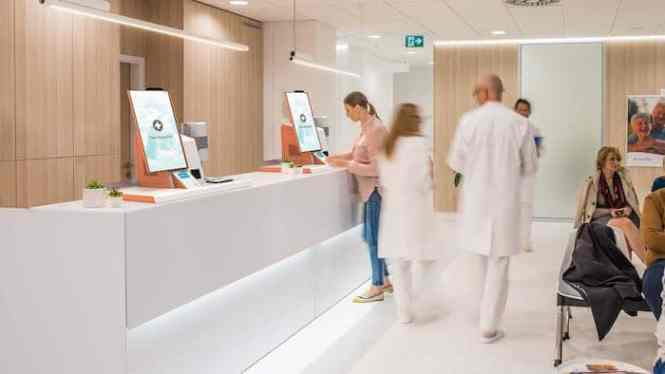
More than ever, healthcare kiosks are an essential tool for serving patients. Self-service devices have become standard in the patient journey. They can streamline appointment check-ins, update patient information, collect outstanding balances, provide wayfinding in healthcare facilities, measure blood pressure and perform other diagnostic testing, enable telehealth services, and more.

Self-service technology has become increasingly prevalent across various industries, and healthcare is far from the exception. According to Industry, ARC’s Self-Service Kiosk Forecast, the self-service kiosk market is estimated to surpass the $35.8 billion mark by 2026, with an expected growth rate of 6.4% from 2021 to 2026.

The rampant growth of self-service devices in healthcare is likely, in part, a result of the COVID-19 pandemic. A Market Report by Grand View Research estimates that the medical kiosk market grew 10.4% from 2020 to 2021. In 2021, the global medical kiosk market size was valued at 1.1 billion USD, and that number is expected to expand at a compounded annual growth rate of 14.8% from 2022 to 2030.

Innovations in the self-service medical space are not new: this 2013 article in Forbes shows diagnostic kiosks placed in pharmacies and grocery stores. And in 2030, the revenue forecast for the medical kiosk market is 3.8 billion USD. Self-service functionality in the healthcare space is here to stay.

Healthcare kiosks have several use cases that can improve patient care. However, without a thorough understanding of how and why accessible features must be implemented and reviewed, patient care is at risk of being compromised for a substantial portion of the population.

Patient Care and Disabilities: Why Accessibility is Vital

Making a healthcare kiosk accessible is required by the Americans with Disabilities Act (ADA). The ADA prohibits discrimination against individuals with disabilities regarding public accommodations, and the court has defined public accommodations to include service establishments, including healthcare facilities, under Title III.

The ADA provides protections for people with a wide range of disabilities that cause physical, cognitive, or sensory impairments. To be accessible for patients who are blind or have low vision, self-service devices need to have screen reader software, such as JAWS® for Kiosk, to turn text into speech.

There are 7.2 million visually impaired adults in the United States, according to the National Federation of the Blind. The World Health Organization (WHO) reports that, globally, blindness and low vision impacts over 282 million people and is expected to increase by 72% over the next 11 years.

When considering the widespread need for accessibility in healthcare self-service devices, it is important to note that patient demographics skew older, and so does the percentage of people with disabilities. 80% of those who are blind are over 50 years old, according to WHO. The Census Bureau estimates that about 46% of Americans ages 75 and older and 24% of those ages 65 to 74 report having a disability, compared with 12% of adults ages 35 to 64 and 8% of adults under 35.

According to The Institute of Medicine’s Committee on the Future Health Care Workforce for Older Americans, older adults use far more healthcare services than younger groups. A large majority of older adults (approximately 82 percent) have at least one chronic disease that requires ongoing care and management. And over the coming decades, the total number of Americans ages 65 and older will increase sharply. As a result, an increasing number of older Americans will be living with illness and disability, and more care providers and resources will be required to meet their needs for healthcare services.

An ADA-compliant and usable self-service kiosk empowers equal access to healthcare kiosks for all patients, regardless of ability.

The Benefits of Accessible Kiosks in Healthcare

There are many advantages to using kiosks in healthcare, like shorter wait times and streamlined check-in processes. Consistency is another benefit: Kiosks provide patients with the same experience each time, which improves efficiency. Kiosks can be used to schedule follow-up appointments, pay bills, collect insurance information, and request contact or demographic details. Kiosks serve a wide range of purposes and help alleviate healthcare attendants’ demands.

Kiosks can also save time and resources, allowing healthcare providers to obtain more patient information while reducing employee demands. They can also serve patients across language and literacy barriers.

During the COVID-19 pandemic, kiosks helped mitigate the risk of exposure through the use of temperature sensing and exposure questionnaires. Healthcare kiosks can be used to gather patient information without exposing providers to the immediate risk that occurs when interacting with patients directly. Using kiosks to collect patient information allows for distancing and proper triage processes, minimizing the number of potential contagious interactions during a doctor’s office visit.

Making kiosks accessible is critical to preserving the quality of patient care for all patients.

Kiosk Accessibility Settlements and Agreements

Kiosk accessibility has been at the root of numerous public settlements.

In a July 2016 settlement, Massachusetts Attorney General, Maura Healy, with the National Federation of the Blind, announced a settlement with Pursuant Health. In the agreement, Pursuant Health agreed to make their self-service healthcare kiosks accessible to blind consumers.

The services available on the kiosks included vision assessments, blood pressure screening, weight assessments, BMI evaluations, and advice on pain management. Pursuant also agreed to pay $95,000 in the settlement, in addition to the cost of retrofitting their kiosks for accessibility.

Post settlement, Mark A. Riccobono, President of the NFB stated “Health information has the potential to be more accessible than ever to the blind with twenty-first-century technology, but only if the manufacturers of technology keep accessibility in mind.”

Creating an Accessible Healthcare Kiosk

To comply with the ADA and ensure usability, healthcare kiosks must be physically accessible.

Wheelchair users need to be able to access the kiosk. This is a requirement of the ADA, which outlines specific compliance guidelines for the height of operable parts, the viewing angle, and the approach area for accessing the kiosk. The approach area requires a clear path without stairs, uneven flooring, or objects to obstruct access.

Once physical accessibility has been established, turn your attention to an equally vital component: software. The kiosk application must be accessible to someone who is blind or has low vision. The kiosk needs to have a screen reader, such as JAWS® for Kiosk, to turn text into speech.

Touchscreens may be difficult for people with disabilities, so an external input/navigation device is also useful to allow users to engage with a kiosk without using a touchscreen. The kiosk application must be developed to ensure it can be easily navigated and understood when read through a screen reader. and website guidelines for accessibility must also be incorporated. The kiosk application must be developed to ensure conformance and usability according to accessibility best practices and the latest WCAG 2.1 AA standards.

See An Accessible Patient Check-In Kiosk in Action

During the 2023 HIMSS Global Health Conference, Storm Interface US Operations Manager Nicky Shaw used the patient check-in experience to demonstrate common barriers for vision-impaired patients.

Planning Your Accessible Healthcare Kiosk: Keep These Questions in Mind

  • What application will you be using? Is it already accessible? If yes, can you improve usability for kiosk users?
  • Is the kiosk hardware ADA-compliant for height and reach specifications?
  • Does the kiosk include an input device with an audio jack? Using an input device that includes an audio jack allows JAWS® to turn off and on based on the presence of the headphones. Learn more about selecting the right input device for your accessible kiosk.
  • Are you providing information in a way that is accessible to all users, including those who are deaf or hard of hearing, and those who are blind or who have low vision? That includes any PDFs being read on the screen, videos needing captioning, and document signing for HIPAA compliance.
  • Are you protecting user privacy at every turn?

Ensuring Privacy with an Accessible Kiosk

In any healthcare setting, kiosks must provide an accessible and private user experience for all patients. This means including accessibility features to allow a blind or low-vision user to use the kiosk without assistance and not broadcasting personal information out to the entire room. In order to protect patient privacy, all patients with disabilities should be able to use kiosks without the need for third-party assistance.

You can protect patient privacy with kiosks by providing a privacy screen that shields others from viewing the screen. Additionally, proximity switches that reset the kiosk when a user is finished should be implemented, and kiosk software must clear user data between each session.

Protecting Patients with Clean Kiosks

The need to protect patients and healthcare workers from exposure and relieve healthcare workers from unnecessary tasks was of utmost importance during the COVID-19 healthcare crisis, but the question of kiosk cleanliness is always relevant in a healthcare setting.

Anti-microbial touchscreen films and surfaces are available through some kiosk manufacturers.

Kiosks can be easily overlooked on cleaning schedules and are only cleaned if they are considered a priority by janitors and staff. Therefore, it is also important to discuss cleaning procedures and appropriate cleaning supplies for washing kiosks and kiosk accessories such as input devices.

Here are some resources about cleaning kiosks and peripheral devices:

Patients should take the same precautions when using a kiosk as when they handle a shopping cart. If facilities provide appropriate cleaning supplies for patients to use prior to utilizing the kiosk or upon completion of usage (like at a gym), then the kiosks will preserve both user safety and that of healthcare staff.

What’s Next for Healthcare Facilities with Kiosks

Retrofitting accessibility software and physical guidelines is an option for kiosks that are already deployed in a healthcare setting. Kiosk input devices and screen reader software can be added, and applications can be updated, to provide an accessible experience.

If new kiosks are still being deployed, it is more cost-effective to consider an accessible design earlier in the production phase, or before new kiosks are manufactured. The costs to build an accessible kiosk are marginally higher than those of an inaccessible one.

For more info

Implementing usable and accessible self-service kiosks requires careful consideration and expertise. This is where accessibility experts, like the team at TPGi, can provide valuable guidance. Experienced consultants can help develop and implement inclusive healthcare kiosks, which maximize inclusion for patients and optimize efficiency for healthcare operations. Schedule a call to speak about your kiosk project today.


More Posts

Four Important Rules for Healthcare Stations and Kiosks

healthcare kiosk

Healthcare Kiosks

Very nice blog by TPGi and their blog – Sept 2023

Healthcare kiosks are a valuable tool for providing a great patient care experience. The advantages for using kiosks in healthcare are numerous, like shorter wait times, streamlined check-in processes, streamlined patient education, and more. Kiosks can also save time and resources, allowing healthcare providers to obtain more information from patients while requiring fewer human resources.

Ensuring usability and accessibility for healthcare self-service devices improves patient care, and it also helps avoid litigation and costly settlements. The Americans with Disabilities Act (ADA) prohibits discrimination against individuals with disabilities regarding public accommodations, and the court has defined public accommodations to include service establishments, including healthcare facilities.

Learn more about creating accessible and usable kiosks for the healthcare industry.

Follow these four rules to make sure self-service devices are usable and accessible for patients with disabilities in any healthcare setting:

1. First, make sure your kiosk is physically accessible.

Healthcare kiosks must be physically accessible to comply with the ADA and ensure usability. For example, wheelchair users need to be able to access the kiosk. The ADA outlines specific compliance guidelines for the height of operable parts, the viewing angle, and the approach area for accessing the kiosk. The approach area requires a clear path without stairs, uneven flooring, or objects to obstruct access.

2. Ensure your kiosk application can be used by patients who are blind or with low vision.

Healthcare kiosks need a screen reader, such as JAWS® for Kiosk, to turn text into speech. To ensure a seamless experience for all patients, kiosks need an input device with an audio jack. Even more, the audio jack needs to automatically activate when headphones are inserted. Using an input device that includes an audio jack will allow a screen reader like JAWS to turn off and on based on the presence of headphones.

3. Allow users to engage with your kiosk without using a touchscreen.

Touchscreens may be difficult for people with disabilities, so an external input/navigation device is also useful to allow users to engage with a kiosk without using a touchscreen. The kiosk application must be developed to ensure it can be easily navigated and understood when read through a screen reader. WCAG 2.1 AA standards and website guidelines for accessibility must also be incorporated.

4. Protect patient privacy at every turn.

In any healthcare setting, kiosks must provide an accessible and private user experience for all patients. In order to protect patient privacy, all patients with disabilities should be able to use kiosks without the need for third-party assistance. You can further protect patient privacy by providing a privacy screen that shields others from viewing the screen, implementing proximity switches that reset the kiosk when a user is finished, and clearing user data between each session.


More Posts

Digital-Only Restaurant by Whataburger Opens

Whataburger digital only restaurant

Digital Only Restaurant Whataburger

Article on qsrmagazine Sept 2023

New concept by by Whataburger in Austin opened.

In Brief

  • Referred to as the Whataburger Digital Kitchen
  • features a mobile order lane instead of a traditional drive-thru
  • completely cashless and solely relies on customers using the website or app to order meals.
  • In addition to the website/app, customers are able to order food from two self-service kiosks outside. Guests also have the option of picking up their food through exterior, weather-resistant food lockers as opposed to the mobile order lane.
  • ninth-largest burger chain in the country
  • Wingstop and Panera adopted this model earlier. See Dunkin Donuts in Boston link

Excerpt Summary

Whataburger announced Tuesday the opening of its first digital-only restaurant, catering to consumers’ continuing shift toward off-premises.

Customer kiosk Whataburger

Customer kiosk Whataburger – click for full size

Referred to as the Whataburger Digital Kitchen, the Austin, Texas-based restaurant is exclusively off-premises and features a mobile order lane instead of a traditional drive-thru. The store is completely cashless and solely relies on customers using the website or app to order meals.

“Making Whataburger quicker and more convenient for our Guests means fully embracing the digital restaurant experience—but not forgetting who we are at our core: A Hometown Whataburger,” Whataburger president and CEO Ed Nelson said in a statement. “Our Austin Guests were early to embrace other digital innovations, making it a perfect fit for our first Whataburger Digital Kitchen.”

More Posts

Generative AI – Build Your Own LLM

chatgpt digital signage ai

Building Your Own LLM for AI

Building your own LLM is going to occur to you. If only to assist human assistants. A fashion designer can allow customers with a series of voice questions to locate a particular style of dress.  Taking it further, they could optionally “design” the dress they want and AI could output mechanical and pattern data to allow dressmaker to make.  And sell at a very high price with a very high margin.

One of the custom LLMs example in self-service is by Verneek. You are in health-oriented supermarket and want to do very specific queries for current products available with multiple characteristics. Not just the usual characteristics like is it onsale, is there a coupon, which department.  Much more specific context.

Consider the Verneek solution topology elements as we have detailed on Intel Marketplace

  • LSTM
  • Proprietary
  • BERT
  • RNN

Verneek works closely with Nvidia (see Tokkio toolset).

Nice article here covering:

  • A brief history of large language models
  • What are large language models?
  • Why large language models?
  • Different kinds of LLMs
  • What are the challenges of training LLM?
  • Infrastructure cost
  • Understanding the scaling laws
  • How do you train LLMs from scratch?
  • Continuing the text dialogue-optimized LLMs
  • How do you evaluate LLMs?

Here is a Nice writeup on building own LLM options

How to create your own Large Language Models (LLMs)!

Ravi Saraswathi

Ravi Saraswathi

Chief Technology Officer (CTO) of US Cloud Practice at Kyndryl
August 14, 2023

I am creating my own fine-tuned LLM right now. My name is on it 🙂

Hello and welcome to the realm of specialized custom large language models (LLMs)! LLMs are created to comprehend and produce human language. These models utilize machine learning methods to recognize word associations and sentence structures in big text datasets and learn them. LLMs improve human-machine communication, automate processes, and enable creative applications.

Instead of relying on popular Large Language Models such as ChatGPT, many companies eventually have their own LLMs that process only organizational data. Currently, establishing and maintaining custom Large language model software is expensive, but I expect open-source software and reduced costs for GPUs to allow organizations to make their LLMs.

No alt text provided for this image
Refine Enterprise LLMS from pre-trained LLMs utilizing Organization data

Why Enterprise LLMs?

Enterprise LLMs can create business-specific material including marketing articles, social media postings, and YouTube videos. It can create, review, and design company-specific software. Also, Enterprise LLMs might design cutting-edge apps to obtain a competitive edge.

Before designing and maintaining custom LLM software, undertake a ROI study. Custom LLMs cost a lot to create and maintain. LLM upkeep involves monthly public cloud and generative AI software spending to handle user enquiries, which is expensive.

Popular Large Language Models (LLMs):

Some of the popular language models are Google’s BERT (Bidirectional Encoder Representations from Transformers), Facebook’s Roberta (Robustly Optimized BERT approach), and OpenAI’s GPT (Generative Pre-trained Transformer). OpenAI published GPT-3 in 2020, a language model with 175 billion parameters. In 2023, OpenAI published GPT-4, its largest model. Google launched BERT LLMs in 2018. BERT converts data sequences using transformers.

How do I build Enterprise LLMs (Large Language Models)?

The key steps include selecting a platform, selecting a language modeling algorithm, training the language model, deploying the language model, and maintaining the language model.

No alt text provided for this image

A big, diversified, and decisive training dataset is essential for bespoke LLM creation, at least up to 1TB in size. You can design LLM models on-premises or using Hyperscaler’s cloud-based options. Cloud services are simple, scalable, and offloading technology with the ability to utilize clearly defined services. Use Low-cost service using open source and free language models to reduce the cost.

Options for creating Enterprise LLMs:

1. Use on-prem data center:

Use your data center hardware for creating LLMs. Hardware is an expensive component. GPUs cost a lot of money. Free Open-Source models include HuggingFace BLOOM, Meta LLaMA, and Google Flan-T5. HuggingFace and Replicate are emerging models for API hosts. Enterprises can use LLM services like OpenAI’s ChatGPT, Google’s Bard, or others.

Pros: The model gives you full data processing control. Privacy-conscious buyers may welcome this strategy. You can easily customize the model for your use case, enabling more specific applications and quick responses to unanticipated needs. With large throughput and challenging scaling, this method may be cheaper over time. The model is yours. Your product is tougher to copy and more competitive if you customize the “secret sauce” to your use case.

Cons: Hosting the model yourself takes more technical expertise and infrastructure, making it harder to set up and integrate. All model upgrades must be built in-house. It could be costly and complicated. You must have in-house ML professionals who can fine-tune models and MLOps. Turnover and onboarding of new hires might also slow progress

Create custom Large Language Models (LLMs) using On-Prem hardware:

You can create language models that suit your needs on your hardware by creating local LLM models.

  1. Use LLMs platform for build – Many use Anaconda for open-source data science and machine learning applications. It has several LLM-building resources. Build LLM libraries and dependencies can build using Python.
  2.  Build & train machine learning models – The open-source platform TensorFlow trains machine learning models. Huggingface has pre-trained LLMs. Choose a Hugging Face pre-trained model like GPT-2 for fine-tuning.
  3. Fine-tuning and customization – Python is ideal for training the model on a specific dataset for a specific goal.

2. Use Hyperscalers:

Use Hyperscale services such as AWS Sagemaker, Google GKE/TensorFlow & Azure Machine learning services.

How to use Public cloud services *AWS, Azure & GCP* for creating custom LLMs?

  • AWS Machine Learning services like Amazon SageMaker simplify LLM model creation by integrating data processing, model training, deployment, and monitoring.Train your LLM model using Amazon SageMaker. Select a GPU-capable instance type to speed up training.
  • Google TensorFlow Model Garden or other trained models on Google Cloud along with Google’s Prediction API are some of the services provided by Google Cloud. Use GKE, Google Cloud AI Platform Prediction to install your custom LLM model. Google generative AI app builder, PALM API and Makers suite (Model training tools, model deployment tools, model monitoring tools) can be utilized for managing Apps.
  • Azure Machine Learning trains custom LLM models. Use a base model to tweak. You can utilize Azure AI Marketplace or other pre-trained models.

3. Use the Subscription model:

OpenAI, Cohere, and Anthropic provide language models via API subscriptions. Simply join a provider for API access. Data input and output length determine user fees.

Pros: Setup is simple, no infrastructure is needed. API makes model access uniform, simplifying integration and acceptance. String-free. Simple APIs. Swap providers if LLMs suit you. LLM setup and usage without ML Ops saves time, money, and effort.

Cons: Sending data to a third party may risk leaks and algorithm improvement. Offering this to enterprise customers may be difficult. Service level agreements and pricing strategy set subscription prices. Scaled closing-source solutions may cost more than in-house models.

Community-made ML apps and LLMs

Large language models created by the community are frequently available on a variety of online platforms and repositories, such as Kaggle, GitHub, and Hugging Face.

No alt text provided for this image
Explore the best community-created ML apps.

Summary

On-prem data centers, hyperscalers, and subscription models are 3 options to create Enterprise LLMs. On-prem data centers are cost-effective and can be customized, but require much more technical expertise to create. Smaller models are inexpensive and easy to manage but may forecast poorly. Companies can test and iterate concepts using closed-source models, then move to open-source or in-house models once product-market fit is achieved.

Creating LLMs requires infrastructure/hardware supporting many GPUs (on-prem or Cloud), a big text corpus of at least 5000 GBs, language modeling algorithms, training on datasets, and deploying and managing the models.

An ROI analysis must be done before developing and maintaining bespoke LLMs software. For now, creating and maintaining custom LLMs is expensive and in millions. Most effective AI LLM GPUs are made by Nvidia, each costing $30K or more. Once created, maintenance of LLMs requires monthly public cloud and generative AI software spending to handle user inquiries, which can be costly. I predict that the GPU price reduction and open-source software will lower LLMS creation costs in the near future, so get ready and start creating custom LLMs to gain a business edge.

Published by

Ravi Saraswathi

Status is reachable
Chief Technology Officer (CTO) of US Cloud Practice at Kyndryl
In the near future, I believe most companies will begin designing their own fine-tuned Artificial Intelligence (AI) Large Language Models (LLMs) to gain a competitive edge and reduce data exposure. In this article, I outline three simple ways to create bespoke enterprise LLMs based on available technology.
More Posts
  • https://kioskindustry.org/kiosk-translating-in-sign-language-assist-deaf-customers-and-help-restaurants-reduce-risk-of-ada-lawsuits/


Aramark POS & Morrison Healthcare – In The Wild

kiosk case study

Aramark POS Kiosk and Morrison Healthcare Kiosk Case Study

Like you, we dismiss the usual renderings and “look at what we offer” in favor of real kiosk implementations. Rubber meets the road type data.

Nice photojournal and writeup on LinkedIn by Shannon Moyes @ Volanté Systems | Cloud Enterprise Point of Sale.  Disclosure – Elo Touch Solutions is one of our gold sponsors so we naturally report and monitor on them.

Kiosk Project Writeup

I put together this group of photos the other day for an existing client interested in implementing kiosks and just couldn’t help sharing them publicly.

So many beautiful spaces and most importantly, businesses reaping the benefits of our self-serve ordering including:

– Higher average check sizes
– Less reliance on staff for check-out purposes
– Full offline mode for badge pay + credit cards

Locations are University of Manitoba (Aramark Canada) + Lancaster General (Morrison Healthcare).

Self Order Video

Touch Screen Outdoor Display

Touch Screen Outdoor

Outdoor Display 2799L 27″

outdoor display

Gas pump kiosk

Elo’s 27-inch touch screen outdoor display monitor, boasting 1500 NITs brightness and IK10 vandal-proof rating, ensures 24/7 performance, even in direct sunlight. Readable with polarized sunglasses, it thrives in extended temperatures. Ideal for payment systems, signage, and charging stations, this brilliant, optically bonded weatherproof monitor features edge-to-edge glass for seamless outdoor enclosure integration.

Built to perform outdoors, Elo’s 2799 weatherproof monitor offers IP66 and NEMA 4X when integrated into an enclosure as well as IK10 impact protection. With extended operating temperatures from -20 to 60 degrees Celsius, the integrated outdoor digital signage display can withstand harsh physical and thermal requirements.

To provide unmitigated performance from day to night, the ambient light sensor automatically adjusts the display’s brightness to optimize power  consumption, extend the life of the display, and enhance the viewing experience.

Elo’s 2799L outdoor monitor enables you to create reliable outdoor kiosks that will capture audiences and differentiate your sunlight-readable outdoor display.

  • Charging Stations
  • Payment & Ticketing
  • Vending Machine
  • Outdoor ATM & Banking
  • Wayfinding & Signage

Transform Elo touchscreens into an affordable, scalable, single-architecture media platform with EloView® and the Android Backpack. With simplified content-delivery and remote-management capabilities, managing isolated outdoor kiosks out-of-the-box is simplified.

Touch Screen Video


Built-in Thermal
Protection
Compliant with
UL-60950 & IK-10
IP66
& Nema 4x
OEM Life Cycle
Support
Ready for
24/7 Use

More Touch Screen Outdoor Display Links

PCI Kiosk – What About PCI DSS 4.0?

PIC KIosk Update

PCI DSS Update

From LinkedIn Pulse September 2023

Transition Period The updated timeline still includes a transition period for organizations to update from PCI DSS v3.2.1 to PCI DSS v4.0. To support this transition, PCI DSS v3.2.1 will remain active for 18 months once all PCI DSS v4.0 materials—that is, the standard, supporting documents (including SAQs, ROCs, and AOCs), training, and program updates—are released.

This transition period allows organizations time to become familiar with the changes in v4.0, update their reporting templates and forms, and plan for and implement changes to meet updated requirements. Upon completion of the transition period, PCI DSS v3.2.1 will be retired and v4.0 will become the only active version of the standard.

Future-Dated Requirements In addition to the transition period when v3.2.1 and v4.0 will both be active, there will be an extra period of time defined for phasing in new requirements that are identified as “future-dated” in v4.0.

In PCI DSS, new requirements are sometimes designated with a future date to give organizations additional time to complete their implementations. Requirements that are future dated are considered as best practices until the future date is reached. During this time, organizations are not required to validate to future-dated requirements. While validation is not required, organizations that have implemented controls to meet the new requirements and are ready to have the controls assessed prior to the stated future date are encouraged to do so. Once the designated future date is reached, all future-dated requirements become effective and applicable.

We anticipate that PCI DSS v4.0 will contain a number of new requirements that may be future dated; however, we won’t know the exact number until the standard is finalized.

While the effective future date for these new requirements will not be confirmed until PCI DSS v4.0 is ready for publication, it will provide enough time for organizations to plan and implement new security controls and processes as needed to meet all the new requirements. The future date will be dependent on the overall impact that the new requirements will have on implementing controls in the standard. Based on the current draft, the future date is expected to extend beyond the planned transition period, with a possible future date being between 2½ – 3 years after PCI DSS v4.0 is published.

Account data includes:

  • Primary account numbers (PANs)
  • Cardholder names
  • Card expiration dates
  • Service codes
  • Magnetic-stripe or chip data
  • Card verification codes
  • PINs and PIN blocks

PCI DSS 4.0 comprises 12 requirements, organized into six categories:

  • Secure networks and systems:Implement and maintain network security controls.Securely configure all system components.
  • Protect sensitive data:Secure stored account data.Use strong cryptography to protect cardholder data during transmission over public and open networks.
  • Have a vulnerability management program:Keep systems and networks protected against malware. Maintain the security of all developed systems and software.
  • Implement access control:Follow the “need to know” principle for access to system assets and cardholder data.Use proper identification and authentication measures when granting access to system components Limit physical access to cardholder data
  • Test and monitor networks on an ongoing basis:Monitor and log access to cardholder data and system components.Perform regular security tests on all systems and networks.
  • Establish and follow an information security policy:Implement official policies and programs to support security goals within the organization.

More Links

Retail Kiosks at Living Spaces Colorado – In the Wild

living spaces kiosk

Living Spaces Kiosks Colorado

We stopped and did a photo tour.  Quite the store. They purchased old Sears Grand facility which was huge. North side of Denver near Top Golf and proposed IKEA.  Worth noting the marquee image showing portrait has a person touching the BACK button. The person is 5 foot 10 so button is easily 6 feet high.

One of the senior managers from Living Spaces flew in from San Diego for the Grand Opening and he noticed me taking pictures. We talked for at least 30 minutes

  • From the entrance walking up the center, we just happened to know a lollipop kiosk set off from the aisle. It was 27″ Elo on a pole with a plate.  It was leaning to one side and not very steady to touch.  Should have been more ideally located and more stable.  Apparently they went cheap and it looked cheap.  This in a store where $20K is a common spend…
  • I did “accidentally” unplug power from another of the Elo units. Running Android and restarted safely.
  • The Cashier area  had the usual disorganized adhoc components-on-a-counter problem.
  • I mentioned to the manager that given the clientele and residential area (Thornton Colorado) I was surprised there was no courtesy EV charging. Seems like the kind of customers they would prefer.  I pointed out EVGO had a couple of stations at other end of complex next to Petsmart.
  • The big portrait kiosk had its problems:
    • touchscreen would fail on edge “Back” button. I didn’t power that unit down as the LS manager had noticed me at that point.
    • it was the cheesy-type black slick metal. Looks cheap.
    • Zero assistive tech. I warned him.
    • Would be better as two-screen V config so counterclockwise and clockwise traffic is signaled. LS had it set up for Clockwise even though the entrance was right center. See below for more esoteric background.
  • One of his responses was LS hopes the customers would use the people and not the technology.
  • I told him they were sort of facilitating that outcome.
  • Many people in self-order DON”T want to use the counter or talk to people. Large percentage.  See Lizzy comment from LinkedIn
  • LS kept reminding us that the employees were not on commission.
  • They may be xenophobes, anti-social, just browsing or in Colorado, they could be slightly high on marijuana.
  • No person is going to be as accurate as a type of generative AI like Verneek or 22Miles where multiple conditions can be expressed vocally and possibilities and locations quickly identified.
  • Store is so big (200,000 sq feet at least) and probably 50,000 SKU’s, not to mention those only online for order and shipping (which not provided for instore).
  • Not much digital signage and not a centerpiece focal point in the store. Cabelas for example has they big nature area in back center.
  • The WiFi was poor at best. Doing internet lookups or scanning codes or talking to AI Assistant were all out of the question.
  • We didn’t walk the entire store but looked like around 10 of the large totem product identifier kiosks, as well as 20 or so of the 27″ ELOs on a stick.


Additional Information

So what about Clockwise versus Counterclockwise

  1. Clockwise movement in the U.S. and Europe: Some retail studies in the U.S. and Europe suggest that many shoppers tend to move in a clockwise direction. This means they will turn right upon entering a store and then follow a path that takes them around the store in a clockwise manner.
  2. Design influencing movement: Store design plays a significant role in shopper movement. Many stores are deliberately designed to encourage a particular flow. For example, if a supermarket places its fresh produce (a common first stop for many shoppers) to the right of the entrance, it encourages a clockwise flow.
  3. Country-specific tendencies: In countries where traffic drives on the left (e.g., UK, Australia, Japan), people might naturally veer to the left in open spaces and stores. This could mean that, in such countries, a counterclockwise movement is more prevalent.
  4. Entrance position: The position of the main entrance in relation to the parking area, or other points of interest, can also influence the direction most shoppers take upon entering a store.
  5. Individual habits: While general trends can be observed, individual habits and preferences still play a significant role. Some people may have a set route they follow in a particular store based on their shopping list, irrespective of general trends.
  6. External factors: External factors like promotional stands, in-store marketing, or special displays can also influence the direction shoppers take. For instance, an attractive promotion immediately to the left of the entrance might cause more shoppers to move counterclockwise on that particular day.

Retailers often use these tendencies and insights when planning store layouts, placing promotions, and designing displays to maximize sales and enhance the shopping experience.

About Living Spaces

“Living Spaces” is a prominent furniture and home accessories retailer founded in 2003 in Rancho Cucamonga, California. The company rapidly expanded its presence across the United States, offering a broad selection of styles and designs for every room in the home. Renowned for its spacious showrooms, Living Spaces provides customers with a seamless blend of style, comfort, and affordability. Alongside its in-store experience, the brand also boasts a robust online platform, allowing customers to shop and access design tools and resources from the comfort of their homes. Over the years, Living Spaces has earned a reputation for its commitment to quality, exceptional customer service, and its emphasis on creating inspiring environments for shoppers to explore.

Living Spaces was founded in 2008 by Grover Geiselman, a native Houstonian, and has quickly grown across the Southwest. Geiselman is good friends with Jim “Mattress Mack” McIngvale, founder of Houston-based Gallery Furniture, and sought guidance from McIngvale when looking to start his own furniture store in California.

Build Kiosk Demo Online with AI

AI Assist Sitekiosk

SiteKiosk Online introduces AI Advisor Kiosk Mode

The utilization of artificial intelligence has become a reality for SiteKiosk Online.

AI Advisor

Click for full size

Over the past few months, a prototype of an AI-driven product advisor has been developed. This advisor offers suitable product recommendations and information by engaging users with specific questions and providing tailored responses.

The fusion of artificial intelligence and modern kiosk technology elevates the in-store shopping experience. By analyzing customer queries and preferences, the AI determines which products and deals might pique the user’s interest, displaying them graphically alongside detailed background information. Users can explore the product range by following suggested or customized questions, ultimately helping them find their desired product.

The architecture of PROVISIO’s AI Product Advisor bears a resemblance to the widely recognized AI software, ChatGPT. The AI advisor’s dataset encompasses all essential product information and can be continuously expanded by incorporating knowledge from various sources, such as user manuals.

Thanks to its extensive dataset, the AI can also tackle unexpected inquiries. For instance, if a customer needs guidance on activating a specific feature on their smartphone or tablet, the AI product advisor can promptly provide the relevant instructions, whereas a human employee might need to consult a physical manual. It’s important to note that the user manual must be available in digital text format for semantic search to function. Therefore, the AI product advisor not only aids customers during the product discovery phase but also assists on-site employees by streamlining manual look-ups.

Expansions to prompts and datasets are implemented manually, allowing adaptability to search trends and the incorporation of new products and special offers. Outdated data can be easily removed.

The use of AI in conjunction with kiosk solutions can enhance a wide range of product advisor and sales use cases. Through AI integration, even products outside the mainstream or niche markets can be effectively targeted toward end consumers.

AI Advisor

Click for full size AI Advisor

The PROVISIO team is ready to address any additional inquiries regarding the integration of AI into kiosk projects and is available for live demos of the software!

The full news article:

https://www.sitekiosk.com/news/first-ai-based-feature-developed-for-sitekiosk-online/

More AI Advisor Related Links

Android Kiosks – Elo Shipping Android 12

Android Kiosk

Product Update: Android 12 Now Available on Select Elo Devices

Product Information

We are excited to announce the availability of Android 12, for select Elo Android devices including I-Series 4, Backpack 4, M50 and M60. Elo’s Android 12 upgrade is part of our OS 360 program to provide continued security and upgrades to Elo devices throughout their life cycle. Please note, Android 10 updates will continue for 1-year post the Android 12 release, via quarterly updates. After the 1-year transition period, security updates will only be available for Android 12.

To help ensure your Android devices are secure and up-to-date, we recommend enhancing your coverage with OS 360. With OS 360, you will have access to Android 12 features, bug fixes and security updates to help protect your devices against new and emerging threats.

Android 12 will be available via EloView, OEMConfig or direct download for the I-Series 4, Backpack 4, M50 and M60 devices with an active OS 360 subscription. New devices shipping from Elo will continue to ship with Android 10, allowing you to control migration to Android 12 based on your specific needs.

  • Android 12 is packed with new features and improvements designed to make enterprise devices more personalized, secure and efficient. Some of the improvements include:
  • Performance: Android 12 has been optimized for performance, making enterprise devices more responsive and efficient.
  • Privacy: Android 12’s new privacy features give IT admins more control over how employee data is used.
  • Personalization: Android 12’s Material You design language lets employees customize their devices to match their personal style.
  • Security: Android 12 includes several new security features that help keep enterprise devices secure and protect sensitive data.
  • Management: Android 12 includes several new management features that make it easier for IT admins to manage enterprise devices.
  • OS Support Timeline

At Elo, we are committed to providing our customers with the highest level of support and service. A roadmap of support availability on gen 4 devices can be viewed in the bulletin linked below.

Please note, as with any roadmap, timelines could change. If you have any questions about our OS 360 program or need assistance with upgrading your Elo Android devices, please don’t hesitate to reach out to our sales and customer support team.

Please view the PMB 788 for more information.

Payment Kiosk News – Ingenico Self 3000 Launched with Payroc

payment kiosk - Ingenico Self 3000

Ingenico 3000 and Payroc

Payroc collaborates with Ingenico to unveil the Ingenico Self/3000, a flagship unattended device designed for self-service settings. With its adaptable design and multiple payment method support, this innovation caters to the expanding self-serve market. The Self/3000’s durability and easy integration options, available through UCP, provide a versatile solution for vending, car wash, EV charging, and more. Pre-certified with Payroc’s platform, it streamlines payment integration, empowering partners for efficient growth.

TINLEY PARK, Ill., Aug. 31, 2023 /PRNewswire-PRWeb/ — Payroc, a leading payments platform, is launching its latest collaboration with Ingenico, a global market leader in point-of-sale payment devices. Together, they introduce the Ingenico Self/3000, the flagship unattended device offered by Payroc, catering to the emerging demand of self-service environments.

As consumers increasingly seek more convenience and autonomy in their shopping experiences, the self-serve market is experiencing continuous expansion. In response to this growing trend, Payroc embraces partners in the unattended market with the latest addition of the Self/3000.

“We are excited to partner with Payroc for the Self/3000 to provide an innovative, strong solution to the evolving needs of merchants and consumers,” said Bruce Rasmussen, Director of Sales at Ingenico. “With this device’s flawless integrations, merchants in the rapidly expanding self-service industry are empowered to deliver smooth, secure transactions and surpass customers’ expectations.”

The Self/3000 is designed for seamless integration into businesses operating in vending, car wash, EV charging, and more. This device offers benefits for merchants and customers alike. This terminal accepts multiple payment methods, including contactless, magstripe, and EMV capabilities, ensuring hassle-free transactions for end-users. Moreover, the Self/3000 boasts durability for both indoor and outdoor settings. With easy implementation options on the rear or front side of machinery, the Self/3000 provides unparalleled versatility. Payroc will offer this device exclusively through Unattended Card Payment’s (UCP), a specialized hardware distributor for the North American market.

“We are thrilled to unveil the Self/3000, our latest generation payment device, in collaboration with Payroc, catering to merchants across the US,” says Rob Chilcoat, President at UCP. “With its sleek and compact footprint, the Self/3000 stands as a powerful payment solution, perfectly tailored for unattended kiosk environments. Notably, this device shares identical mounting features with its predecessor, the iUC285, streamlining the upgrade transition for our partners.

In addition to its functional design, the Self/3000 payment device is pre-certified with the Payroc platform. This certification allows Payroc partners to swiftly and smoothly integrate payments into their systems with minimal time and cost investment.

Conn Byrne, Senior VP of Integrated Payments at Payroc, shared his excitement about the new addition to their device arsenal, stating, “This invaluable device equips our partners with a modern payment solution they can rely on for their unique self-service needs. We look forward to continued success for our partners through this latest certification.”

This collaboration brings the cutting-edge Ingenico Self/3000 to the forefront of the unattended payment market.

For more information about Payroc and its innovative payment solutions, please visit https://payroc.com/.

About Payroc: Payroc is a high-growth, multi-national payments platform, merchant acquirer, and processing powerhouse processing over $80 billion in annual volume for more than 151,000 merchants. Founded in 2003, Payroc offers best-in-class sales enablement and merchant processing technology. Payroc enables unified commerce that helps businesses grow faster by delivering proprietary, innovative, and full-service solutions together with key card brand network payment sponsorship registrations.

About Ingenico: Ingenico is the global leader in payments acceptance solutions. As the trusted technology partner for merchants, banks, acquirers, ISVs, payment aggregators and fintech customers our innovative terminals, software, solutions and services enable the global ecosystem of payments acceptance. With 45 years of experience, innovation is integral to Ingenico’s approach and culture, inspiring our large and diverse community of experts who anticipate and help shape the evolution of commerce worldwide. At Ingenico, trust and sustainability are at the heart of everything we do.

About UCP: Specializing in unattended hardware, UCP is a value-added distributor and P2PE Validated Key Injection Facility for top tier payment terminal manufacturers. Our customers are kiosk manufacturers and solution providers servicing the transportation, parking, tolling, automated retail, and self-checkout markets along with many more innovators in the self-service kiosk space. We take a consultative approach with our customers – the EMV payment space is a complicated landscape which can be hard to navigate. We help you connect the dots between your kiosk software and payment processing.

Media Contact
Alex McCandless, Payroc, (888) 477-4500, [email protected], https://payroc.com/

SOURCE Payroc

More Payment Kiosk Posts

Kiosk Manufacturers – 2023 Database

kiosk manufacturers

Top Kiosk Manufacturers V6

We will preface this post with the statement “the kiosk industry is full of nuance”.  Someone like Kodak might say “We do more kiosks than them”. Maybe true but then unless you are a major retailer you can never buy one. They may have “built” over 400,000 kiosks but currently only 400 in the field.  Which number is more relevant?

This post includes kiosk enclosures, kiosk software, kiosk devices and kiosk services.  We then break it down into categories. We also have a list of over 700 companies of all types involved in kiosks.  We also cover digital signage companies, automated retail, and thin client technology (aka Cloud).  The source for this data is threefold:

  1. Kiosk manufacturers who support kioskindustry.org
  2. manufacturers that Craig adds as he sees them. He has been in the kiosk industry for 30+ years.
  3. We also note the manufacturers who are resellers, OEMs or OOB or out of business.  

Definition of a kiosk manufacturer for us:

  • They design and manufacture kiosks, standard and custom
  • Generally, they will offer multiple models across multiple verticals
  • Their primary business is usually kiosks
  • They don’t “resell” kiosks
  • They don’t buy kiosks from China or Mexico
  • For purposes of SLED, “Made in America” is critical and that includes where the steel comes from.  “Assembled in the US” is step down. Also NOT using steel but processed plastic (vacuum molded e.g.) is one way to beat the U.S. steel requirement. Problem is you usually end up with a “one trick pony” so to speak. It can’t be modified.
  • Injection molding is generally reserved for special high-volume projects
  • Often in datamart research you will see Toshiba, NCR or Diebold — bear in mind that supermarket self-checkouts are NOT kiosks in our mind.  And while ATMs could be considered kiosks, they prefer to be only identified and counted as ATMs

Questions and Nuances

  • Ask how many full-time employees
  • Ask how large is their facility?  Zivelo started out as 100×100 corner of a large metal fabrication company. Saying “our facility” is 200,000 square feet is a conditional truth at best.
  • How many kiosks have they built in the last 24 months? Built may not be necessarily deployed. They might still be in a warehouse.
  • Get a list of customers in the last 24 months.  Make sure it is current/recent customers.
  • What is the average value of their kiosks?  Maybe $5500? or are they cheap Chinese units being resold that are less than $1000.
  • What is their minimum “size of deal”? You can buy a completely outfitted Samsung with sofware for $3500 and that is quantity 1
  • Remember that sales VPs are trained to tell you what you want to hear (no offense intended).
  • How many kiosks are currently on their monitoring system?  Can you see?
  • What is their “Burst Capacity” per month aka what size production runs can they ramp up to?  Usually by hiring lots of temps.
  • Check out their facility on Google Maps — No matter which company you consider look them up on Google Maps and take a look. Some of them are a bit scary. Before signing on with any kiosk company you should visit their facility. Don’t fall for the data mart research out of India. Companies that have been out of business for 10 years are still listed.  Send an email to [email protected] and we offer free and objective advice. We have 30+ years of experience.

Kiosk and Self-Service Trends

  • Probably the biggest impetus right now is related to AI.  Several members of Kiosk Industry have deployed AI advisor solutions including 22Miles, Sitekiosk, Verneek and SapientX.
  • Along with that has come a new emphasis on voice order and voice navigation.
  • ADA related — we’re all waiting to see in December what the U.S. Access Board issues as their new guidelines for self-service. Meanwhile screenreaders like JAWS by Vispero or SuperNova by Dolphin are flourishing.  Storm Interface and its assistive technology has probably had its best year ever.  Later this month the EV guidelines are due too.

Top Kiosk Manufacturers  (not Kiosk Software)

Kiosk Company Categories

More Companies

  1. Abuzz – Australia
  2. Acrelec – French, does McDonalds kiosks
  3. Adcomp – turnkey bill pay
  4. Advanced Kiosks – wide selection of standard and custom
  5. SpotOn (was appetize) – reseller
  6. Ariane – reseller
  7. Bite – reseller
  8. Boyd – small custom shop in Denver
  9. Cammax – based in UK
  10. Clover – reseller, uses Samsung kiosk and others
  11. CTS – healthcare patient kiosks
  12. Deltrix – Ireland with offices in Irvine
  13. Diebold – reseller
  14. eKiosks – just kiosks — german manufacturer
  15. Embross – strictly airlines (ex-IBM Markham division)
  16. Evoke – UK-based — one of four McD kiosk suppliers
  17. Flextronics – volume manufacturer (redbox e.g.)
  18. Frank Mayer – Kiosks + Retail Merchandising Displays
  19. Friendlyway – kiosks + digital signage Germany
  20. Gable – boutique digital signage kiosks
  21. Gibco Kiosks – sticks to government (SSA eg)
  22. GRUBBRR – reseller
  23. PARTTEAM – Portugal
  24. Harbor – retail fixtures + kiosks
  25. Howard
  26. I&E Kiosks – reseller
  27. Ideum – boutique table kiosks – nice stuff
  28. IKE (aka Orange Barrel Media) – smart city and they buy enclosures from Colorado company
  29. Intersection – same as IKE
  30. Kiosk Terminals (KT Terminals)
  31. Lilitab – iPad kiosks (Paneras e.g.)
  32. Meridian – many types of kiosks
  33. MinuteKey – turnkey “key” kiosks
  34. NCR – now resells Samsung via GRUBBRR
  35. Oracle – Opera kiosks in hospitality
  36. Palmer Digital – little bit of everything
  37. PanOston – based in Europe with US offices
  38. Rosendahl – based in Denmark. Longtime participant
  39. TSITouch – carries and resells the Samsung kiosks
  40. Touchsource – directory kiosks
  41. Verifone – bought Zivelo and McDonalds contract

There are many other “kiosk” manufacturers listed in the report.

Calculating the number of kiosks manufactured

One big reason for industry counts being a very wide range is Indian data marts simply scrape data and never interview.  You end up double-counting, triple-counting and sometime by factor of four. Here is simplistic example:

  • The restaurant purchases 50 kiosks from 111
  • 222 actually provides the kiosks to 111
  • US assembly partner (333) for 444  provides the kiosks to 222
  • 444 tallies its numbers and sales
  • 50 kiosks just turned into 200 or 250.

AI Isn’t Much Help

We have a ChatGPT 3.5.1 account so we asked. Bear in mind ChatGPT data only covers up to 2021. They managed to score 3 out of 10 or 4.  You can ask 5 different ways and get five different results. Not reliable given its age or sources.  Mostly a regurgitation of $5995 India datamart reports which come out every 6 months.  You’ll see Zivelo, NCR, Diebold, Glory, and other out-of-business or fractional participants.  Certainly, there are situations like Aloha which NCR owns is going to buy kiosks from NCR. The distinction is NCR doesn’t manufacture them.  We asked 5 different ways and get 5 different answers, none of them more than 60% accurate.

Full Listing Excerpt

kiosk manufacturers

click for full size — kiosk manufacturers

If interested in a copy of the raw csv/xls please email [email protected]

Bear in mind the raw data (V6 currently) is reserved for companies that support kiosk industry.  Companies looking to deploy and/or purchase kiosks can also get a copy.

Data Research Reports

It’s tough getting a good report on kiosks.  We like the reports from IHL. Example page from 54 page report on Hospitality POS

Hospitality POS research from IHL

Hospitality POS research from IHL


Almost all of the other reports that Google mistakenly highlights (or deliberately highights if skeptical like us) are junk reports.

Example Self-Order Kiosk report we got last week

The following related companies are covered. Not sure how they come to list an equity firm, or currency/coin acceptor manufacturers.  They seem to be triggered on vending machines :

NCR
Diebold
Fuji Electric
Hitachi
Crane
GRG Banking
SandenVendo
Lone Star Funds
Sielaff
Azkoyen Group
Bianchi Vending

Here is what they are asking for that junk

Global Restaurant Self-order Kiosk Market Insights, Forecast to 2029

2023-08-24   |   Pages: 111   |   Tables: 138


USD 4900.00 (Single)


USD 7350.00 (Multi)


USD 9800.00 (Enterprise)

The global Restaurant Self-order Kiosk market is projected to grow from US$ million in 2023 to US$ million by 2029, at a Compound Annual Growth Rate (CAGR) of % during the forecast period. The US & Canada market for Restaurant Self-order Kiosk is est…

BOTTOM LINE — only buy data reports from qualified reputable people. And even then remember that the kiosk and self-service industries are not like grocery store POS systems that are easily counted. It’s a learning curve for all the analysts.  We helped/assisted Frost & Sullivan which historically has done their due diligence. Here is report from 2018

Frost-2018-revised-compressed-compressed

Spokane Transit Authority launches Real-Time On-Bus Displays

transit station digital signage nanonation

Spokane Transit Authority has launched a real-time on-bus display system in partnership with Nanonation, a leading provider of digital signage solutions. The real-time passenger information screens are unique in their use of live GPS position data to provide passengers with accurate information.  Unlike most transit systems, which use predicted timing, the custom solution that

transit station digital signage nanonation

Click for full size – transit station digital signage nanonation

Nanonation developed in conjunction with the STA uses live GPS positioning, giving passengers up to date information about bus arrival times at each stop via multiple digital signage displays throughout the bus. The system also displays announcements and promotional content, all managed by STA staff via Nanonation’s Commandpoint Content Management System (CMS).

The new system was launched this July on STA’s new City Line bus rapid transit line. The system will provide faster, more convenient transportation, improving the downtown experience without additional congestion. The 60-foot articulated buses utilize state-of-the-art battery-electric technology and are outfitted with Nanonation’s real-time passenger information displays to improve passenger amenities.

Nanonation’s project with STA is groundbreaking as the first of its kind in the country. Unlike the standard infotainment systems offered by other vendors in the industry, Nanonation’s approach is fully customized, not relying on out-of-the-box proprietary solutions.

The on-bus content is custom-tailored with a branded layout featuring a real-time map that uses GPS coordinates to determine where the bus is in relation to its route or next stop. The onboard templates can also be configured to include information regarding significant landmarks and tourist attractions riders may be interested in during their trip.

This new on-bus project expands the use of Nanonation’s transit signage for the STA, which already included transit schedule displays at the central transit station and outdoor digital information displays at 25 bus stops throughout the STA network. The digital signs at the bus stops now include updated departure information based on real-time bus statuses and the ability to automatically display when a stop is closed or a trip is canceled due to an emergency, construction, etc., making the entire information network easier to manage for STA personnel.

transit station digital signage nanonation

Click for full size – transit station digital signage nanonation

These systems are part of the STA’s investment in station improvements to lift the public’s experience and attract more riders. Providing accurate and helpful real-time information to help reduce rider anxiety and enhance their overall experience.

More Posts Regarding Nanonation

Linux Kiosk Mode

linux kiosk mode

Linux and the Kiosk Industry

Linux has emerged as the next incremental step in self-service kiosks (see new hardware options from Elo). Cost has always been a major concern and Windows has run its course at typically $80 license for decent CPU. Android native is free but for purposes of self-service must be customized.  Linux offers zero cost and total control. No more wondering if a Windows patch cycle has downed your machine. Another entry is Flex from Google. Several kiosk projects in hospitality have been deployed.  With any OS you choose it should come with free built-in remote monitoring designed for kiosks.  Originally published on KioWare Kiosk Software website.  You can view the original release here.

Linux Has a Strong Future in the Kiosk Industry

8/21/2023

The kiosk industry has been rapidly expanding and evolving in recent years, and as technology progresses, so do the hardware and software platforms that are used to power these devices. Primarily due to a wide range of device support, the Windows OS has long been the leading choice for kiosks; however, Android has been making solid gains in market share recently. We believe that Linux has become a very good OS on which to build a kiosk, and that Linux has the brightest future in the kiosk industry.

In particular, our KioWare OS for Linux® makes it possible to create a kiosk appliance. We have taken a very minimal version of the Debian Linux distribution, added only what’s necessary for a kiosk to run, and integrated KioWare directly into the OS. When the device boots, KioWare loads first and controls any other apps you have configured to be loaded. KioWare is completely in charge, and to exit KioWare is to power down the device. With KioWare, the device has become a kiosk appliance with only one purpose: being a self-service kiosk.

Over the years, Windows OS has become a bulky choice for kiosks. It still holds a commanding lead in device support, but it comes with a lot of operational baggage. With Windows, kiosk software has to spend a lot of effort making sure the kiosk is running efficiently and robustly.

Android has the issue of each hardware manufacturer using their own unique, and sometimes proprietary, low-level OS functions. As kiosk system software, we need low-level access to the OS to provide a safe and robust kiosk solution, and that is challenging when that access varies among hardware manufacturers. Some manufacturers’ APIs are poorly documented or buggy, and others are not available. Fortunately, Samsung, the market leader, does provide quality low-level access to the OS, and our KioWare for Android product supports the Samsung/Knox version of Android. We have integrated the Tinker Board and Raspberry Pi hardware in our KioWare OS for Android product and can add additional Android hardware manufacturers as demand dictates.

iOS has the problem of Apple completely controlling not only the hardware but also the low-level access, and while there are kiosk use cases where iOS works fine, it is not a general-purpose self-service kiosk solution.

Linux has two primary advantages. First, unlike Android and iOS, which are designed to run on specific hardware configurations, Linux is open-source software that works with a wider variety of devices. This makes it easier for kiosk manufacturers and businesses to choose the hardware that best suits their needs and budget, without being limited to a specific set of options. KioWare OS for Linux currently runs on x86-64, Raspberry Pi and ASUS Tinker Board.

The second advantage of Linux is, because it is lightweight and open source, the OS can be designed to contain just the essentials a kiosk needs, and it can easily be modified to enhance security or provide useful features. Windows, Android and iOS come with a lot of extra features, applications, and services that are not necessary for a self-service kiosk deployment.  This excess baggage causes performance issues and in the extreme case can cause security issues.

It is worth noting that Linux is already being used successfully in many other sectors, such as healthcare, retail, and industrial automation. With its flexibility, hardware compatibility, and the ability to create customized systems, Linux may very well be the future of the kiosk industry. Only time will tell, but businesses and kiosk manufacturers should keep a close eye on this trend and seriously consider KioWare OS for Linux.

Linux® is the registered trademark of Linus Torvalds in the U.S. and other countries.

So What About Devices?

Looking at the new Elo Slates which is also Debian here are the devices supported out-of-the-box (11 total)

  • Magnetic Stripe Reader (MSR) – Elo P/N: E001002
    Fingerprint Scanner – Elo P/N: E134286
    GPIO Cable – Elo P/N: E211544
    POE Module Kit – Elo P/N: E413396
    EMV Cradle for MagTek eDynamo – Elo P/N: E375343
    EMV Cradle for Ingenico RP457c (with Audio Jack, BT and USB) – Elo P/N: E586981
    EMV Cradle for Ingenico RP457c (with BT and USB) – Elo P/N: E710930
    Status Light (Micro-USB Connectivity) – Elo P/N: E644767
    Temperature Sensor Pro – Elo P/N: E534879
    3D Camera – Elo P/N: E134699
    Webcam – Elo P/N: E201494

EV Charging Stations – Designing in Accessibility

EV Charging Accessibility

EV Charging Station Accessibility

Recently the U.S. Access Board presented on designing accessibility in EV charging stations.  Here is some background on the upcoming NPRM which is expected in September.

Summary of Presentation

The Joint Office hosted a webinar on the Access Board’s design recommendations for accessible electric vehicle (EV) charging stations. The U.S. Access Board is an independent federal agency that issues accessibility guidelines under the Americans with Disabilities Act (ADA) and other laws.

The webinar shared information and provided technical assistance to help in the design and construction of EV charging stations that are accessible to and usable by people with disabilities. U.S. Access Board Transportation Systems Engineer Juliet Shoultz discussed accessibility guidelines and best practices.

Video

Reference Materials:

Access Board Design Recommendations for Accessible Electric Vehicle Charging Stations

More Posts

GRUBBRR Kiosk with Samsung, Clover and Others

grubbrr kiosk

GRUBBRR News

GRUBBRR does software and more specifically it does the application  and middleware.  On the backend can be any number of POS systems like TOAST, Aloha or many others.

GRUBBRR gained most of its fame via the Samsung Kiosk. But they have been busy in many other ways.  Recently Convenience Stores emerged as new venue for GRUBBRR,  Touchscreens at the gas pump have seen hundreds of iterations, and to date, none of them stuck.  The hope for selling lottery tickets  was replaced by fuel additives with noisy ads that always get the audio turned off.  Gas pumps are a big challenge for environment as well as security.

From Sixteen-Nine — The idea is that it will boost store sales through promotions and upsells on the screen, as well as the simple convenience and speed of ordering items while the tank gets filled, and then walking in and out of the store to do nothing more than pick-up items that are put together by staff and left at a designated area inside. The partners suggest testing has shown the self-order screens have increased sales for promoted items by 50%.

The solution is initially available in select fuel stations across the United States, with plans for global expansion in the future. GRUBBRR, you may recall, is the retail self-ordering software firm that was an early partner with Samsung on its kiosk. Neither the PR or the sales material get into who is supplying the 27-inch displays or media players for this.

One interesting and not at all surprising component of this is the ability to also run advertising on these units. Logic tells me that if a motorist is filling up and watching the screen as it shows the fuel volume and total price read-out on the screen, store promotions or third-party DOOH advertising will run if the shopping functionality is not launched.

GSTV already works with Dover and its main fuel pump competitor Gilbarco, so I am going to assume they are all over this and likely welcome seeing new or modernized stations getting screens that are bigger and brighter. On the other hand, if people shop at the pump does that mean ads don’t run and overall eyeballs counts go down?

Taglines: Because Hunger Can’t Wait, The Easiest Way To Automate Your Business in the cloud

Here is a brief timeline look.

  • Convenience Stores and Gas Pumps — A South Florida tech firm has partnered with a nationwide company to produce new gas station kiosks that will enable customers to purchase other items besides fuel. On Tuesday, Austin-based Dover Fueling Solutions, an affiliate of the Dover Corporation (NYSE: DOV), and Boca Raton-based Grubbrr announced that both companies will roll out new kiosks for fuel pumps nationwide.
  • Social inserts and postings — link on MSN in news item on Texas Roadhouse and “secret menus”. For one reason or another, folks are obsessed with the idea of being able to order items off of a “secret menu.” Grubbrr writes that this is more than likely due to the fact that it makes folks feel as if they’re part of some type of exclusive club of people who have access to knowledge that others do not.
  • Acquisitions — Grubbrr, a maker of kiosk ordering software, is acquiring Noble, an ordering app for live events, in a deal valued at $5 million. The deal extends Grubbrr’s reach in the sports and entertainment business and will allow Noble to improve its software, the companies said.
  • Thought Leaders — Robert Irvine signs on as investor.
  • Alliances — June 2023 – GRUBBRR supports Clover now as well as Aloha
  • Alliances — Dec 2022 — Samsung Electronics America has paired its award-winning Samsung Kiosk signature solution with Punchh, the industry leading food and beverage loyalty and marketing platform from ParTech Inc. (PAR), in a new partnership to create seamless customer engagement solutions for restaurants and other key verticals. Designed to improve the restaurant and curbside pickup experience, the partnership will help business owners drive loyalty acquisition and retain new members by increasing overall customer.
  • Projects — July 2022 — case study with BurgerFi goes national
  • Funding — April 2022 — funding comes in from AON  ($35M ntellectual property-based funding arrangement)
  • Partnerships — June 2021 — GRUBBRR Announces Strategic Samsung Partnership for All-in-One Kiosk  (originally they called the KMA kiosk 🙂
  • Solutions — July 2020 — GRUBBRR teams with GardaWorld Cash Services to provide contactless cash solution
  • Funding — Nov 2018 — Touchsuite Announces Strategic Investment in Grubbrr, a Disruptive Kiosk and AI POS Technology Platform — no amount given just “strategic investment”
  • And that’s where the news/Google index ends
  • Nothing in ChatGPT

Manufacturer and Integration Partners

Case Studies

Related Posts

News

  • A little unusual in that GRUBBRR news is just a series of sources with press writeups listed (aka buzz). Just links no text

Videos

Related Posts

ADA Kiosk – WCAG Closed Systems Guidance- Comment Period

assistive technology

WCAG Guidance Closed Systems

Published on kma.global

Our notes and correspondence.

September 29th is last day to comment and best to do via the maillist — “[email protected]” <[email protected]>

Hi Craig,

The WCAG2ICT task force is glad you and other KMA members will be reviewing the WCAG2ICT First Public Working Draft.

In answer to the questions in your previous email to the list:

  • In the end, this document is just suggestions/recommended considerations regarding “closed systems” right?
    Answer: Yes. This document is not intended to set requirements (is non-normative). It simply provides interpretation of WCAG Success Criteria when applied to non-web software and documentation. The task force makes notes where this may not be easily adaptable, as in the Success Criteria Problematic for Closed Functionality section. It also provides guidance and word substitutions when web-specific language is used in WCAG success criteria, which eases the interpretation. The intent is to help manufacturers as well as standards makers understand how widespread application of WCAG in non-web contexts can be done, yet to point out areas where such application may not be as easy – especially for closed functionality products where a user’s assistive technology cannot be installed.

We also want to call to your attention that WCAG2ICT does not comment on hardware aspects of products, because the basic constructs on which WCAG 2.2 is built do not apply to these. This limitation of scope is listed in the Excluded from Scope section.

  • This doc is oriented to WCAG 2.2 right?
    Answer: Yes. The first draft only has WCAG 2.1 since 2.2 is not yet a Recommendation. The next draft will include WCAG 2.2.
  • What are the other closed systems besides your typical kiosk (McDonalds self-order e.g.)
    Answer: The task force has been thinking about a wide variety of products with closed functionality beyond the specific “systems” examples mentioned in the document. It is debatable whether maintaining a specific list in the document is useful since it could never be comprehensive and will become stale again over time. Examples the task force has considered include: printers, watches, iOT devices, telephones (including mobile and IP phones), smart speakers and televisions, set-top boxes (e.g. cable box, DVR), tablets, VR headsets, ATMs, PoS, and kiosks used for a variety of purposes (including travel kiosks used for ticketing and check-in).
  • What’s the deadline for providing comments and where do I send them?
    Answer: The deadline for providing comments on this First Public draft is September 29. Comments can be made at any time before the WCAG2ICT update is a finalized Note by either sending comments to this mailing list or by opening GitHub issues in the WCAG2ICT document repository.  “[email protected]” <[email protected]>

The task force appreciates that you took the time to post about the draft review and bring it to the attention of your colleagues in the KMA. Early public drafts provide the interim exposure to wider public review as the task force continues to develop content – a valuable part of the process.

Since this draft focused on including new WCAG 2.1 requirements and definitions to the 2013 WCAG2ICT, it’s not surprising you found old technology examples of closed systems. We are still making further changes that include: updates for Closed Functionality software, adding WCAG 2.2 requirements and definitions, addressing open issues, and refreshing stale content in other sections. We have noted the outdated examples that require updates in GitHub issue #217.

Best regards,

Mary Jo Mueller

IBM Accessibility Standards Program Manager

OUR COMMENTS

My contribution would be to focus on the low hanging fruit so to speak. Small kiosk projects are irrelevant.  Large customer-facing transactional systems such as SCOs (Kroger, WholeFoods, etc) as well as the increasing number of customer-facing POS systems (Square, Toast, Bite, Oracle, etc). Hospitality is close by.  EV charging and Smart City projects are rapidly increasing (and funded). Focus on self-service and terminals. “kiosks” is archaic and inherently vague (it could be an ATM for all we know).
You’ll need to point to/call out the Toshibas, Verifone, Ingenico, NCRs (Atlanta) and perhaps IBM to make any significant headway and make this doc an actionable recommendation.  I am not sure that IBM and NCR will share that viewpoint….
There is still time as well for the US Access Board NPRM.
Thanks again for responding. I hope this document will serve as relevant tool for us in self-service unattended.

Actual Release

WCAG and Closed Systems Guidance

WCAG has always been about the open web.  For closed systems some of WCAG (3 instances) are included in the U.S. Access Board recommendations for closed systems.  In 2013 the W3C issued this same document (but using WCAG 2.0). This is the updated version for WCAG 2.2.  This document is “guidance” (566 pages) on how WCAG 2.2 can apply to Ebooks, Operating systems, and Travel kiosks (example given). There is no mention of ATMs or hybrid POS SCO systems or POS terminals which would seem to be the majority of closed systems. For that matter the modern TV (now up to 136″ thanks to LG).

We do note there is a specific recommendation for kiosks regarding the timeout period (see below).

It should be noted that the DOJ has issued NPRM regarding Web and Mobile accessibility. In their NPRM they use WCAG 2.1 Level AA which is current release.  It will be different though and not reference WCAG 2.2 .

The committee is still finalizing Appendix A and is accepting comments from any interested parties. We are commenting and if you would like yours included email to [email protected]

Background

Guidance on Applying WCAG 2.0 to Non-Web Information and Communications Technologies (WCAG2ICT), approved in September 2013, described how WCAG 2.0 could be applied to non-web documents and software.

Abstract:

This document, “Guidance on Applying WCAG 2.2 to Non-Web Information and Communications Technologies (WCAG2ICT)” describes how the Web Content Accessibility Guidelines (WCAG) 2.2 [WCAG22] and its principles, guidelines, and success criteria can be applied to non-web Information and Communications Technologies (ICT), specifically to non-web documents and software. It provides informative guidance (guidance that is not normative and does not set requirements).

This document is part of a series of technical and educational documents published by the W3C Web Accessibility Initiative (WAI) and available from the WCAG2ICT Overview.

Editors: (IBM) (Oracle Corporation) (NCR)

Excluded from Scope

The following are out of scope for this document:

  • This document does not seek to determine which WCAG 2.2 provisions (principles, guidelines, or success criteria) should or should not apply to non-web documents and software, but rather how they would apply, if applied.
  • This document does not propose changes to WCAG 2.2 or its supporting documents; it does not include interpretations for implementing WCAG 2.2 in web technologies. During the development of this document, the WCAG2ICT Task Force did seek clarification on the intent of a number of the success criteria, which led to clarifications in the Understanding WCAG 2.2 document.
  • This document is not sufficient by itself to ensure accessibility in non-web documents and software. As a web standard, WCAG does not fully cover all accessibility requirements for non-user interface aspects of platforms, user-interface components as individual items, nor closed product software (where there is no Assistive Technology to communicate programmatic information).
  • This document does not comment on hardware aspects of products, because the basic constructs on which WCAG 2.2 is built do not apply to these.
  • This document does not provide supporting techniques for implementing WCAG 2.2 in non-web documents and software.
  • This document is purely an informative Note about non-web ICT, not a standard, so it does not describe how non-web ICT should conform to it.

Examples of products with closed functionality include:

  • an ebook or ebook reader program that allows assistive technologies to access all of the user interface controls of the ebook program (open functionality) but does not allow the assistive technologies to access the actual content of book (closed functionality).
  • an operating system that requires the user to provide login credentials before it allows any assistive technologies to be loaded. The log-in portion would be closed functionality.
  • a travel kiosk that provides an audio interface for blind and vision-impaired users as a built-in alternative to the visual interface and tactile keys as an alternative to touch screen operation for both blind users and those who can’t operate a touch screen.

See Appendix A: Success Criteria Problematic for Closed Functionality for a list of success criteria for which this is relevant.

Timeout Criteria

20 seconds was also based on clinical experience and other guidelines. 20 seconds to hit ‘any switch’ is sufficient for almost all users including those with spasticity. Some would fail, but some would fail all lengths of time. A reasonable period for
requesting more time is required since an arbitrarily long time can provide security risks to all users, including those with disabilities, for some applications. For example, with kiosks or terminals that are used for financial transactions, it is
quite common for people to walk away without signing off. This leaves them vulnerable to those walking up behind them. Providing a long period of inactivity before asking, and then providing a long period for the person to indicate that they are present can leave terminals open for abuse. If there is no activity the system should ask if the user is there. It should then ask for an indication that a person is there (‘hit any key’) and then wait long enough for almost anyone to respond. For “hit any key,” 20 seconds would meet this. If the person indicates that they are still present, the device should return the user to the exact condition that existed before it asked the question.

PDFs

CLEAR Airport Kiosk – Update on TSA and Idemia

CLEAR Airport Kiosks

CLEAR Airport Kiosk News

Update August 2025

Clear Airport Kiosks: 2025 News Highlights

  • New Biometric E-Gates
    Clear is testing futuristic e-gates at several airports, including Oakland (OAK), Oklahoma City (OKC), and Greenville-Spartanburg (GSP), with planned rollout to more airports like Ronald Reagan Washington National Airport (DCA) this summer. These e-gates use touchless biometric technology, aiming for a future where travelers can pass through security using biometrics alone—no boarding pass or ID needed. The current trial lets passengers use a boarding pass scan and then biometrics (eyes or fingerprints); eventually, full automation is planned. Clear employees will remain present, shifting from verification to hospitality roles.thepointsguy+1

  • EnVe Pod Rollout for Faster Check-In
    Clear launched innovative “EnVe Pods” at 12 major airports including Denver International Airport (DEN) and San Francisco International Airport (SFO). These pods use face-first biometric tech to accelerate the identity verification process, reportedly making it five times faster than previous systems. The rollout is ongoing and will cover all 58 airports in the Clear Plus network throughout 2025.clearme

  • Expansion of TSA PreCheck Enrollment Locations
    In 2025, Clear continued to expand its TSA PreCheck enrollment and renewal services, increasing the number of locations at both airports and non-airport venues like shopping malls and Staples stores. New locations have opened in airports such as Sarasota Bradenton, Baltimore/Washington, Grand Rapids, Phoenix, and Portland. The company has also established its first non-airport venues in places like the Salesforce Transit Center (San Francisco) and several shopping centers in Florida, Texas, and Georgia.clearme+3

  • Legislative Developments in California
    A California bill (SB 1372) proposes changes to how Clear operates within the state. If passed, it would ban Clear from expanding at California airports unless it sets up dedicated security lanes (not using standard TSA or PreCheck lanes). CLEAR currently operates in nine California airports and faces opposition to the bill from travel industry groups and airlines. The bill aims to create more equitable airport checkpoint experiences and could impact Clear’s future operations in California if enacted beginning January 1, 2025.abcnews.go


These updates reflect Clear’s ongoing push to modernize airport security, increase convenience with expanded enrollment, and adapt to regulatory shifts—all while integrating cutting-edge biometric tech for a faster airport experience.


We recently did a writeup on some news from Biometric Update:

The battle for TSA and airports seems to have taken a new turn.  Just when we were settling into fast and speedy airline check-in thanks to IRIS biometrics, one of the players is “complicating” the situation.

A recent post on Biometric Update (thanks Michael!) came up and notes Idemia is lobbying to make ID checks mandatory for CLEAR’s members. That would be an inconvenience for CLEAR members for sure who pay $189 a year for first up.  We also noted on the same day a news story on CBS News and CLEAR. It focused on a couple of employee errors.

We asked CLEAR. Here are our notes summarized by Bard.


Refer to the Washington Post’s story from the other week reporting that the TSA is not pursuing CBS’s claims.

  • CLEAR takes security very seriously and has a zero-tolerance policy for security breaches.
  • The two security incidents that were mentioned were isolated incidents that did not involve the CLEAR biometric system. They were the result of an ambassador not following the company’s strict protocols. CLEAR took immediate action by terminating the responsible employees, their managers, and retraining all ambassadors at the affected locations.
  • CLEAR has been working with the TSA since 2020 to integrate CLEAR members’ IDs into TSA’s CAT machines. This would allow passengers to skip the ID check at the airport. CLEAR is looking forward to rolling this out in the future to create a more seamless and secure traveler experience.

.We also asked about CLEAR’s “additional locations/venues” and here is our take:

  • Hotels – CLEAR offers travelers a hotel check-in experience at the Hard Rock Las Vegas. Take a selfie and the head straight to your hotel room without stopping at the front desk. It’s free for all customers at participating hotels.

  • Airports – currently the network is 53 airports nationwide and expanding.

  • Rental Cars – CLEAR partners with Avis to help travelers easily verify their driver’s license ahead of time. 54 eligible Avis airport locations nationwide. This functionality was first tested by Hertz back in 2018.

  • Sports/Entertainment Venues – CLEAR has deployed a series of integrations to enhance the fan experience at sports and entertainment venues across the country. Specifically, CLEAR’s age verification product, which is currently available at select arenas, allows fans to verify their age and purchase age-gated items, like beer —all with just a selfie within the team or stadium’s app.

  • Healthcare – CLEAR is developing the ‘replace the clipboard’ in healthcare by partnering with various health systems, including Wellstar Health System in Georgia and the University of Miami Health System in Florida, to empower consumers to securely access and control their health information, beginning with account management and check-in.

  • LinkedIn – CLEAR is partnering with LinkedIn to expand digital safety and trust by empowering LinkedIn members in the U.S. and Canada to verify their identity with CLEAR for free. 

VIDEO

Self Service and Accessibility – A Review by TPGI

self-service kiosk

Self Service Accessibility Review

Recent writeup by TPGi — Contact Matt at Vispero for more information.

JAWS for Kiosks

JAWS for Kiosks

Summary Overview

  • The Kiosk Industry Group reports that 65% of customers prefer using self-service technology over full-service options. Kiosks can make transactions easier and provide customers with detailed information on your product or service.
  • The revised Section 508 guidelines specifically identify kiosks as covered information and communication technology.
  • All self-service technology needs a strategy to stay legally compliant, serve every customer, and ensure the business and consumer advantages of kiosks remain advantages.
  • Some companies set up employment kiosks where job seekers can apply for work.
  • The healthcare industry implements kiosks as a method for accepting bill payments, checking in patients for appointments, and patient record keeping.
  • Ticketing kiosks enable customers to print and pick up pre-purchased tickets through a ‘will-call’ style setup.

Read the full article at TPGi

Related Videos

NFC Payment – Video of Chase ATM

Credit Card Security for EV (or a Bank)

The following video illustrates a typical hack for sniffing credentials from an ATM. Pretty easy stuff.

We added some additional information on the relative “ineffectiveness” of this attack below. See Q&A.  Sometimes hackers seem to just hack for hack sake.


Now for Question and Answer

EV Charging Stations and their arguments that only tap to pay (Contactless) should be the only form of payment terminal. It is so wrong on so many levels. Nor is it (the most secure way of payment). The hacks on tap and cellphone-sucking tech has really advanced.

I just read a 2019 Techcrunch article punching the pay on tap thing and while it seems rational, it is not a solution, it is just another trendy way to pay.

Petro stations have to use card and keypad readers and so should EV charging (thank Nevi) for requiring them. So if anyone can enlighten me as to how tap to pay is the safest way for EV charging stations is the answer, watch the video and tell me why fraudsters would not do the very same thing.

Further, Tactile PIN is still a thing and I assure you blind people who hire their drivers would appreciate it if using debit which too is a requirement.

The Access-board is putting their NPRM on EV Charging rules for ADA adoption this sept 2023. It would be good for EV charging MFG to step up and get the ADA right from the start. To this day, I have not seen any EV charging enter thought into accessibility.

Answer

charge to charge offering

charge to charge offering

The private key/certificate used by the card to sign the transaction is never transmitted during the transaction and cannot be accessed. The private key/certificate is protected and encrypted on the card itself and the merchant does not receive sensitive data. Instead, a hash/encrypted number is passed to the reader. It’s never in the clear like it is on a mag strip so contactless skimming attacks are largely unfruitful. A rouge contactless reader like the one in the video would need to be attached to a legitimate merchant account that is doing fraudulent transactions for a fraudster to get any money. This is one of the reasons that there are many steps and security checks to get through to open a merchant account. If a fraudster was successful at opening a merchant account it wouldn’t be very long before it was flagged for fraud and closed and the cardholder would be insured for any losses. There are also limits on the value of contactless transactions set by the card issuer which can also be further curtailed from their by the processor based on risk.

I do agree though that EV charging should be fully equipped for chip and contactless capability, and PIN entry for when it is required.

Question:given the hacker probably doesn’t have a merchant account, whats the point?  Maybe to get the info and sell to someone who does have a merchant account they are willing to abuse?

Answer (from Rob C.)

With traditional skimmers fraudsters harvested account data in clear text from the mag stripe. They would then use that account data to make fake mag stripe cards and buy merchandise they can fence for cash. Alternatively they would post the card numbers on the dark web and other people would make fake cards and try to buy merchandise they can fence for cash. With contactless EMV cards they can’t do that anymore as the rogue device would only be getting hashed account data from the card, and since as you said they likely don’t have a merchant account, that is why I said “contactless skimming attacks are largely unfruitful.”

Resources